Gumroad



 Polar
 Kelviq
 Stan

Finally see where every paycheck actually goes — without paying a monthly fee for a budgeting app.
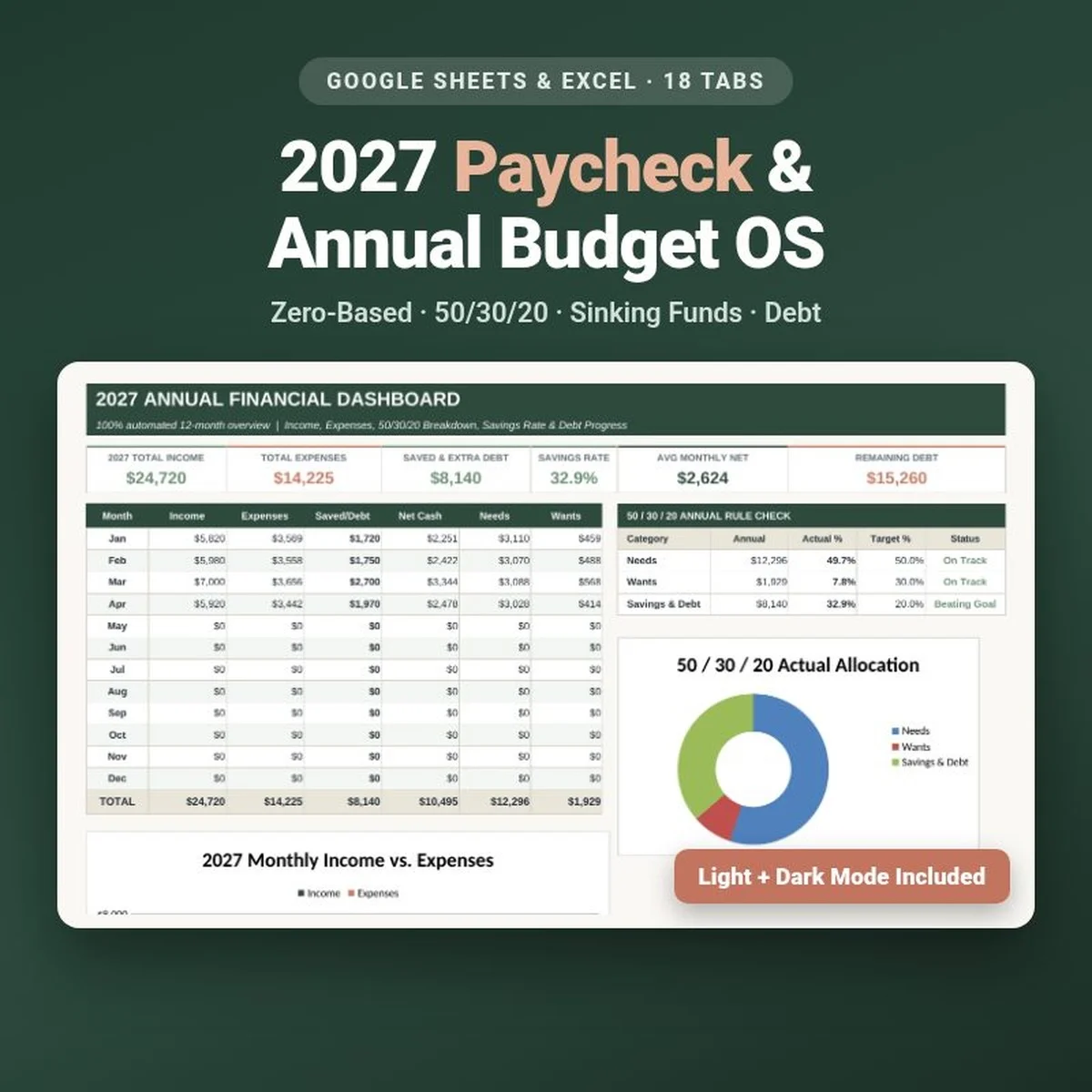
The 2027 Paycheck Budget OS is a calm, 18-tab spreadsheet template for Google Sheets and Microsoft Excel. There are no macros, no plugins, and no monthly fees. The one-time price is $9.99.
This is a personal paycheck and household budgeting template that you fill in yourself. It is not financial, investment, or tax advice.
Want to try the layout first? A free 2-tab paycheck starter is available in this store (or ask if the free listing is not yet published).
Who it's for
Anyone paid weekly, biweekly, semi-monthly, or monthly who wants every paycheck assigned before it disappears
People leaving a monthly budgeting app and wanting a spreadsheet they actually own
Couples or solo budgeters who like zero-based paycheck planning, a 50/30/20 check, sinking funds, or a debt-payoff order they choose themselves
Google Sheets or Excel users who want light and dark editions without a second purchase
Features
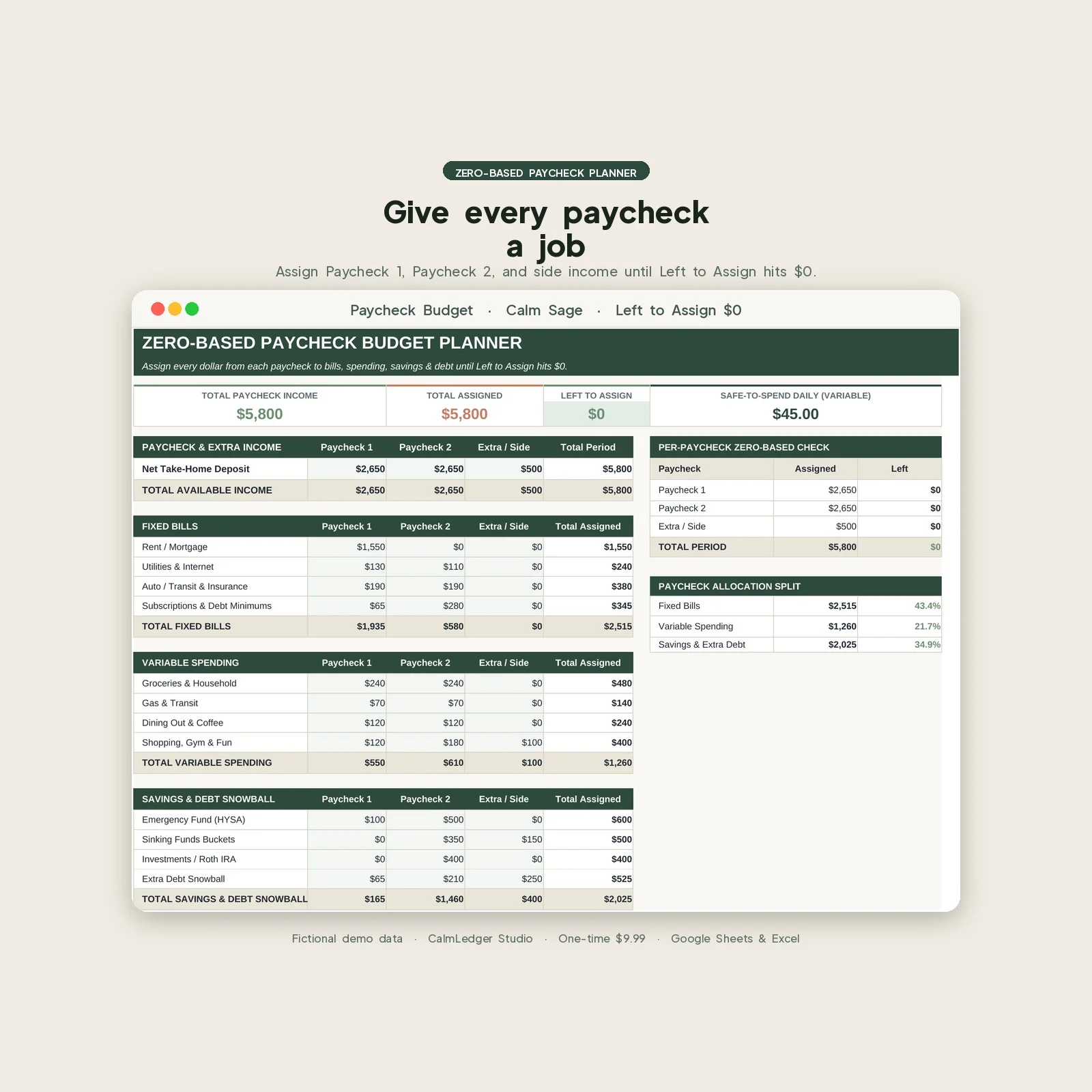
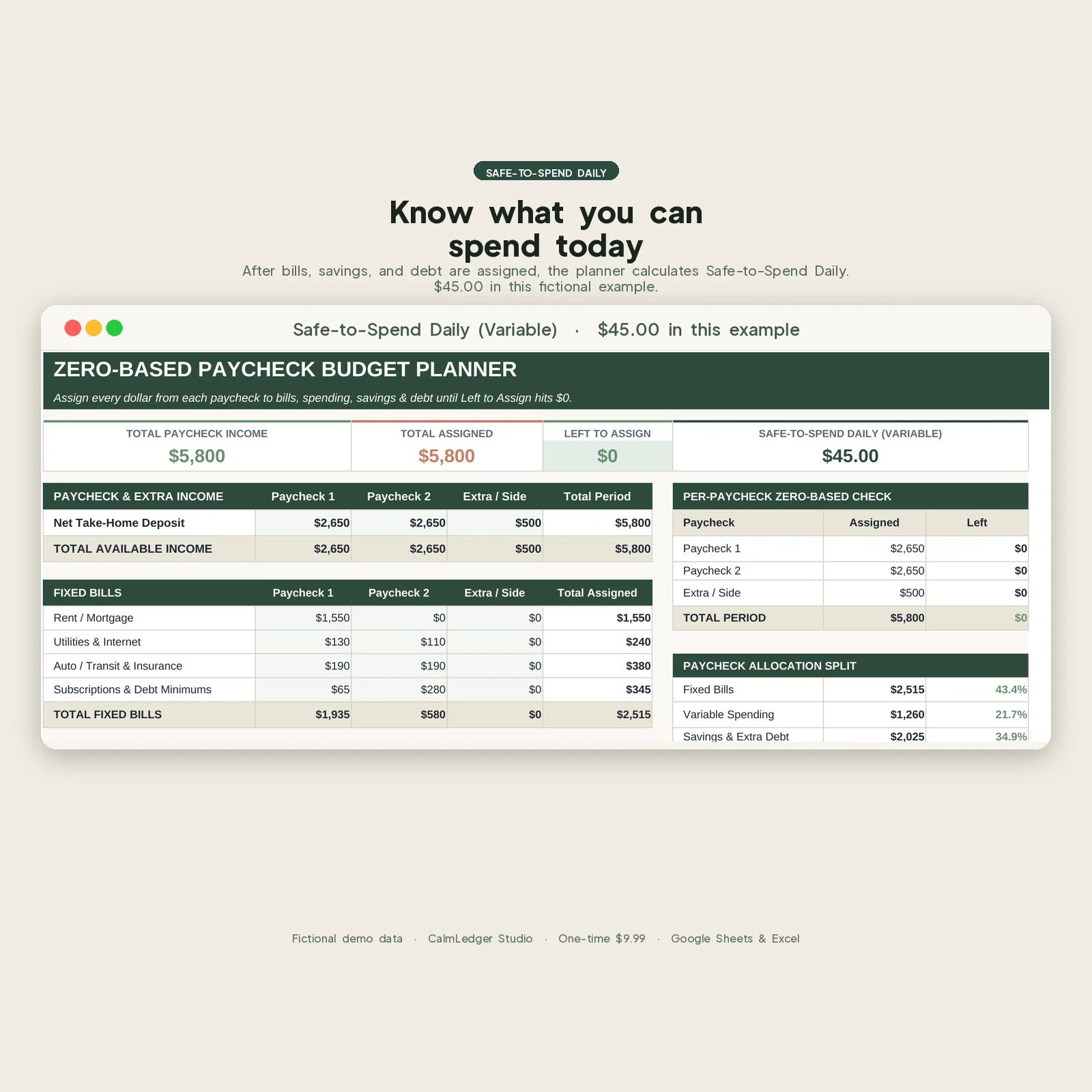
Zero-based paycheck planner: Enter Paycheck 1, Paycheck 2, and side income, then assign every dollar to fixed bills, variable spending, and savings until Left to Assign hits $0. The sheet also calculates a Safe-to-Spend Daily number from the plan you entered.
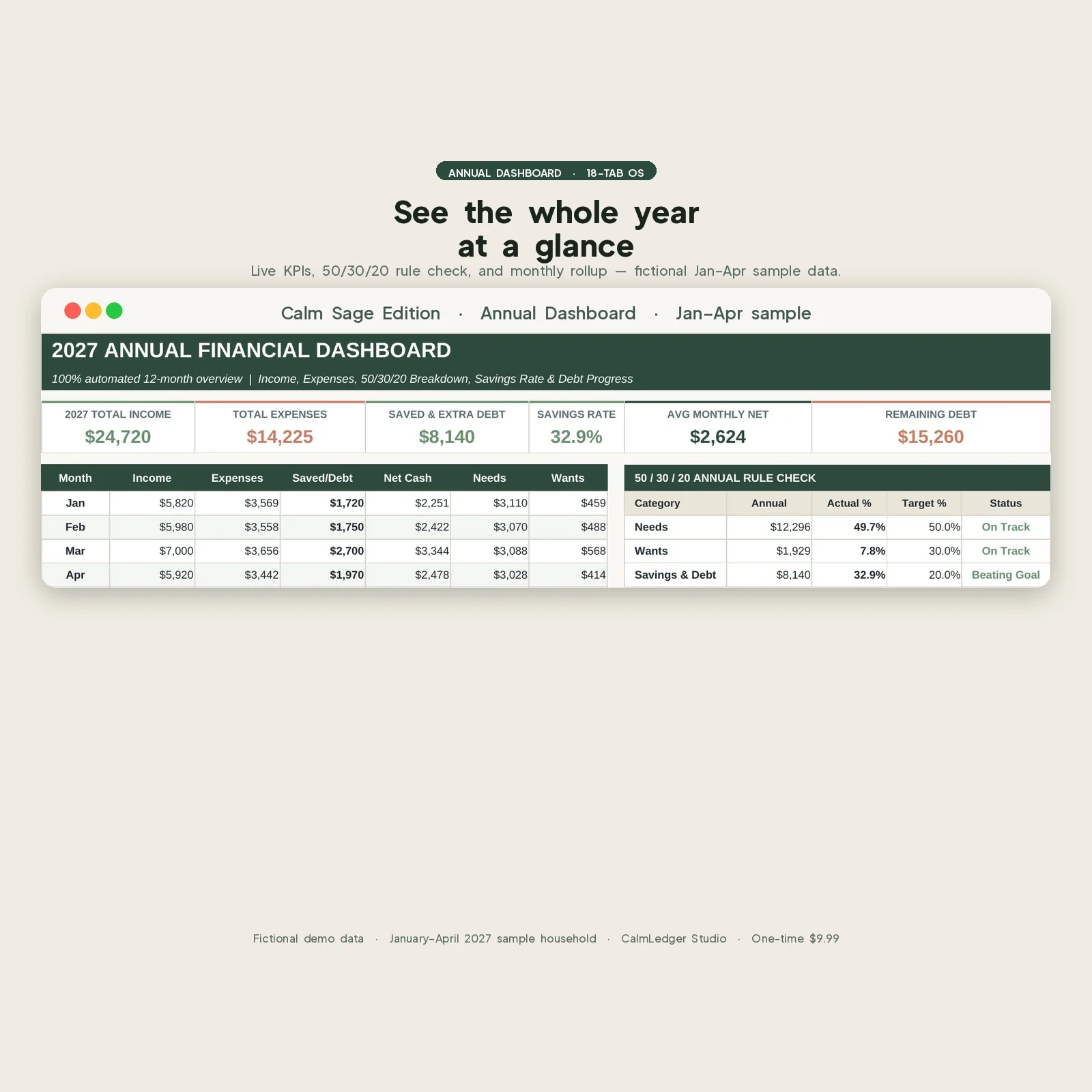
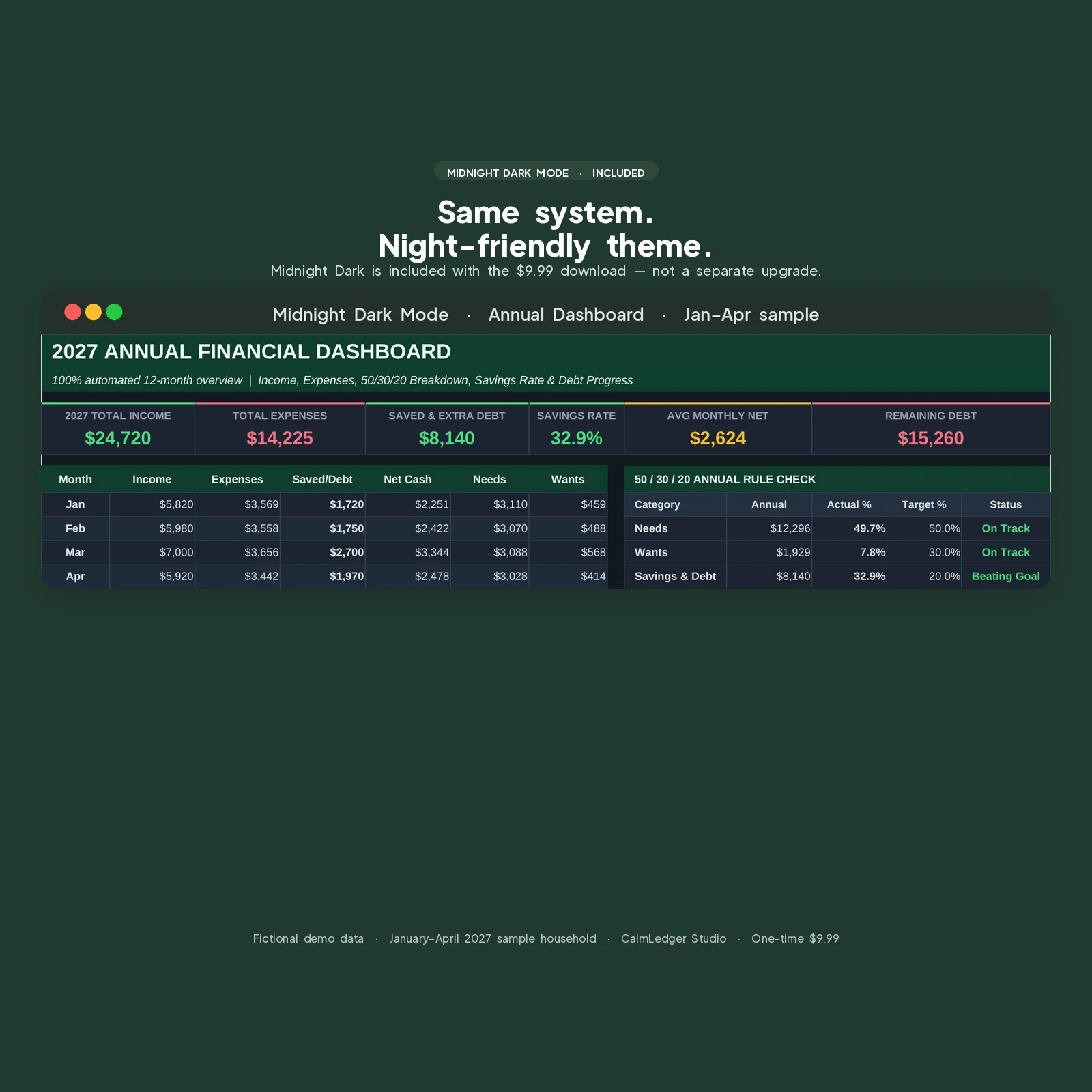
12-month annual dashboard: Live totals for income, expenses, amounts saved, and similar planning figures, plus charts that update as you log the year.
50/30/20 check: Compares Needs, Wants, and Savings/Debt with targets you can edit on the START HERE tab. This is a planning layout, not a rule you have to follow.
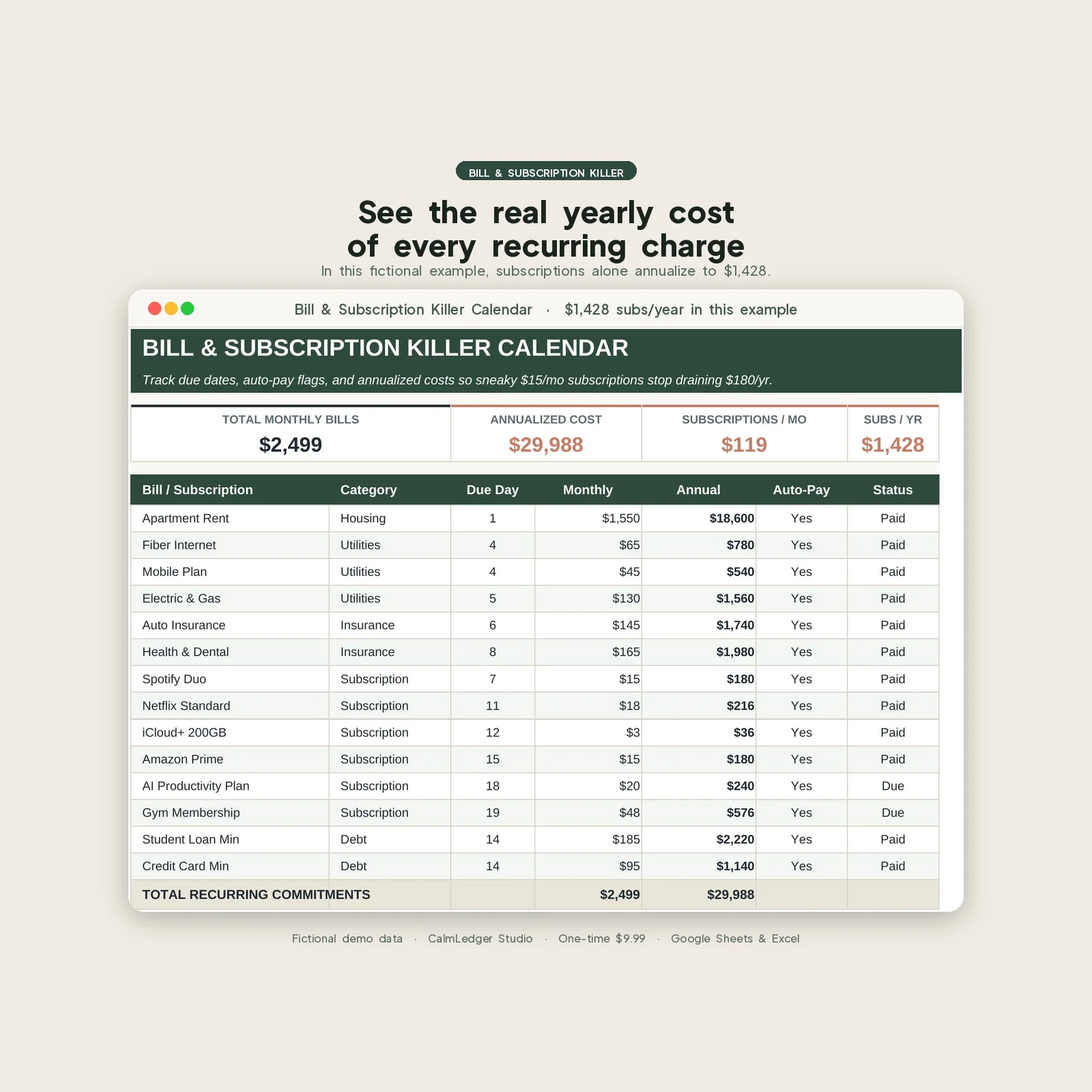
Bills and subscriptions list: Track recurring due dates and paid status, and see the yearly cost of those recurring charges.
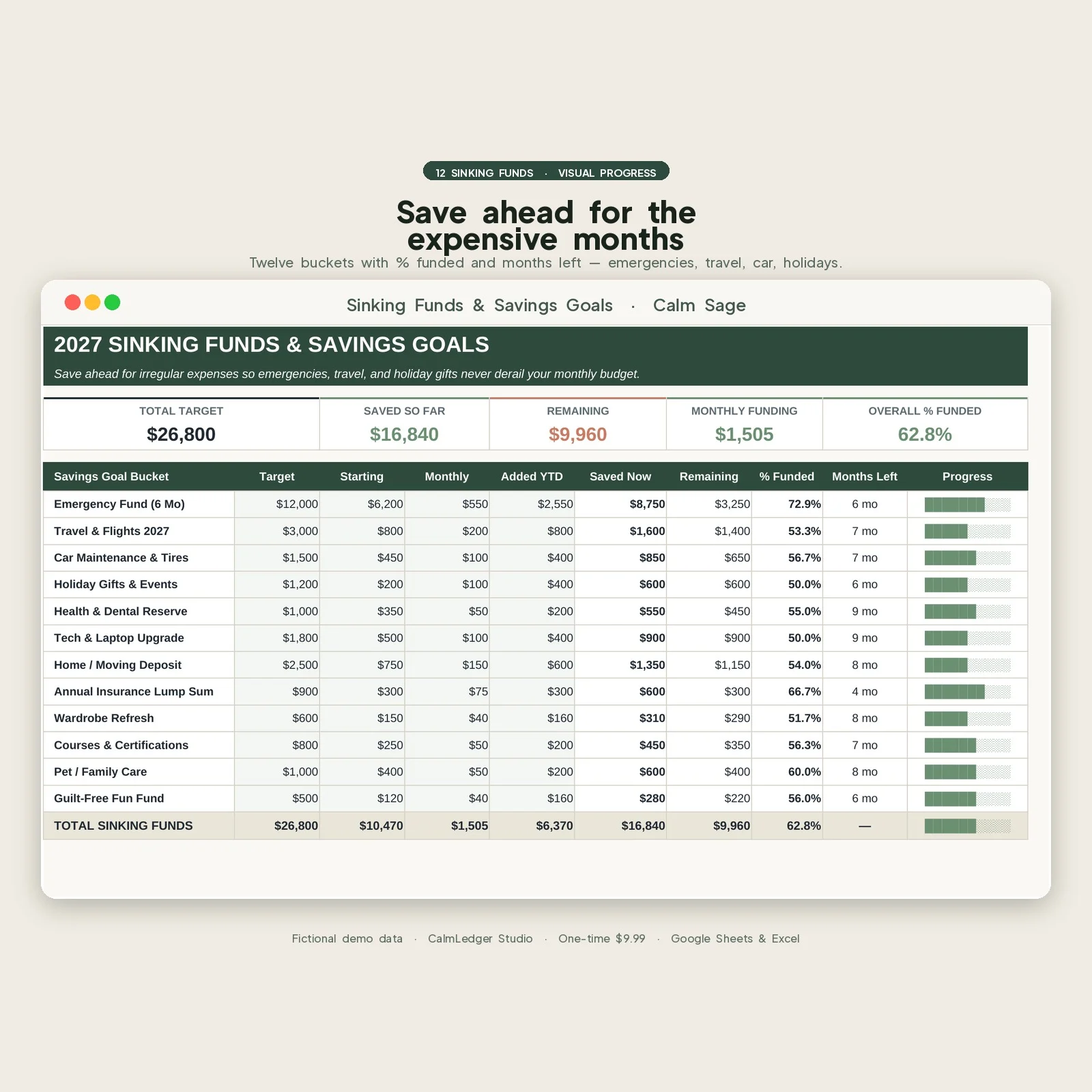
12 sinking funds with progress bars: Set targets for upcoming expenses such as emergencies, travel, car maintenance, or gifts, with automatic percent funded and months left.
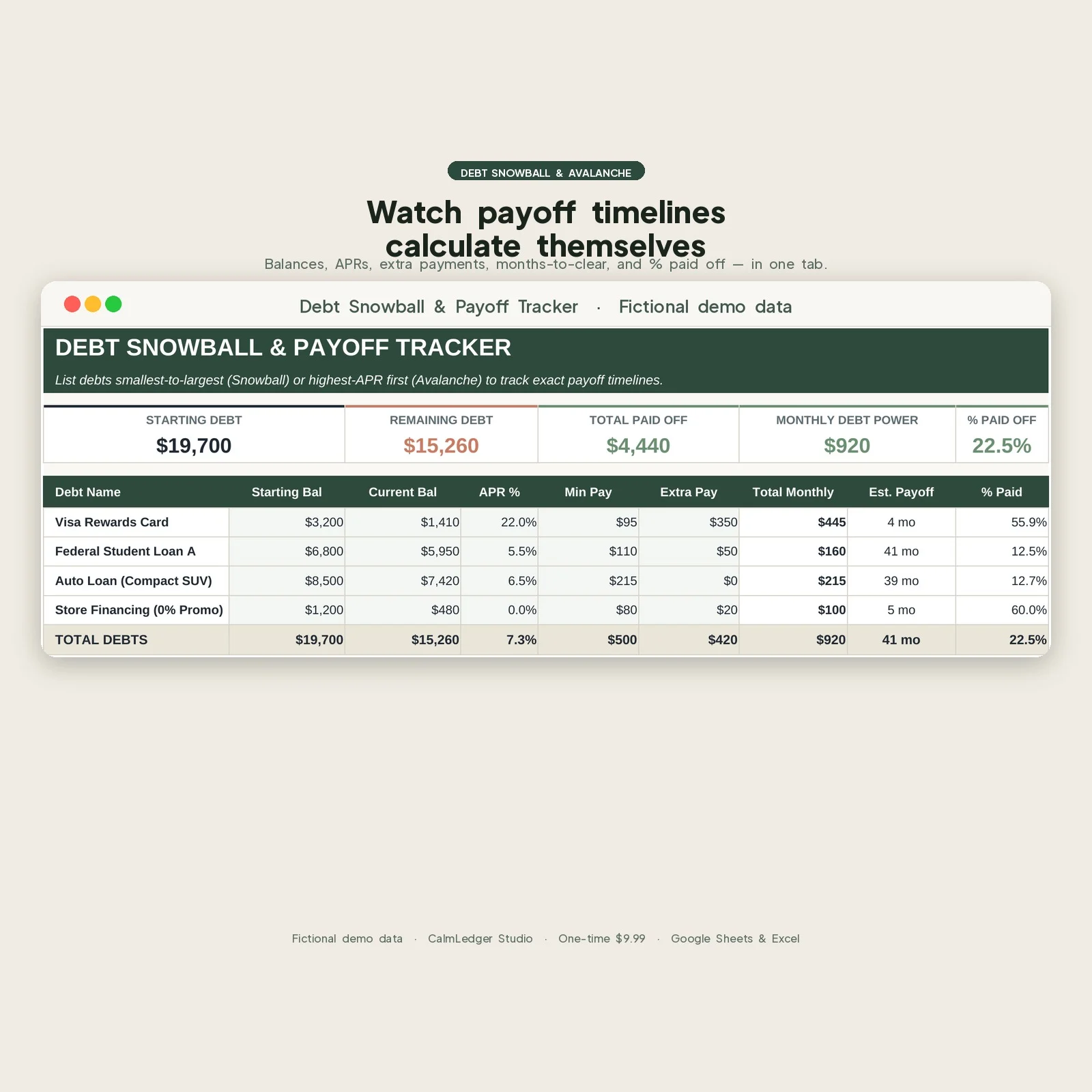
Debt payoff tracker: List balances and payments, then follow a snowball or avalanche order if you want to. This is a tracker, not a debt-relief or credit-repair service.
12 monthly tabs (January–December): Planned versus actual figures and a transaction log on every month, which roll into the annual dashboard.
What's included
After payment you get an instant digital download. Nothing is shipped. Your purchased copy arrives blank, ready for your own numbers. Screenshots use fictional sample data.
Calm Sage Edition (.xlsx) — Warm cream and forest sage light theme.
Midnight Dark Mode Edition (.xlsx) — Included, not an upgrade. Charcoal and emerald dark theme.
3-page Quick-Start Guide (.pdf) — Google Sheets and Excel import steps, plus a five-minute setup walkthrough.
How to start
Set your currency, pay frequency, and typical paycheck on the
START HEREtab.Open
Paycheck Budgetand assign Paycheck 1, Paycheck 2, and any side income until Left to Assign is $0.Enter recurring bills and subscriptions so you can see the yearly cost.
Set sinking-fund targets and, if you wish, list debts on the debt tracker.
Log spending on the January–December tabs. The annual dashboard updates automatically.
Compatibility
Google Sheets (a free Google account is enough: upload the file, then File → Save as Google Sheets)
Microsoft Excel (Excel 2019, 2021, or Microsoft 365 on Windows or Mac)
Any currency you set, including USD and CAD, and any of these pay schedules: weekly, biweekly, semi-monthly, or monthly
No macros and no plugins. Type only into the softly shaded input cells. Formulas and charts are already built.
We do not promise that the file will work in every third-party spreadsheet app.
License
You receive a personal, non-exclusive, non-transferable license to use the template for yourself or your household. You may keep backup copies and duplicate a blank master for a new year.
You may not resell, share, publish, or redistribute the files, or use them to create a competing template for sale. The design, structure, and documentation remain the creator’s copyright.
Refunds
Digital Product Refund Policy
Due to the instant delivery of digital products, we do not offer refunds for change-of-mind purchases once the download has started and the applicable right of withdrawal has been validly waived.
However, if your file is defective, inaccessible, or materially different from its description, please contact us. We will work with you to resolve the issue through a replacement, repair, or refund where appropriate.
Nothing in this policy limits your statutory consumer rights.
Please note
2027 Paycheck Budget OS is a budgeting spreadsheet template for personal planning. It is not financial, investment, or tax advice. It does not consider your full circumstances and is not a substitute for a conversation with a qualified professional. You are responsible for the numbers you enter and for how you use the template. Screenshots show fictional sample data.