 Gumroad



 Polar
 Kelviq
 Stan

Feature
What happens between a paid EXNO order and a file a buyer can use?
Digital product delivery on EXNO connects a completed purchase to the buyer’s access: an emailed receipt identifies the order, while the buyer’s library is where purchased files or, where included, lessons and membership content can be reached. Test both the handoff and the content itself. A receipt that arrived, a file that downloaded and a lesson that opens are three different checks. 1456
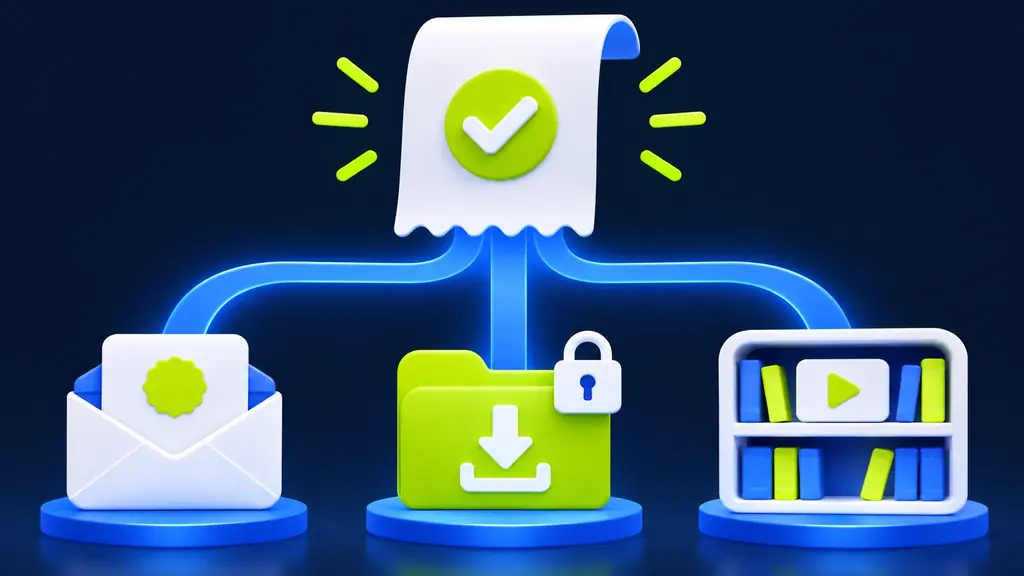
What connects a completed order to the product a buyer can use?
Digital delivery connects a confirmed purchase with the files or access promised in the offer, not merely with a payment message. An emailed receipt identifies the transaction, while the buyer’s library or the product’s access route should lead to the actual download, lesson or membership included in that purchase.
| Stage | Buyer needs | Seller checks |
|---|---|---|
| Order confirmation | Recognition of the purchased offer. | Product name and edition match checkout. |
| Receipt | A transaction reference and next step. | Instructions distinguish payment from access. |
| Library or access route | The promised files or content. | Only the purchased scope is represented. |
| First use | Enough guidance to open or begin. | Formats, dependencies and starting point are explained. |
The EXNO delivery features distinguish private deliverables from public covers. Prepare the actual contents as carefully as the preview; private delivery is not a guarantee against copying or a promise of lifetime access. 1
“Files are released only to buyers after payment.”
How do you prepare the route from payment to first use?
Review the delivery journey with the exact product, edition and materials that will be sold, then write instructions around the route the buyer actually follows. Keep the order reference, access location and first useful action distinct so someone who receives a receipt does not mistake it for the entire product.
- Match the purchase promise. List the included files, lessons or membership access and any stated duration. Do not infer additional rights from the product’s title.
- Prepare usable materials. Open downloads independently, explain required applications and identify the first lesson or document. Include reviewed captions and transcripts where appropriate for instructional video. 67
- Inspect the access path. Confirm that the order’s promised contents can be reached through the actual buyer route. For software, check the installer and activation instructions separately. 2
- Write a recovery instruction. Explain what information to provide if access fails, including the order reference and affected product, without asking for payment credentials. 5
Test access to the purchase, not just arrival of the email
A delivery check should prove that the right buyer can use the correct purchase and that another account cannot obtain private access. Match the test to the product: a download, course, membership, and software license need different evidence, even if each starts with a successful checkout and a receipt.
| Purchase | Expected in the entitled buyer’s account | Insufficient evidence alone |
|---|---|---|
| One-time download | The purchased edition and a working route to its promised files. | A receipt email without opening and checking the files. |
| Hosted course with workbook | Access to the purchased course and its included workbook, checked separately. | A visible course title without usable lessons or the workbook. |
| Renewing membership | Access consistent with the tested billing status and the stated paid-through terms. | An old receipt or a renewal email without checking current entitlement. |
| Software with a key | The correct software edition and the promised license-key handoff. | A delivered key without testing the seller’s activation integration. |
For an original release check, test two editions across three routes: receipt handoff, the signed-in buyer library, and the library of a separate test account you control that did not buy the edition and should not list it. That creates six scenarios. Record the purchased edition, account, expected result, and observed result for each; use separate test accounts rather than treating a seller’s own session as buyer evidence.
Five passes out of six leave one release blocker, not an 83.3% customer delivery rate. Identify and fix the failed scenario, then rerun the affected paths. Check the payment-to-delivery handoff alongside product-specific access checks; neither a receipt nor a successful payment alone proves complete delivery.1246
What should a delivery package account for beyond file size?
Keep each file within EXNO’s documented 5 GB limit, but also design the package for the buyer’s device, software, and available storage. A permitted upload is not necessarily a convenient download: separate public previews from paid assets and explain which files are needed to watch, read, install, or edit the product. 2
Label the format and version of each deliverable. A phone may download an archive yet lack enough free space to extract it, or lack the application required to open its contents. Provide a plain-language readme explaining extraction and supported software, and test the actual package on a representative small device rather than estimating usability from your desktop.
EXNO’s private delivery separates paid files from public product presentation. Keep sample pages, trailers, and other previews intentionally limited to material you mean to distribute publicly. Private initial access should not be described as DRM or a guarantee that downloaded files cannot be shared. 1
For a hosted course, distinguish access to a playable lesson from any downloadable lesson files. Identify caption language and format separately, and verify timing against the relevant video version. A caption attachment is useful only when buyers know how to use it and its text accurately conveys the essential audio. 67
“Automatic Captions are Not Sufficient”
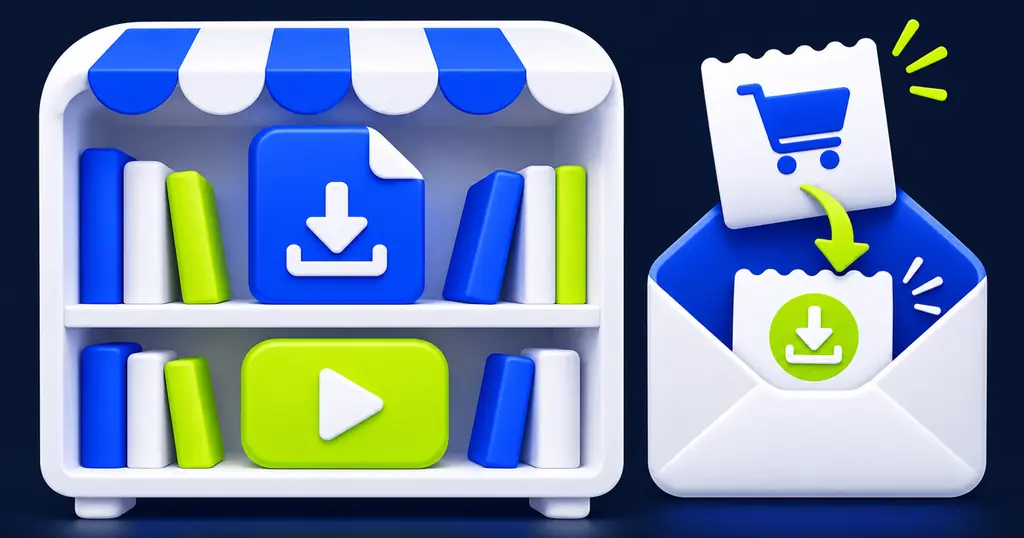
How do you diagnose a buyer’s missing delivery?
Start with the symptom and the original purchase reference, then check payment, entitlement, and file availability as separate stages. Ask only for the minimum information needed through the appropriate support route; do not request passwords, complete card details, or a public screenshot exposing the buyer’s private information.
- No receipt or purchase confirmation. Establish whether the transaction completed before telling the buyer to pay again. Have them check the inbox used for purchase, including filtered mail, and use their transaction reference when contacting support. EXNO’s role in payment processing is distinct from whether a message reached an inbox. 4
- Purchase visible, but no file available. Compare the ordered edition with its promised deliverables. Determine whether the buyer expected a file, instructions, or another form of access. Check the affected product’s delivery configuration without asking the buyer to disclose unrelated purchases. 1
- A lesson will not open. Check the relevant course entitlement separately from a successfully downloaded workbook. Record the lesson and error message, then reproduce the problem with an appropriate test account. Do not assume a playable preview proves access to the purchased lesson. 6
- The download is the wrong version. Compare the filename, release identifier, and manifest with the offer at purchase. Confirm whether a later edition was included before promising it; correcting a misdelivered file is different from granting an unpurchased upgrade.
Use the EXNO Help Center to route unresolved access problems. Check refund status too: EXNO’s policy ends access and the product license when a purchase is refunded. That platform-access change does not remotely erase a copy already downloaded onto a buyer’s device. 35
Picture the handoff without exposing the purchase
A receipt leading toward a simple library tray can illustrate the handoff from payment to usable content without displaying a real order or private download. Place that motif on the EXNO Pixel Wall and point interested visitors toward a public product description rather than a buyer’s access address.
The wall has one million cells at $1 each, paid once by card or EXNO earnings. Choose available space and submit artwork for review; a title and destination URL can accompany it. Keep customer names, license keys and private delivery information out of the image.

Help with receipts, downloads and reaching the right content
When delivery feels incomplete, first identify whether the problem concerns payment confirmation, finding the purchase or using the material itself. These questions separate those stages so buyers can describe the issue clearly and sellers can investigate the relevant order without requesting unnecessary personal information or another payment.
I received a receipt; does that mean the files are attached?
EXNO Help explains that confirmed payment takes you to your purchase and that an email links back to it. Keep that message for returning to the files rather than expecting every deliverable as an attachment. Checkout can use your email address without requiring an account beforehand. 5
What should I do if the receipt email has not appeared?
Check spam folders and whether the purchase used the email address you are checking. If the order is visible through your buyer access route, record its reference before seeking help. Do not pay again solely because a message has not reached your inbox. 5
The library shows a different edition from the one I bought; what now?
Compare the purchased edition on the order with the visible contents and explain the specific mismatch. Send the order reference and product name through the help route, avoiding screenshots that reveal payment credentials. A mismatch should be investigated rather than treated as a reason to buy the missing edition again. 5
Why can I download the software but still not activate it?
Obtaining the installer and activating the software are separate steps. Check the supported environment and the product’s activation instructions, then report the error without publishing your license key. A successful file download alone does not establish that the application’s activation setup is working. 2
Does buying a course always mean downloading all lessons?
No: read the specific offer to distinguish downloadable materials from lessons or membership access reached through another configured route. EXNO’s cited course guide describes a buyer download library and organized learning files, not a universal promise about every course format. Check included resources and any access duration before purchase. 6
The video opens, but I cannot follow the audio; what should I check?
Look for the supplied captions or transcript and the instructions for using them with the video. Captions convey speech and meaningful sounds, while translated dialogue subtitles may not include that information. Tell the creator which accessibility material is missing or inaccurate rather than assuming playback alone resolves access. 7
Can a private download prevent the buyer from copying the file?
Private delivery controls the delivery route; it is not a guarantee that a received file cannot be copied. The product’s license explains permitted use and sharing. Do not treat a private link or library entry as proof of technical copy protection. 1
What if the purchased product cannot be delivered or fixed?
Use the receipt’s refund route or EXNO support with the order number. EXNO’s policy provides remedies for specified situations, including unavailable delivery and faults or misdescription that cannot be resolved within a reasonable time. That is different from an unconditional change-of-mind refund after digital delivery; legal rights and any stated refund window still apply. 3
General information, not tax or legal advice.
Documentation behind the delivery and recovery guidance
EXNO’s public pages establish private delivery, software activation, downloadable course organization and the support and refund routes discussed here. W3C explains the purpose and quality of captions; neither source promises universal file compatibility, guaranteed email arrival, copy prevention or an identical access arrangement for every type of digital product.
- EXNO product and storefront features · Private digital file delivery, product editions, checkout links and storefront tools· checked 19 November 2026
- EXNO: delivering software and license keys · Per-file upload limit and the distinction between obtaining a download and activating software· checked 19 November 2026
- EXNO refund policy · Missing products, defined remedies and the status of access following a refund· checked 19 November 2026
- EXNO payments · The buyer transaction and EXNO’s merchant-of-record responsibilities· checked 19 November 2026
- EXNO Help Center · Seller and buyer workflows, including accessing purchased digital products· checked 19 November 2026
- EXNO: selling online courses · Downloadable course materials, sequencing and access through the EXNO buyer library· checked 19 November 2026
- W3C Web Accessibility Initiative: captions and subtitles · How synchronized captions convey speech and relevant non-speech sounds in media· checked 19 November 2026


Make the first useful action part of the product
Finish the deliverables, identify their access route and write the instructions a buyer needs immediately after payment. When the order description, available contents and first-use guidance agree, prepare your store’s offer and review the whole handoff rather than stopping at a successful checkout screen.
Keep reading

Feature
Build an affiliate program around your digital products
An affiliate program on EXNO lets you set a commission rate while partners promote your digital products through their own links and coupons. You also have affiliate analytics to review activity and inform your next campaign. Start with a product you can explain clearly, a commission you have worked through, and partners whose audience has a reason to use it.
Read the guide
Feature
What can EXNO AI help you decide as a seller?
EXNO AI is an AI assistant for online sellers that answers questions in your language from the chat bubble at the lower right of the dashboard, 24 hours a day. Use it to understand an EXNO rule, review your store, compare prices on Discover or work on an idea; involve the EXNO team when the situation needs a person.
Read the guide
Feature
Design your EXNO storefront by telling the builder what should change
EXNO’s AI Store Builder lets you change your storefront design through a conversation and refine the result with drag-and-drop editing. Instead of asking for a “better store,” tell it who is visiting, what they need to find and which part of the page should move.
Read the guide