 Gumroad



 Polar
 Kelviq
 Stan

Comparison
Beacons or EXNO: where should you run your creator business?
EXNO is a Beacons alternative if you want to sell digital products and services through your own store and a marketplace, with a merchant of record handling each sale. Beacons is a better fit if pitching sponsors, sharing affiliate recommendations, and selling to your social audience are equally important to you. You can also keep your Beacons media kit and send product shoppers to EXNO.123
What does each platform give you?
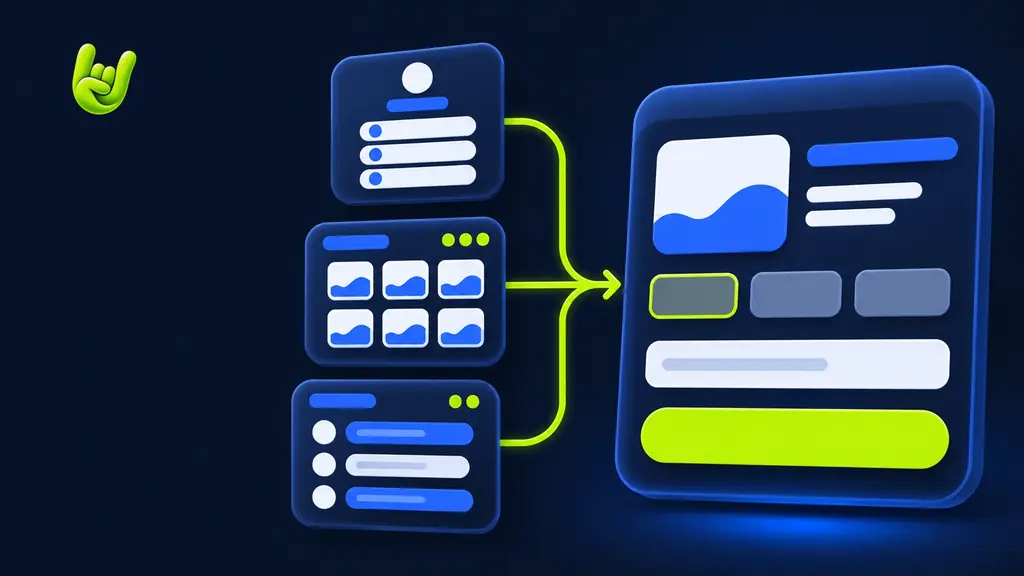
Both platforms let you sell files, teach customers, and take bookings, so the biggest difference is what visitors see before they buy. Beacons puts your audience and sponsor pitch alongside your offers, while EXNO gives shoppers a catalog where they can compare products and decide what to buy.123
| Business need | Beacons | EXNO |
|---|---|---|
| What you can offer | Digital downloads, courses, memberships, and appointments. Beacons also documents a way to list physical goods, with shipping arranged by the seller.28 | Ebooks, templates, printables, design assets, music and sound packs, video, software, and services such as commissions or consulting. Files can be up to 5 GB each. No physical goods. |
| Store and checkout | A link-in-bio page, website builder, and store with customizable product pages. Add a coupon or a related product at checkout; share individual product links in posts or messages.12 | Build pages and menus with the drag-and-drop Store Builder. Select from 12 checkout designs, with different designs for different products. You can embed checkout on a site or share a payment link. |
| Sales and marketing | Use a media kit for brand pitches, affiliate links for recommendations, email for an opted-in audience, and Smart Reply for Instagram messages triggered by comments.139 | List your work on Discover by product category. Set commissions for affiliates who sell your products, or segment your own customers for an email campaign. |
| Platform charges | With monthly billing: Free is $0 and Creator is $10, both with a 9% seller fee; Creator Plus is $30 and Creator Max is $100, both with a 0% seller fee. Payment processing is separate.12 | Standard sales: 7%. Discover sales: 7%. Additional fees may apply to payment processing, payouts and other transactions. See the Seller Agreement for current fees and terms. |
| Buyer taxes and refunds | Beacons says you handle VAT and sales tax on your store sales. To issue a refund, use the connected processor that collected that order.45 | As merchant of record, EXNO calculates, collects, and remits applicable buyer taxes, processes refunds, and handles payment disputes. Business buyers can receive an invoice with their tax number. |
| Receiving funds | Your connected processor determines when earnings are available and when they reach the bank. The interval depends on the account and its location.2 | Sales become eligible after seven days. See how bank payouts work. |
Which costs matter at your sales volume?
Compare the platform charge on your actual monthly sales with the price of a paid plan, then add any processing and currency conversion that applies to those orders. A fixed monthly bill can beat a commission without necessarily leaving you with a larger deposit after the other costs.12
A $400 month. Suppose you sell six $20 ebooks, two $90 consultations, and four $25 sound packs. On Beacons Free, the seller fee is $36; on monthly Creator Plus, the plan costs $30 with no seller fee.
One subtlety: the $10 Beacons Creator plan still has the same seller fee as Free. Evaluate that upgrade on what you would use, such as the higher monthly email allowance, rather than expecting it to reduce the percentage on a sale. Model one month with no launches, too: a monthly bill is still due even if the store takes no orders.1
Which platform fits the way you find and serve customers?
Choose Beacons when a follower, a product buyer, and a potential sponsor should land on the same creator profile. Choose EXNO when shoppers need to browse a catalog, compare what each purchase includes, and return for different kinds of access. If you have both audiences, give them separate destinations.23
Start with the visitor who has never heard of you
In a Beacons media kit, a producer pitching a sponsored series can show past campaigns, audience statistics from connected accounts, and optional rates. The sponsor can judge the pitch without buying a product. For a designer selling a plugin, an ebook, and a critique, an EXNO storefront can put compatibility, sample pages, and the scope of the critique on separate pages. A product listed on EXNO Discover can also be found through search and category filters.3
Choose checkout and delivery around the promise
A workbook buyer needs the file, a member needs continuing access and a way to manage renewal, and a software buyer may need an activation key. EXNO offers a buyer library, a subscription portal, software licensing, and hosted courses that record lesson progress. A video you sell as a download need not be turned into a course to fit your store.
Beacons Free and Creator include one course without hosted video; Plus and Max include hosted video courses and memberships. For a Beacons download, the buyer gets a success screen and a confirmation email. Its help page says the access link lasts seven days and that a seller can resend the confirmation. Decide who will answer the customer who searches their inbox a month later.16
Count the action you actually wanted
For a brand pitch, a request for rates is useful even when the store gets no sale. For a product launch, compare the number of product views, opened checkouts, and completed orders. EXNO breaks those steps down by product and reports UTM campaigns. If a template gets 100 views, 20 checkout opens, and four sales, that is 4% of product views but 20% of checkout opens. Pick the denominator before comparing campaigns.
How do you move sales without breaking your old links?
Move the checkout and public profile separately: use EXNO Switch for products and customers, and keep track of open conversations with sponsors who found you through your bio. Match past orders to the access each buyer still needs, and keep those records separate from your email subscriber list before you change the link.
- Make a link inventory. Start with your profile, highest-traffic posts, newsletters, and automated replies. Mark each destination as a sale, free signup, sponsorship inquiry, or third-party recommendation. A sponsorship link should not silently turn into a checkout.
- Separate audience and order data. Beacons lets you export subscribers as a CSV from Audience Manager. Save the consent information you have, and keep product orders, open bookings, and delivery instructions in separate records. A subscriber row alone does not show what that person bought.7
- Move an offer with a clear finish line. Follow the EXNO Switch guide for products and customers. Start with a downloadable file. Verify ongoing member access separately, and do not count an imported email address as a transferred billing agreement.
- Test yesterday’s receipt as well as today’s checkout. Open the original delivery email for an existing purchase and arrange a working replacement if necessary. Then check the new product, confirmation, and download on a phone. Change product links once both buyers have a clear path; keep the media-kit link where sponsors expect it.36
Give your creator identity a place beyond the bio
Think of the small graphic you use wherever followers find you: a color pair, a studio initial, or a tiny drawing. On the EXNO Pixel Wall you can place it in a rectangle with a title and an optional link, independent of which offers happen to be in your profile.
Each pixel is $1; approved spaces stay on the wall, and a declined submission is refunded in full. To support EXNO’s growth, choose a rectangle for your creator mark.

Frequently asked questions
Some creators need to replace their whole setup; others only need a different place to take orders. These questions distinguish the parts worth keeping from the parts worth testing, especially when brand work, affiliate recommendations, digital sales, and email subscribers share the same public profile.
Can I keep Beacons as my bio page and sell on EXNO?
Yes. Put an EXNO store or payment link on the Beacons page and leave your sponsor and social links in place. Label it with the actual purchase, such as “Buy the editing templates,” so buyers know where they are headed.1
Does a zero seller fee on Beacons mean no costs?
No. Creator Plus and Creator Max remove the Beacons seller fee, but you still pay for the plan, and processing charges can apply to individual payments. Use your account’s processing terms, not just the plan headline.12
Are affiliate tools for selling my work or for recommending other products?
Those are different jobs. Beacons lets creators recommend products from brand partners, while EXNO sellers can set a commission for affiliates who bring buyers to their own offers. Decide which direction the referral goes before comparing the tools.9
Can my sponsor view a Beacons media kit without buying from me?
Yes. A media kit is a shareable pitch, not a product checkout. You can share past projects and rates, and Beacons lets you request an email before a visitor views the kit if you want that extra step.3
Should I switch my mailing list when I move the store?
Not necessarily. Build the new buying and delivery path first, then decide where you will run future mailings. Keep unsubscribes and consent records separate from purchase history, particularly if you are combining more than one contact list.
General information, not tax or legal advice.
Sources
Beacons publishes separate instructions for its storefront, its media kit, and the accounts that handle payments. The links below identify which document supports each comparison, including the distinction between a platform fee and processing, the seller’s role in tax and refunds, and the limits of a subscriber export.
- Beacons: monthly plans, seller fees, email allowances, and course access· checked 20 November 2026
- Beacons Store: offer types, checkout tools, product links, and bank timing· checked 20 November 2026
- Beacons Media Kit: audience data, campaign examples, rates, and access controls· checked 20 November 2026
- Beacons on its own VAT and sales tax responsibilities· checked 20 November 2026
- Beacons Help: which account to use for a customer refund· checked 20 November 2026
- Beacons Help: success screens, delivery emails, and access-link expiry· checked 20 November 2026
- Beacons Help: subscriber CSV export in Audience Manager· checked 20 November 2026
- Beacons Help: listing physical items and arranging fulfillment· checked 20 November 2026
- Beacons: affiliate collections, brand partnerships, and comment-triggered messages· checked 20 November 2026


Try a split setup before a full move
Leave the sponsor pitch where it works and give one paid offer its own storefront page. Follow the purchase from a social link through delivery, then check whether a new customer can find your other work without needing the original post or a message from you.
Keep reading

Comparison
EXNO or Bandcamp: which platform fits what you sell?
EXNO is a Bandcamp alternative for a studio that sells digital tools, files, instruction, or services as well as music. Bandcamp is the stronger fit for a record release that fans will stream, collect, or buy on vinyl; EXNO does not sell physical goods. If your audience includes both fans and working creators, the two stores can serve different customers.
Read the guide
Comparison
Buy Me a Coffee or EXNO: what are people paying you for?
EXNO is a Buy Me a Coffee alternative when your income comes from selling digital products and services, not just collecting support from fans. Buy Me a Coffee is the better fit if a listener or reader should be able to thank you without buying anything, and its Shop and memberships can handle paid offers too.
Read the guide
Comparison
Creative Market or EXNO: which platform fits your business?
EXNO is a Creative Market alternative if you want one storefront for downloads, software, teaching, and client work. Keep Creative Market when buyers come to license your design assets under familiar terms; consider EXNO when you want to shape the checkout and sell more than an asset license.
Read the guide