 Gumroad



 Polar
 Kelviq
 Stan

Guide
Migrate to EXNO with a clear plan for products and customers
Migrate to EXNO with EXNO Switch to move products and customers from another platform. Begin by confirming the supported transfer scope, then review a representative product and its buyer access before moving the rest of your catalog. This guide provides a working checklist for the preparation, verification, and purchase-route changes you control.

What does EXNO Switch move?
EXNO Switch supports moving products and customers from other platforms to EXNO, but the exact scope for your source store needs to be confirmed before transfer. Treat files, access rights, historical records, and connected workflows as items to verify rather than assuming every part of the old store moves together.
| Area | Planning approach |
|---|---|
| Products and customers | EXNO Switch provides the migration capability; establish the supported source and record scope. |
| Files and product presentation | Confirm what transfers and inspect the actual files, descriptions, images, and instructions afterward. |
| Existing buyer access | Define the expected access for each relevant purchase and verify the destination experience. |
| Billing and software access | Confirm active subscriptions, payment arrangements, license continuity, and required customer action separately. |
| Old links and records | Keep an archive and determine which links you can update or redirect through the original host. |
Give EXNO migration support a concise inventory of the source store and the outcome you need. Ask for the applicable process and exceptions before preparing files around an assumed import format.
A useful definition of completion is that the intended products are available and the expected buyers can use them. A matching count of imported records is one check, but it is not enough to establish that outcome.
How do you prepare a usable catalog inventory?
Prepare an inventory that connects each active offer to its source files, current description, price, and usage terms. Keep a dated copy of the source materials and record subsequent changes, so you can tell whether a difference found during review came from the transfer or from later activity.
- List active offers. Include the source reference, product name, variations you need to preserve, and whether the offer should remain available.
- Collect the original files. Check the version, format, file name, and accompanying instructions; EXNO supports files up to 5 GB each.
- Preserve product promises. Save the description, included items, compatibility information, and usage rights buyers were told they would receive.
- Record the commercial setup. Note the intended price and any offer conditions that should be reviewed in the destination.
- Take a dated snapshot. Keep the original export unchanged and make corrections in a separate working copy.
- Create a change log. Record later product edits and purchases that need to be reconciled with the initial snapshot.
Use a migration register, not just a folder of exports
A practical register can contain source reference, destination reference, expected files, last reviewed date, and outstanding issue. These are suggested labels for your own tracking sheet, not a claim about EXNO's import columns or file format.
For a bundle, open each included file rather than checking only that the bundle name exists. A renamed archive or an outdated instruction sheet can leave the product technically present while making it harder for a buyer to use.
How do you preserve customer access?
Preserve customer access by recording what each relevant purchase entitles its buyer to receive and checking that relationship after the move. A customer contact and a product record can both exist in the destination while the connection between them still needs to be established or verified.
| What you check | Expected result in your acceptance sheet |
|---|---|
| Customer identity | The same intended buyer is recognized through the agreed access process. |
| Product A | The buyer can obtain the included files for Product A. |
| Product B | The buyer can obtain the separately purchased material for Product B. |
| Unrelated product | Access has not been unintentionally expanded beyond what was agreed. |
The example explains the relationship to test; it does not prescribe EXNO's account structure. Keep the source purchase references that help resolve a mismatch instead of relying only on a person's display name.
Give ongoing relationships their own plan
For subscriptions, document the next expected charge and which system is responsible for it during the transition. For software licenses or hosted courses, document the access state or progress information you need to preserve and confirm what the migration process supports.
Do not treat an imported customer record as evidence that a recurring payment, an existing license, or learning progress has moved. A separate confirmation step makes it possible to explain any action the customer needs to take before the old experience is retired.
Keep communication preferences alongside customer records when planning later email campaigns. A transferred contact is not, by itself, enough information to decide which messages that person expects or which preferences should apply.
What should you rebuild around the transferred products?
Rebuild the parts of the selling experience that explain the product, guide the purchase, and tell the buyer what to do afterward. In EXNO, this includes your store presentation and checkout choices, which should be reviewed against the existing offer rather than assumed to match it automatically.
Make the destination recognizable and accurate
Your EXNO store uses a name.exno.app address, and Store Builder provides drag-and-drop editing with an AI assistant. Organize pages and navigation around how buyers choose a product, then check that product pages use the intended store theme.
Preserve the parts of the product description that answer practical questions: included files, required software, usage terms, and support instructions. Redesigning the page can be useful, but removing a requirement during the redesign creates a different offer.
Check the purchase and post-purchase messages together
EXNO's Checkout Builder offers 12 designs, product-specific customization, discounts, upsells, and order bumps. Check the selected offer, any optional extra, and the post-purchase message as one sequence so the buyer knows what they bought.
Inventory payment links and any embedded checkout placements you use on your own site. Replace them only after you have verified the intended EXNO purchase route, and keep a record of which placements still point to the old service.
Standard sales: 7%. Discover sales: 7%. Additional fees may apply to payment processing, payouts and other transactions. See the Seller Agreement for current fees and terms. Confirm payout readiness rather than assuming your previous platform’s arrangements carry over.
How do you handle old links and search visibility?
Map each important old product address to its intended destination, then update the links you control and confirm which old URLs can be redirected. Google recommends URL mapping, appropriate redirects, and monitoring during site moves; the available actions depend on your control of the original pages and hosting.1
- List buyer entry points. Include your own website, social profiles, published tutorials, and product documentation that contains a purchase destination.
- Choose the correct replacement. Match a product-specific link to the corresponding offer rather than using one destination for unrelated products.
- Check control of each old address. Establish who can change the page or configure a redirect before assigning that work.
- Verify the final landing page. Follow the changed link as a visitor and confirm that the intended offer is actually reachable.
For a genuine URL move where you control the old server, Google's guidance recommends permanent server-side redirects to the relevant new URLs. It also recommends updating links directly and monitoring search traffic and crawl errors; temporary search fluctuations can occur during a move.1
Those recommendations are not a promise that EXNO Switch configures redirects on another platform. Keep any old address you cannot control on your unresolved list and plan a practical way to update the places where you shared it.
Keep purchase links separate from access instructions
A new prospect needs the current offer, while an existing buyer may need instructions for material already purchased. Review those two journeys separately so an old support link does not unintentionally tell a customer to pay again.
When is the store ready for the final switch?
The store is ready when the agreed transfer scope has been reviewed, the intended purchase and access journeys work, and unresolved cases have an owner and a plan. Use a recorded acceptance check before changing your main purchase links, followed by a review of actual activity after the switch.
- Complete the pilot review. Open the files, check the product details, and verify the agreed existing-buyer access route.
- Reconcile activity since the snapshot. Account for later purchases and product changes through the process agreed for your migration.
- Confirm the purchase experience. Review the checkout information, delivery route, and instructions using the testing process supported for your setup.
- Prepare customer instructions. State what changes, what action is required, and where to ask for help; include only confirmed details.
- Switch the intended entry points. Update the links you control and note the time the new route becomes the main one.
- Review after the change. Investigate access problems, broken links, and differences between expected and actual product delivery.
Define what would make you pause
Before the switch, name the failures that would stop the rollout, such as a missing paid file or an unrecognized buyer entitlement. Assign someone to resolve each issue and keep the original materials available while the new experience is reviewed.
A pause or fallback plan depends on the source platform's availability and the arrangements you have confirmed. Do not retire the old access route solely because the transfer task reports completion; use the buyer-facing checks to decide what is ready.

Frequently asked questions
These questions address the parts of a store move that are easy to confuse: record transfer, access continuity, billing, and the links buyers already use. The answers give you a practical basis for a migration brief while keeping source-specific requirements separate from the general planning checklist.
Can EXNO move my products and customers from another platform?
Yes, EXNO Switch provides product and customer migration. Confirm the supported source and transfer details for your store, then inspect a representative result before moving the full catalog.
Will buyers automatically keep access to everything they purchased?
That outcome needs to be verified for the migration process agreed for your store. Preserve the relationship between the buyer and the purchased product, and check the actual access route instead of relying only on imported contact counts.
Will active subscriptions and license keys transfer?
Do not infer their transfer from the product and customer migration capability. Confirm the handling of ongoing billing, existing licenses, and any customer action as separate requirements for your move.
How long does a migration to EXNO take?
This guide does not promise a fixed completion time. Scope, source data quality, access requirements, and the corrections found in a pilot determine the work, so build the schedule from those verified tasks.
Will old product URLs redirect automatically?
Do not assume an EXNO Switch transfer changes addresses hosted by another service. Determine who controls each old URL and arrange the available link updates or redirects separately.
How do I know the migration is complete?
Compare the destination with your acceptance sheet and verify the intended customer journeys. Products, files, access, and updated purchase links should pass their agreed checks, with any remaining exceptions documented and assigned.
General information, not tax or legal advice.
Sources
Google's official documentation below supports the recommendations about mapping URLs, using redirects where you control the old site, and monitoring a move. The inventory examples and acceptance checklists are planning tools for your own migration, not a specification of EXNO import formats or automatic transfer coverage.
- Google Search Central: URL mapping, redirects, link updates, and monitoring site moves· checked 18 November 2026


Prepare a move you can verify
Create your EXNO account and assemble a short inventory of the products and customer access you want to move. Confirm the EXNO Switch scope, review a representative transfer, and use the results to plan the remaining catalog work and the change to your purchase links.
Keep reading
Guide
How to add a product to your EXNO store
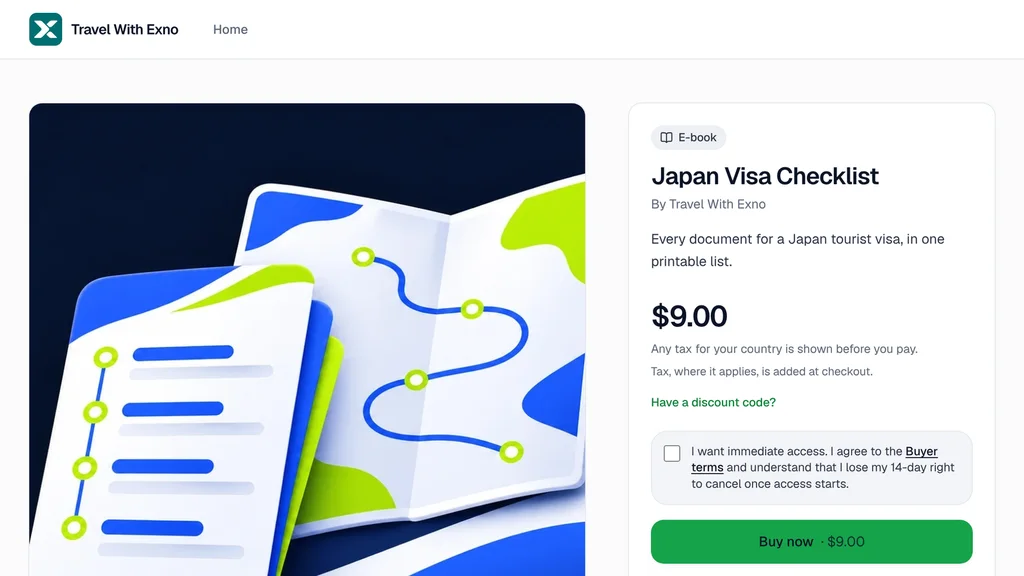
Adding a product takes a few minutes: you create it, write the page buyers see, set a price, add a cover and the files buyers get, and publish. The clips below show every step in a real EXNO store, Travel With Exno, as it adds a Japan visa checklist.
Read the guide
Guide
Where should you sell your digital products?
The best platform to sell digital products depends on what you deliver, how buyers find it, and who should handle the transaction. Shortlist Etsy for original digital designs, Shopify for a shop that also ships goods, Gumroad for direct creator sales, and EXNO for a mixed digital catalog with a storefront and marketplace.
Read the guide
Guide
What to do when a buyer disputes a digital product sale
Chargebacks on digital products happen when a buyer disputes a card payment through their card issuer rather than simply requesting a refund. On EXNO, submit the evidence for each case through the Disputes page; EXNO adds the order records and handles the response, while the disputed sale’s earnings wait for a decision.
Read the guide