 Gumroad



 Polar
 Kelviq
 Stan

Guide
What to do when a buyer disputes a digital product sale
Chargebacks on digital products happen when a buyer disputes a card payment through their card issuer rather than simply requesting a refund. On EXNO, submit the evidence for each case through the Disputes page; EXNO adds the order records and handles the response, while the disputed sale’s earnings wait for a decision. 12

Is this a chargeback, a refund request, or a delivery problem?
A refund request begins with the seller or merchant; a card dispute goes through the buyer’s card issuer. A customer who cannot open the ZIP is reporting a delivery problem, not necessarily a chargeback, and the appropriate first response is to help them access the product. 12
Suppose a buyer writes three days after buying an icon kit because the archive appears empty on their phone. Ask which file they received and help them open the correct download. Record the fix, including any mistaken version you supplied. Do not call the buyer dishonest or discourage them from raising a legitimate concern.
If a dispute has already been opened, deal with the specific case in EXNO even if the buyer continues to email you. Tell EXNO about any requested or completed refund rather than treating a second, separate credit as a shortcut. For ordinary refund questions, consult EXNO’s refund policy.
What evidence helps with a dispute over a digital sale?
Evidence is useful when it answers the buyer’s actual complaint about the specific order, not when it merely proves that your business exists. Save the description that applied at purchase, identify the file or service you delivered, and add the small part of the conversation that explains what happened. 123
| What the buyer disputes | What could clarify it | What that evidence does not establish |
|---|---|---|
| Download not received | The order reference, the delivery notice for that purchase, any actual access record you lawfully hold, and correspondence about a failed or replacement link. 12 | A sent email is not proof that a file opened. A download event alone does not prove who was using the device. |
| Files did not match the listing | The product description and compatibility statement in effect at purchase, the version delivered, and the relevant part of the support exchange. 12 | A current, corrected listing does not establish what the buyer originally saw. |
| Cancellation before a renewal | The renewal at issue, the stated terms, the actual cancellation communication, and dated records showing when each event took effect. 2 | Proof that the buyer agreed to the first purchase does not, by itself, resolve a dispute about a later renewal. |
| A promised refund did not arrive | A dated copy of the promise and any record showing the actual amount and timing of the credit. If it was not issued, say so. 23 | A support agent agreeing to consider a refund is not confirmation that money was returned. |
| The buyer challenges authorization | Identify which order is being challenged. Provide accurate, transaction-specific information already available to you; let EXNO add its order records. 2 | A matching name, prior buyer relationship, or familiar email address is not conclusive proof of authorization. |
Worked example: Suppose a listing promises an editable workbook and a PDF, but the first download contains only the PDF. If you send the workbook the next morning and the buyer confirms it opened, record both events. A reviewer can then distinguish the first delivery from the correction, instead of being told both files arrived on time.
Include dates and time zones where they change the order of events. Preserve original records, and label explanatory annotations as your own. Remove unrelated information about other buyers and never include passwords, verification codes, or full card details in a support attachment. A shorter truthful record is preferable to a longer one containing guesswork.
Who submits the response, and what should you do?
EXNO handles the dispute as merchant of record. Your job is to open the relevant case on the seller dashboard’s Disputes page, supply the evidence for that dispute, and explain any missing or contradictory facts; EXNO adds its own order records and submits the response.
- Identify the transaction. Check the product, amount, date, and reason against your records. If the buyer placed two similar orders, do not attach the receipt from the wrong one. A recurring payment is not interchangeable with the original purchase.
- Write a short timeline. Distinguish sending a link from recording file access and from receiving confirmation that the file worked. If the file was broken, a promised meeting did not take place, or the listing was ambiguous, state the problem plainly rather than arguing against your own records.
- Submit evidence for that case in Disputes. Include the relevant documents and conversation, identify any refund already issued, and respond promptly to instructions about that particular case. Do not assume that a general support message constitutes a submission or rely on a deadline copied from another merchant’s website. 23
- Keep a copy of what you supplied. EXNO combines the seller’s evidence with the order records and handles submission. A complete file helps review the facts; it does not determine the decision. See what a merchant of record does for the broader division of responsibilities.
How are disputed earnings and the 90-day rate handled?
EXNO holds earnings from the disputed sale until a decision is made; a refund or dispute that arrives after a payout is deducted from the next payout. A separate account-level rule looks at the share of disputed orders over the last 90 days, not at the amount of money disputed.
Rate = disputed orders in the last 90 days ÷ all orders in the same 90 days × 100. Payouts pause above 1% and resume on the first Tuesday once the rate returns to 1%. Above 4%, the account goes under review. These are EXNO’s own thresholds, not universal card-network rules.
| Disputed orders / all orders | Rate | What the EXNO threshold means |
|---|---|---|
| 4 / 400 | 1.00% | This is the 1% boundary, not above it. A previously paused payout resumes on the first Tuesday once the rate returns to 1%. |
| 5 / 400 | 1.25% | Above 1%: payouts pause. This is below the threshold for account review. |
| 16 / 400 | 4.00% | Payouts are paused because the rate is above 1%. Exactly 4% is not above 4%. |
| 17 / 400 | 4.25% | Above 4%: EXNO places the account under review; the payout pause also applies. |
A shop with one disputed order among 80 orders has a rate of 1.25%, even if that order was its least expensive download. Dividing the disputed amount by total revenue would give a different figure and would not tell the seller whether this pause applies. Do not substitute calendar-month counts for the rolling window.
When reconciling your balance, keep the individual order hold, any deduction after an earlier payout, and an account-wide payout pause on separate lines. They answer three different questions: which sale is unresolved, what changed after money was sent, and whether another payout can proceed. For the ordinary schedule, see EXNO bank payout details.
Which changes prevent the same problem from recurring?
Fix the broken promise behind a repeated dispute, not just the wording of the response. Match the product preview to the delivered files, make purchase terms easy to find, and give buyers a clear next step when an installation, scheduled service, or download does not work as described.
- Wrong formats: show a file inventory and the software required before checkout. If buyers expect editable layers and receive a flattened PDF, change the deliverable or change the promise; a bigger download button does neither.
- Unclear delivery: send your own team through the customer’s route from receipt to file. A confusing filename or an outdated import guide is an actionable finding, even if the order was technically delivered. See the digital delivery guide for designing that handoff.
- Renewal confusion: make the billing interval and continuing benefit clear. EXNO customers can manage subscriptions in their customer portal. Show the customer the legitimate route to that portal; do not hide it behind a request to contact the creator.
- Repeated complaints about the same product: compare the version and listing date, not just the total number of complaints. If every buyer reports the same missing component, correct the package and the description instead of submitting the same generic response again.

A public mark for the studio, not a private order record
A studio can leave a recognizable mark on EXNO’s Pixel Wall without displaying anything about its buyers. Use an original tile, a simple color, or an abstract file motif, with a title and an optional link; a receipt screenshot or customer message has no place in a public mosaic.
The price is $1 per pixel and a rejected area is fully refunded. To support EXNO’s growth, choose a spot for your studio tile.

Frequently asked questions
A seller usually needs to know two things at once: what to do about the individual order and whether other payouts will be affected. Keep those questions separate when interpreting a dashboard balance, checking the denominator in a percentage, or deciding which document belongs in an open case.
Should I contact a card network directly to respond to an EXNO case?
Submit your relevant evidence through the Disputes page for that specific case. EXNO, as merchant of record, adds the order information and submits the response; the seller does not need to make a separate network filing.
Does a download log prove the buyer authorized a card payment?
No. A record of file access and evidence of payment authorization answer different questions. Explain what your record shows and what it cannot establish. 2
Does one dispute pause all payouts?
Not automatically. The individual sale’s earnings are held pending the decision; an account-wide payout pause depends on whether disputed orders exceed 1% of all orders in the last 90 days.
Is a rate of exactly 4% the account-review threshold?
The review trigger is above 4%, not at 4%. A rate of exactly 4% is still above the separate 1% payout-pause threshold.
What happens if the original sale has already been paid out?
A refund or dispute received after payout is deducted from the next payout. Keep track of that adjustment against the original transaction rather than treating it as a new sale.
General information, not tax or legal advice.
Sources
The sources below explain a buyer’s dispute route and why evidence should address the reason for the claim. EXNO’s Disputes workflow, earnings holds, 90-day formula, and payout thresholds above are platform terms, not timelines or numerical limits taken from a card network or consumer authority.
- Consumer Financial Protection Bureau: requesting a refund versus disputing a card charge· checked 20 November 2026
- Card-network merchant dispute guide: reason-specific responses and delivery evidence· checked 20 November 2026
- Second card-network merchant guide: goods supplied, prior refunds, and relevant supporting records· checked 20 November 2026


Make the next sale easier to document
Before selling another edition, save its dated description, test the customer delivery path, and decide where you will keep relevant support correspondence. If a case arrives, you can then explain what was offered, what happened, and what you did about it without piecing the story together from memory.
Keep reading
Guide
How to add a product to your EXNO store
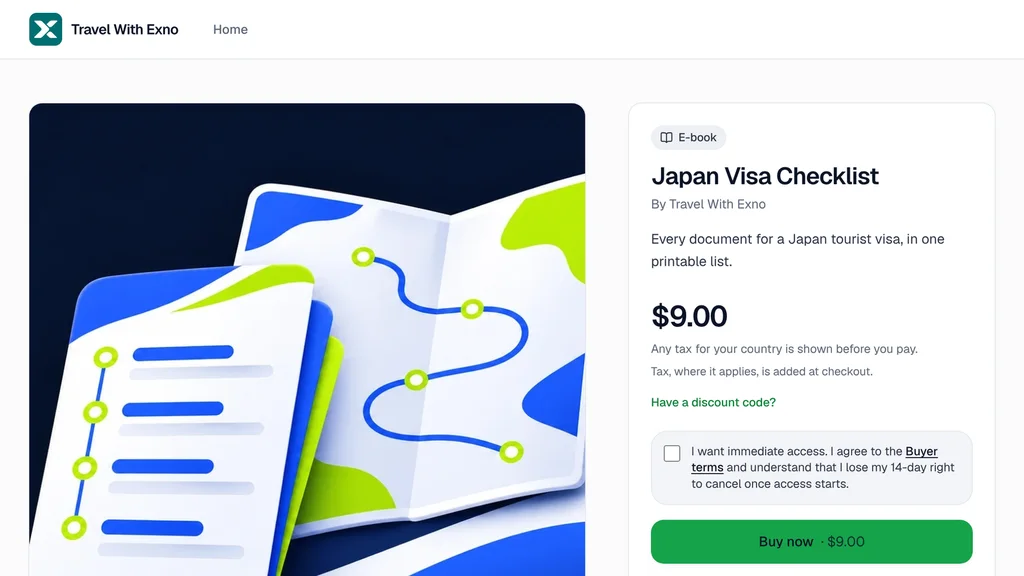
Adding a product takes a few minutes: you create it, write the page buyers see, set a price, add a cover and the files buyers get, and publish. The clips below show every step in a real EXNO store, Travel With Exno, as it adds a Japan visa checklist.
Read the guide
Guide
Where should you sell your digital products?
The best platform to sell digital products depends on what you deliver, how buyers find it, and who should handle the transaction. Shortlist Etsy for original digital designs, Shopify for a shop that also ships goods, Gumroad for direct creator sales, and EXNO for a mixed digital catalog with a storefront and marketplace.
Read the guide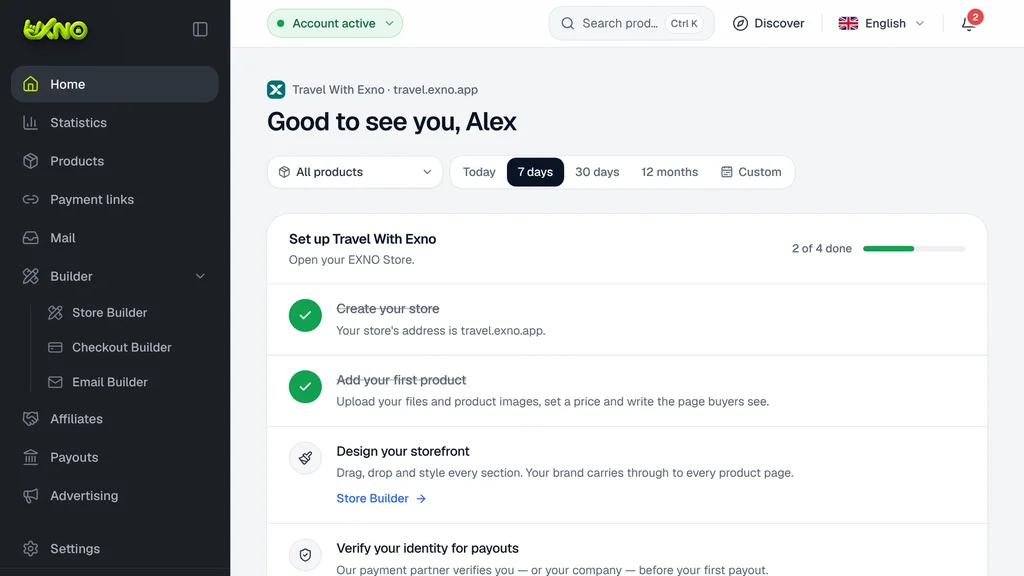
Guide
Your EXNO dashboard: where everything is
Everything you need to run your store is in one dashboard. This tour shows where each part is, with short clips from a real EXNO store.
Read the guide