 Gumroad



 Polar
 Kelviq
 Stan

Guide
Merchant of record: who handles what in a digital sale?
A merchant of record is the party that acts as the legal seller in the transaction with the buyer. For a digital creator, the useful question is how that transaction role fits alongside your product, your storefront, and the support your customers need.

Which roles are involved in a digital sale?
A digital sale involves several jobs: creating the product, presenting the offer, taking responsibility for the buyer transaction, and moving the payment. A merchant of record describes a transaction role, so it is useful to distinguish that role from the tools used to collect money or display a catalog.
| Role | Main question it answers | What it does not establish by itself |
|---|---|---|
| Product creator | Who develops and describes the digital product? | Who acts as the seller in the buyer transaction. |
| Storefront or marketplace | Where does the buyer find and evaluate the offer? | Which party has transaction responsibilities. |
| Merchant of record | Who takes the legal seller role for the transaction? | Who wrote the ebook or designed the template. |
| Payment processing | How is the payment handled technically? | Whether the processor is also the legal seller. |
Why accepting a payment is not the whole definition
EU rules provide a concrete illustration: the electronic-services platform presumption in Article 9a excludes a party that only processes payments and does not take part in the supply. That is a specific EU VAT rule, but it shows why a payment function alone cannot answer the seller-role question.1
The practical comparison starts with responsibilities, not a checkout screenshot. Two services can both present a payment form while having different contractual roles, so a clear description of who does what matters more than the appearance of the form.
How does the model work on EXNO?
On EXNO, your product offer and the buyer transaction are connected parts of the purchase journey. You prepare what the customer is buying, present it through your selling channel, and explain how to use it, while EXNO provides the commerce tools and takes the merchant of record role.
EXNO receives the buyer’s payment, calculates and remits applicable sales tax or VAT, and handles full or partial refunds and payment disputes. Standard sales: 7%. Discover sales: 7%. Additional fees may apply to payment processing, payouts and other transactions. See the Seller Agreement for current fees and terms.
- Prepare the offer. Define the files, intended audience, compatibility requirements, and the support you provide.
- Present the product. Your EXNO store has its own address at name.exno.app, with a drag-and-drop Store Builder and an AI design assistant.
- Configure checkout. Choose from 12 payment page designs and use a product-specific design when the offer needs a different presentation.
- Explain the next step. Use the post-purchase page or message to tell buyers where to begin; buyers also have an EXNO library for their downloads.
- Review activity. Sales analysis and product or date filters help you inspect what sold and when.
This sequence gives you a way to inspect the experience from the customer’s perspective. The broader EXNO feature overview explains the store and checkout tools without changing the underlying division of responsibilities.
Which decisions still belong with your product?
Your product still needs an accurate description, usable files, clear compatibility information, and an understandable support offer. A merchant of record arrangement does not explain those details for you, so the customer should be able to work out what they are purchasing before reaching the final payment step.
Describe the deliverable precisely
“A design pack” leaves basic questions unanswered. “Twelve editable layouts, supplied in the stated file format, with a quick-start document” gives the buyer a concrete offer to evaluate; this is an illustrative description, not a claim about a product already sold on EXNO.
- Contents: list the files or resources included and distinguish examples from deliverables.
- Requirements: identify the software, version, or other resources needed to use the purchase.
- Permitted use: explain the usage terms you are offering in language the intended buyer can understand.
- Support scope: distinguish help using the files from custom work that is outside the offer.
For EU consumer sales, official guidance identifies digital-content functionality and relevant hardware or software interoperability among the information customers need. A useful product page makes those facts easy to find instead of leaving buyers to infer them from attractive previews.2
Keep product promises consistent
Compare the description with the actual download before changing an offer. If the files require a resource that your marketing does not mention, the mismatch exists regardless of how the payment is handled.
What records make customer questions easier to resolve?
Three pieces of context make a purchase question easier to understand: the order being discussed, the offer the buyer saw, and the product version involved. Keeping those details together helps separate a payment question from a file problem without treating every message as the same kind of support request.
| Buyer question | Useful context | Relevant work |
|---|---|---|
| “This file will not open.” | Filename, product version, application version, and the exact error. | Understand the product or compatibility issue. |
| “This is different from the preview.” | The purchased offer, preview, and supplied files. | Compare the promise with the deliverable. |
| “I have a question about my charge.” | Order reference and the specific amount or event in question. | Use the transaction support route. |
Preserve the offer as well as the files
Imagine that a pack originally contains 12 templates and a later edition contains 14. A buyer’s question about two missing files is easier to assess when you can identify which edition their purchase described; keeping a dated copy of the description is a practical editorial habit, not an EXNO version-history feature claim.
Give your working files clear edition names and keep a short change record for yourself. The EXNO help center is the reference point for platform questions, while your product documentation can address the steps needed to use the purchase.
How do you compare costs without mixing amounts?
Compare the product price, the buyer’s checkout total, and your seller earnings as separate amounts. They answer different questions, and combining them into a single “fee” figure can make a product look more or less profitable than the records actually show for the transaction you are reviewing.
| Amount | What you are checking |
|---|---|
| Listed product price | The price attached to the offer before additional buyer charges. |
| Buyer checkout total | The amount presented to the customer for the purchase. |
| Seller net earnings | What the seller’s records show after applicable deductions. |
A useful review starts with a single transaction and follows the labels used in its records. That approach avoids comparing a buyer-facing total for one product with a seller earnings figure for another.
Sales tax also answers a different question from tax on your own business income: VAT is a tax on consumption under the EU system. The merchant of record role should therefore not be read as a statement that every tax or reporting obligation connected with your business has disappeared.3
How can you prepare your first offer?
Prepare one complete purchase journey before expanding the catalog: a specific product, a description that matches it, a checkout presentation, and a useful first step after purchase. This gives you a manageable way to review the selling model alongside the actual customer experience your offer creates.
- Choose the deliverable. Identify the files and the problem they are intended to help the buyer solve.
- Check the promise. Match each statement in the description to something the customer actually receives.
- Prepare usage guidance. Include the first action, required software, and a way to recognize the correct file.
- Review the purchase path. Read the product, checkout, and post-purchase wording together.
- Define the support handoff. Keep product troubleshooting instructions distinct from order-related questions.
The same review remains useful when you add another product category or change an existing offer. The guide to selling digital products develops the preparation side of that process in more detail.

Frequently asked questions
The questions below focus on what the merchant of record model means for everyday selling decisions. They help you distinguish the transaction role from your storefront, product work, and wider business responsibilities, so you can evaluate the arrangement against the way you actually sell.
Is a merchant of record the same as a marketplace?
No. A marketplace is a place where buyers discover offers, while merchant of record describes a party’s role in the transaction. One platform can provide both, but a catalog alone does not establish that role.
Do I need a company to sell on EXNO?
EXNO accepts individuals as well as companies. You can therefore prepare an offer as an individual creator; the platform’s eligibility rule is separate from any obligations that apply to your own circumstances.
Can I still have my own store?
Yes. EXNO sellers have a store at a seller-specific exno.app address and can design it with Store Builder. The transaction arrangement does not replace the need to present your own product clearly.
Does merchant of record mean all my taxes are handled?
It should not be interpreted that broadly. The role concerns the customer transaction, whereas taxes or reporting related to your own earnings can raise separate questions. This guide does not determine those obligations for an individual seller.
Who knows whether a digital file works as described?
You are in the position to test the content you supply and explain its requirements. A clear file inventory and setup guide make that knowledge available to the buyer and help identify what went wrong when a question arises.
What should I compare when evaluating a merchant of record?
Compare the stated responsibilities, commercial terms, selling tools, and the support process together. Then check how those details fit one representative product and its purchase journey, rather than judging the arrangement from a payment form alone.
General information, not tax or legal advice.
Sources
These official sources support the distinctions about payment processing, digital-content information, and the nature of VAT used in this guide. Their rules have specific scopes, so the examples here explain those distinctions without treating one jurisdiction’s rules as a universal contract for every seller.
- Court of Justice of the European Union, C-695/20: Article 9a and the payment-processing exception· checked 18 November 2026
- Your Europe: pre-contract information about digital-content functionality and interoperability· checked 18 November 2026
- European Commission: VAT as a consumption tax· checked 18 November 2026


Build an offer with a clear purchase journey
Create your EXNO account and prepare one product with a precise description, useful files, and a clear first step for the buyer. You can then design the store and checkout around that offer and review how each part supports the purchase.
Keep reading
Guide
How to add a product to your EXNO store
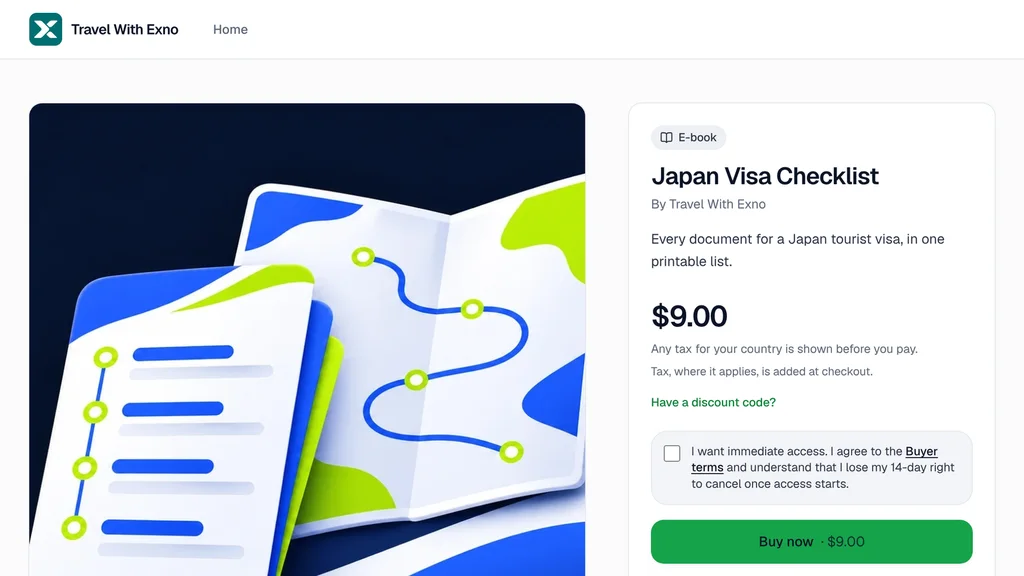
Adding a product takes a few minutes: you create it, write the page buyers see, set a price, add a cover and the files buyers get, and publish. The clips below show every step in a real EXNO store, Travel With Exno, as it adds a Japan visa checklist.
Read the guide
Guide
Where should you sell your digital products?
The best platform to sell digital products depends on what you deliver, how buyers find it, and who should handle the transaction. Shortlist Etsy for original digital designs, Shopify for a shop that also ships goods, Gumroad for direct creator sales, and EXNO for a mixed digital catalog with a storefront and marketplace.
Read the guide
Guide
What to do when a buyer disputes a digital product sale
Chargebacks on digital products happen when a buyer disputes a card payment through their card issuer rather than simply requesting a refund. On EXNO, submit the evidence for each case through the Disputes page; EXNO adds the order records and handles the response, while the disputed sale’s earnings wait for a decision.
Read the guide