 Gumroad



 Polar
 Kelviq
 Stan

Feature
How to send a receipt buyers recognize and know how to use
Custom receipt emails on EXNO let buyers recognize your store after checkout and find the next step without guessing. Connect an email address on your own domain, then use the Builder’s email template editor to design and preview receipt, delivery, and welcome messages with your logo, colors, and wording.
What should a receipt say that a delivery or welcome email should not?
A receipt confirms the purchase, a delivery message gives access to the product, and a welcome email helps the customer get started. Give each one a job so the customer can retrieve proof of purchase, open the right product, or begin using it without reading three versions of the same sales pitch.
| Message | Lead with | Example wording |
|---|---|---|
| Receipt | The purchased product and confirmation of payment. Make the store name familiar and the purchase easy to recognize later. | “Your receipt for the Editorial Calendar Kit.” No extra product is needed to make that line useful. |
| Delivery | Where the buyer can access what they bought. Name the item instead of giving every link the same label. | “Open the Editorial Calendar Kit in your library.” For a different product, the instruction might be to download an audio pack or begin a lesson. |
| Welcome | A first action small enough to complete now. Distinguish orientation from evidence that the customer paid. | “Start with the sample week; duplicate it before editing.” That is more useful to a template buyer than a second “Thanks for your order.” |
A booking needs a different handoff from a file. If your customer paid for a consultation, write what they should prepare and how to find the arrangements already agreed, rather than promising an instant download. Write for the product actually purchased; these examples describe the content, not an automatic sequence that every order triggers.
What changes when you connect an address on your own domain?
The connection lets EXNO send purchase-related messages, including receipts, delivery notices, and informational emails, from your store’s own address. It changes the sender a buyer recognizes; it does not make the store the merchant of record or mean that a logo authenticates the message to a receiving mail service.
Choose a recognizable address you control and decide where customers should write for help. Readers may not know which company processed a transaction. Keep your store name, the order details, and EXNO’s role consistent rather than rewriting the receipt to suggest that someone else processed the payment. For the transaction itself, see how EXNO handles payments.
A display name is not sender authentication. DMARC checks whether a passing email authentication mechanism aligns with the domain in the visible From address. Receiving services also make their own delivery decisions. Follow the setup instructions for the address and provider you actually use; do not copy an example DNS value from another store or assume that a successful preview proves inbox delivery.12
How do you design the messages in EXNO?
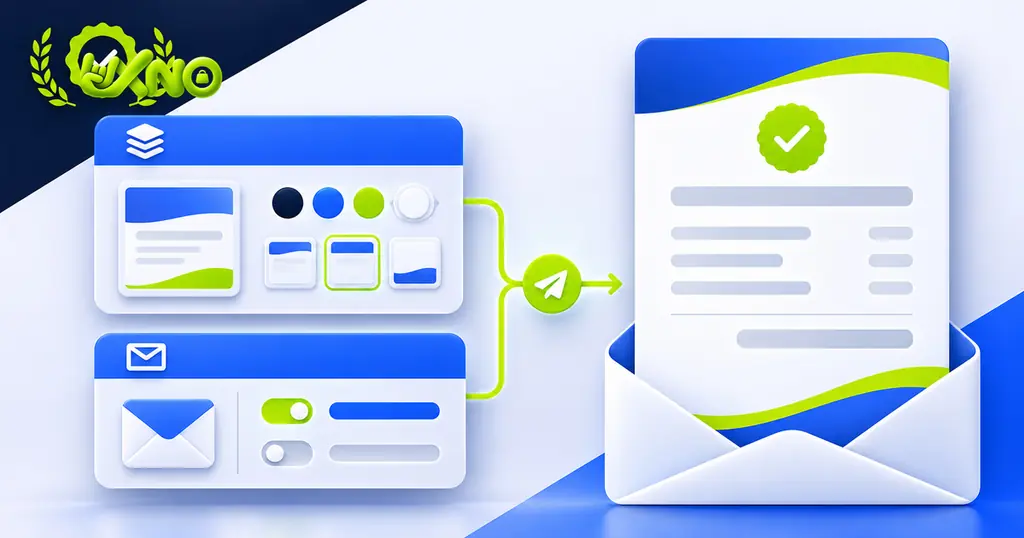
Start with the store’s sender address, then edit the receipt, delivery, and welcome templates in the Builder. Bring over the elements buyers recognize from checkout, but reserve the most prominent text for what the recipient needs to know and the most prominent link for what they should do next.
- Prepare the address and identity. Use an address on your domain, a recognizable store name, and a logo that still reads at a small size. Connecting the address handles who the messages come from; changing the template handles how they look and read.
- Write one message at a time. Give the receipt a plain opening that identifies the purchase. In the delivery template, choose an action that matches your actual product. Keep a welcome note about first use rather than repeating the amount charged or adding a different product offer.
- Preview with real-looking details. Try a long product name, a multiword store name, and the smallest screen you can reasonably check. Look for cropped headings, little contrast between text and background, and a logo that pushes the purchase details below an unnecessary banner. The Builder permits preview before sending.
- Follow the handoff as a customer. Check the final delivered result from an order you are authorized to test, rather than assuming the preview matches every inbox. Open the product destination in a fresh session and check what happens when the buyer returns later. The digital delivery guide covers the handoff beyond the email itself.
How can you check whether the redesign actually helped?
Review what buyers get stuck on, not simply whether your template looks more polished. Compare similar orders before and after a change, keep the purchase and delivery instructions consistent, and look for a specific improvement such as fewer customers asking where their download is or whether the payment went through.
For example, if 6 out of 120 buyers asked for the download link before a revision and 3 out of 150 asked afterward, the observed rates are 5% and 2%, a difference of 3 percentage points. This is an illustration, not an EXNO performance claim. Different products, traffic sources, or a temporary delivery problem can change the rate. Use the result to decide what else to inspect, not as proof that the logo caused the difference.
Keep promotions separate. A person can need a receipt without wanting a newsletter. EXNO supports email campaigns, customer segments, and double-opt-in newsletter signup. Use the appropriate audience for a campaign rather than turning every receipt into an advertisement. Under US CAN-SPAM guidance, the FTC evaluates a mixed message by its primary purpose; it is not a blanket exemption for any email with an order number.4
If a discrepancy is about a charge rather than email design, consult the EXNO Help Center instead of editing totals into the template text yourself.
Give your store’s signature color a second home
An inbox receipt often holds just a small hint of a store’s identity: a color, an initial, or a simple mark. That same detail can become a permanent rectangle on the EXNO Pixel Wall, with a title that names your store and an optional link where people can find it.
Each pixel is $1 and the area appears after approval. To support EXNO, add your signature color to the Pixel Wall.

Frequently asked questions about branded purchase emails
The sender address, visual design, and transaction details serve different purposes even when they appear in the same message. When a customer asks a question, first decide which of those areas is involved: a missing product link is a different problem from an unfamiliar sender or an unexpected amount on a receipt.
Do I need a separate design for every type of purchase email?
You can reuse a logo, colors, and tone across templates. Change the first line and the main action so that a receipt confirms payment, a delivery notice gives access, and a welcome message helps someone get started.
Does using my own address mean my store processes the payment?
No. A connected sender lets your store communicate from its own domain; EXNO remains the merchant of record. Your wording should not obscure that distinction.
Will customers always see the email exactly as it appears in the preview?
Treat the preview as a design check, not a delivery promise. Test a real received message in the inboxes and screen sizes relevant to your buyers, and keep the instructions useful without images.25
Should a receipt contain a promotion for my next product?
Keep the purchase details and access instructions easy to find. Use a separate, appropriately addressed campaign for promotions rather than assuming that every buyer has subscribed to marketing.4
General information, not tax or legal advice.
Sources
The email standard below explains sender-domain alignment, while Google documents requirements and delivery considerations for its own service. W3C’s guidance supports the link and image checks, and the FTC provides a jurisdiction-specific example of how regulators distinguish a transactional message from a promotion; these references do not describe EXNO’s interface.
- IETF: how DMARC evaluates the domain shown as the author of a message· checked 20 November 2026
- Google: authentication and delivery guidance for senders to personal Gmail accounts· checked 20 November 2026
- W3C: link labels that explain their destination or action· checked 20 November 2026
- FTC: distinguishing transactional from promotional messages, including mixed content· checked 20 November 2026
- W3C: distinguishing decorative images from information a reader needs· checked 20 November 2026


Design the receipt you would want to find later
Pick one product, imagine searching your inbox a month after buying it, and write the sender name and first two lines you would recognize without opening the message. Then preview its delivery instructions alongside the receipt and make sure the same buyer can find and use the purchase.
Keep reading

Feature
Build an affiliate program around your digital products
An affiliate program on EXNO lets you set a commission rate while partners promote your digital products through their own links and coupons. You also have affiliate analytics to review activity and inform your next campaign. Start with a product you can explain clearly, a commission you have worked through, and partners whose audience has a reason to use it.
Read the guide
Feature
What can EXNO AI help you decide as a seller?
EXNO AI is an AI assistant for online sellers that answers questions in your language from the chat bubble at the lower right of the dashboard, 24 hours a day. Use it to understand an EXNO rule, review your store, compare prices on Discover or work on an idea; involve the EXNO team when the situation needs a person.
Read the guide
Feature
Design your EXNO storefront by telling the builder what should change
EXNO’s AI Store Builder lets you change your storefront design through a conversation and refine the result with drag-and-drop editing. Instead of asking for a “better store,” tell it who is visiting, what they need to find and which part of the page should move.
Read the guide