 Gumroad



 Polar
 Kelviq
 Stan

Selling guide
Selling digital illustrations and brushes: give buyers the picture, the layers or the tool
To sell digital art, decide whether the buyer wants the finished image, the editable source or the brush that made the marks, then deliver and license that item explicitly. A flattened illustration, a layered study and a Procreate or Photoshop brush set are not interchangeable. On EXNO, show the result publicly and keep the appropriate buyer files in the paid edition. 168910
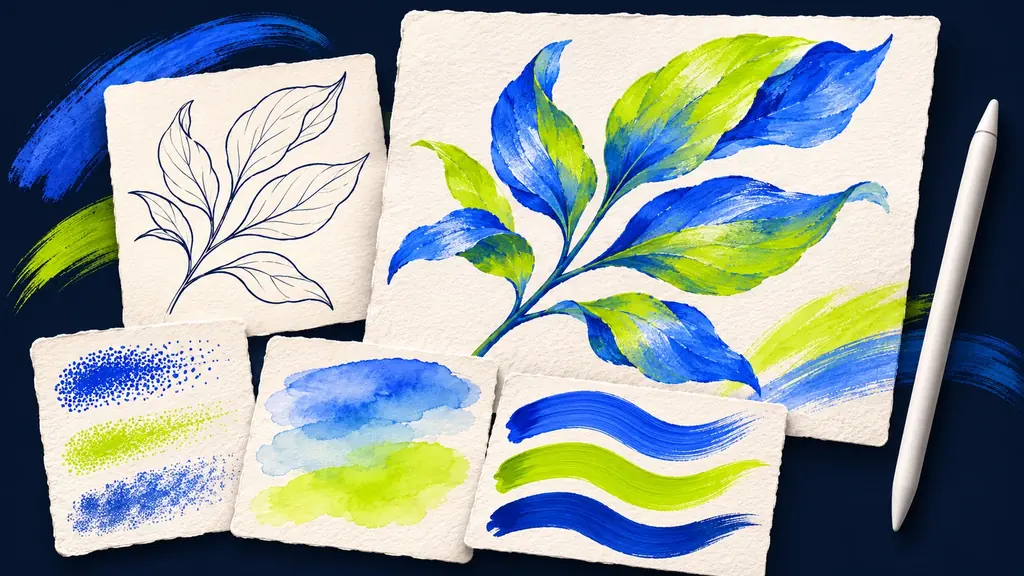
Are you selling finished artwork, an editable study or a drawing tool?
Choose the product by what the buyer will do next: place an illustration, examine your layer structure or make new marks with a brush. Package those outcomes separately, because receiving editable files does not explain whether someone may publish a derivative, use the artwork commercially or redistribute your tools.
| Buyer task | Possible files | Terms to specify |
|---|---|---|
| Place a finished illustration | PNG with transparent background. | Personal or commercial uses, modifications and attribution. |
| Study or adapt the artwork | Named layers in PSD or native Procreate format. | Study-only versus permitted publishing of adaptations. |
| Draw with a Procreate kit | Tested brush set and stroke examples. | Use in new artwork versus redistribution of brushes. |
| Extend a Photoshop toolkit | ABR pack and installation notes. | Allowed users and sharing restrictions. |
These are illustrative packages. Procreate supports transparent PNG and layered PSD exports; Photoshop imports ABR packs. Neither file choice establishes the buyer’s license. Use original brush tips and grains, or documented permissions covering their inclusion and distribution in your product. 91011
How do you prove the download works outside your own workspace?
Test the exported package in a clean import, not just the document or brush already installed on your device. Record the application version, input device and settings used, then check whether the delivered files reproduce the advertised layers, transparency and brush behavior without relying on missing materials.
- Inspect artwork exports. Reopen the PNG over light and dark backgrounds to expose edge halos. Open the layered file separately and check names, visibility and blend appearance; distinguish editable layers from a flattened preview. 10
- Make a repeatable stroke sheet. Try light and firm pressure, slow curves, fast strokes, taper and texture at several sizes. Label settings so customers can compare results rather than chase an unexplained promotional effect. 7
- Limit compatibility claims. Procreate accepts ABR imports, but that alone does not prove identical settings or results. List tested versions separately; do not promise universal or backward compatibility. 810
“Photoshop supports ABR brush files”
Separate artwork ownership from permission to use creative tools
Price a finished illustration, a brush set, and a layered study according to what buyers may actually do with them. Someone buying tools for client work needs different permission from someone downloading art for personal display, and access to editable layers does not automatically authorize selling copies of the illustration.
These fictional offers assume original, rights-cleared work. State tested app versions and deliver only the files and permissions described.
Standard sales: 7%. Discover sales: 7%. Additional fees may apply to payment processing, payouts and other transactions. See the Seller Agreement for current fees and terms.
Keep artwork rights separate from tool permissions. Define client handoff, team sharing, and update support explicitly. Supplying layers is useful for learning, but neither editable files nor a higher price grants copyright ownership or unrestricted reproduction rights.
How to launch your digital art and brush editions on EXNO
Separate editable artwork, brush-only packs, and mixed editions so buyers know whether they receive source files, painting tools, or both. Show the result publicly with swatches and flattened samples, then test the exact purchased package in its advertised application without disturbing an existing brush library.
- Define each edition precisely. List the source formats, brush formats, supported applications, and permitted uses. A flattened artwork sample is not an editable source file; a brush demonstration does not mean the illustrated artwork is included.
- Keep demonstrations separate. Publish swatch images rather than the paid ABR or brushset. Use EXNO’s product editions and private-delivery tools to attach the matching release, readme, and license privately. 1
- Buy the intended package. Follow the edition’s purchase link and verify its description before checkout. Retrieve the delivered files without seller access and reconcile them against the advertised contents. 1
- Test an isolated import. Use a fresh test library or profile so existing assets remain untouched. Import the brushes, create test strokes, and open any promised editable artwork. Check that source layers survive and names match the readme.
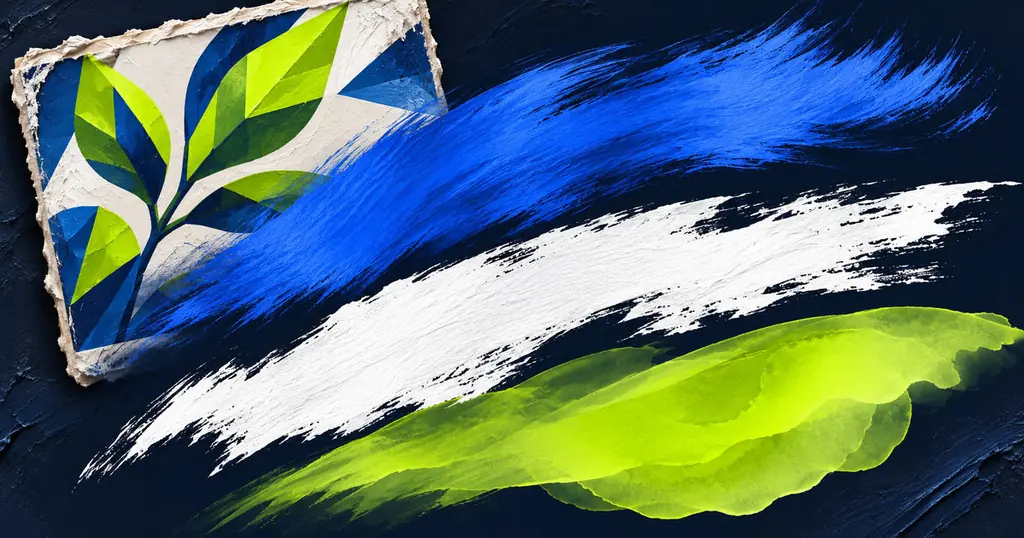
Which swatches help buyers judge a brush before installing it?
Show each brush on an empty canvas before showing it in a finished piece. A pressure ramp, a single impression and overlapping strokes tell the buyer whether the tool varies width, deposits texture or builds up opacity; a heavily edited painting on its own cannot show which marks the brush actually produced.
Let buyers reproduce one mark
Try an original chalk preset on a 2000 × 2000-pixel canvas. Display one tap, a slow curve with increasing pressure, and two crossed strokes, then label the brush size, opacity, canvas scale, app and input device. Compare those same three marks in any second app you advertise. If only the stamp shape imports but the grain or pressure response changes, show that difference or offer the second version separately. 789
For an artwork-only edition, show the same detail against a pale and a dark background, and say whether the transparent PNG is included. In EXNO Discover’s catalog of digital products, name the file type with the subject so an artist looking for a tool does not buy a finished image by mistake. 102
Find the missing layer or texture
- Only one layer appears: check the file extension first. A flattened image preview cannot restore editability; supply the actual layered file only if that is what the buyer ordered. 10
- Brush pressure looks different: ask for the edition, app version, device and stroke settings, not the client project. Compare the buyer’s simple swatch with the released test sheet before claiming the installation is broken.
- The set is absent: distinguish retrieving the archive through the receipt from importing the preset inside the art app. On Procreate, an imported single brush and an imported library are not necessarily shown in the same place. 785
“sell, or otherwise distribute copies”
Those are not rights you automatically acquire in someone else’s texture because an app let you import it. Keep a record for each stamp shape, grain and sample illustration; if its license does not permit redistribution as a tool component, use an original replacement.
Let a single brush mark identify the full collection
A sharply outlined stroke can carry the character of an ink or chalk collection even at a size too small for a detailed illustration. A small block on the EXNO Pixel Wall can link the mark to a public swatch sheet instead of exposing a purchased brush library.
The wall consists of one million pixels. At $1 a square, an artist can choose a block, add a title and optionally link its destination, then cover the one-time cost with a card or seller earnings. Artwork is subject to review before display.
Digital art and brush FAQ: imports, source files and resale
Customers can download two files from the same illustration project and get very different products: one might open as an image and the other might add a painting tool. These answers explain what each format offers and how to keep app compatibility and artwork licensing separate on the listing.
Can I sell a finished illustration without the editable layers?
Yes, if you have the rights. State that the offer includes the specific flattened image and identify its dimensions, transparency and permitted uses. Do not show editable layers as an included benefit unless they are part of the files you actually deliver. 1011
What is the difference between .brush, .brushset and .brushlibrary?
These are native Procreate formats for a single brush, a set and a library. Identify which you supply and the Procreate version you tested; a buyer should not have to guess whether to look among individual brushes or alongside whole libraries after import. 78
Can Procreate import a Photoshop ABR brush pack?
Yes, Procreate documents ABR import. That is not proof that an imported preset matches a Photoshop desktop brush in every setting or stroke. Compare both outputs on a standard test sheet before labeling a product as tested in both apps. 89
Can I rename a Procreate brush set to .abr to sell it for Photoshop?
No. A filename change is not a conversion. Supply an actual Photoshop-compatible brush preset that you exported and imported in the stated version, or describe the product as Procreate-only. 79
Does a transparent PNG include the individual painting layers?
No. A PNG can keep transparency in the composite image, but that does not make the original layers editable. If layer access matters, offer a separately inspected native project or layered PSD and state which masks, groups and effects you tested. 10
If buyers can sell artwork made with my brush, can they also sell the preset?
Only if you grant that permission and are entitled to do so. State the difference between using the brush in original finished work and redistributing or reselling the underlying brush files, tip images, grain sources or your sample illustration. 11
Can I package a brush made with a texture I bought?
Check that texture’s license for redistribution inside a brush or an editable source file, not just use inside a finished design. If the permission is missing or unclear, obtain it or replace the texture. Do not promise exclusive rights in someone else’s material. 11
How should I describe pressure-sensitive brushes for buyers who use a mouse?
List the device and pressure-sensitive features you tested. A mouse test and a stylus pressure ramp do not establish the same behavior; show a constant-pressure example separately if it is useful. Avoid saying a particular result works on every input device.
General information, not tax or legal advice.
Sources for brush formats, artwork rights and EXNO delivery
Procreate and Adobe document their own import and export formats, while the Copyright Office explains the rights associated with original visual artwork in the United States. EXNO’s references cover selling and delivering digital products; the stroke test, license examples and prices are editorial illustrations, not claims of vendor certification.
- EXNO product and storefront features · Private digital file delivery, product editions, checkout links and storefront tools· checked 19 November 2026
- EXNO · The public marketplace where shoppers browse digital products by category· checked 19 November 2026
- EXNO seller pricing· checked 19 November 2026
- EXNO payments · The buyer transaction and EXNO’s merchant-of-record responsibilities· checked 19 November 2026
- EXNO Help Center · Seller and buyer workflows, including accessing purchased digital products· checked 19 November 2026
- EXNO guide to selling digital design assets · Store presentation, digital delivery and licensing for creator-owned asset packs· checked 19 November 2026
- Procreate 5.4 Handbook: brush libraries · Organizing, sharing and importing native brush files, brush sets and libraries· checked 19 November 2026
- Procreate Help: importing brushes · Native formats and Adobe ABR import on supported Procreate versions· checked 19 November 2026
- Adobe Photoshop desktop: importing brush packs · Importing or exporting one or more brush presets as an ABR file· checked 19 November 2026
- Procreate 5.4 Handbook: artwork sharing · Native sources, layered PSD, flattened art formats and sharing individual layers· checked 19 November 2026
- U.S. Copyright Office: visual artists · Original visual artwork, protection on fixation, artist rights, and permission for third-party art· checked 19 November 2026


Release the illustration or tool exactly as the buyer saw it
Choose one edition, read its license beside the packaged files and repeat its visible test on a fresh import. Publish the EXNO product only when the preview, download and application notes agree about whether the purchase is a finished image, an editable study or a brush set.
Keep reading

Selling guide
How to sell 3D model packs that survive a buyer’s first import
To sell 3D models, define the buyer’s use, test the exported asset in that environment, and package the geometry, textures, documentation and license together. Sell the result as a digital download on EXNO. A studio buying modular game scenery needs different evidence from a designer buying a still-render prop or a maker buying a printable part.
Read the guide
Selling guide
How to sell finished AI-assisted art without overstating the rights
To sell AI art, start with a finished visual product you created or have permission to sell, check the model and asset terms, and give buyers accurate files and usage terms. A customer purchasing a background set should know its pixel dimensions, what you edited, what they can use it for, and whether they are buying images or a tool that makes them.
Read the guide
Selling guide
How to package AI automation templates buyers can run themselves
To sell n8n templates, package an original workflow with its input format, setup instructions, a safe sample, and a result the buyer can check before enabling it. Make and Zapier use different ways to share automation, so sell the edition you actually tested. The buyer supplies their own authorized accounts and keys; the download is not a running service.
Read the guide