 Gumroad



 Polar
 Kelviq
 Stan

Selling guide
How to package AI automation templates buyers can run themselves
To sell n8n templates, package an original workflow with its input format, setup instructions, a safe sample, and a result the buyer can check before enabling it. Make and Zapier use different ways to share automation, so sell the edition you actually tested. The buyer supplies their own authorized accounts and keys; the download is not a running service.

What makes an automation template worth buying?
A useful template completes one bounded task in an environment the buyer controls and makes clear where a person must review the result. The deliverable is more than prompt text: it includes the trigger, mapping between steps, output destination, sample data, and a way to stop or correct the workflow.
Consider an editorial team that keeps its own product descriptions in a spreadsheet. A useful workflow reads a marked row, drafts a shorter description, and puts the draft in a review column. It does not publish the draft or message customers. Another useful template turns a team’s own meeting outline into draft agenda items without needing anyone’s recorded voice or private transcript.
Write a one-line contract for the demo: one approved sample row in, one draft row out, no messages sent. If an AI step guesses a fact, a person can reject the draft before it reaches a public page. Use fabricated samples instead of customer records; neither your demo nor your paid package should distribute personal data.
A prompt-only product belongs in a different listing. A prompt can describe how to shorten a paragraph, but it does not connect an authorized document, recognize a missing field, or put the draft in the right place. The buyer should be able to point to those additional pieces in your preview.
What does each platform let the buyer import?
Supply the format native to the platform you name, then let a new user test it without connecting to your own workspace. Two files named with the same JSON extension can describe entirely different applications; an n8n export is not a Make blueprint, and neither is a Zapier guided template.
| Platform | What to provide | What the buyer still does |
|---|---|---|
| n8n | An inspected workflow JSON export, version notes, and an invented input fixture. | Import it into their n8n environment, choose their own credentials, and map their own source and destination.1 |
| Make | A scenario blueprint with documented modules, mapped fields, and any values to replace. | Import the blueprint, create their own connections, and verify each source and destination module before running it.2 |
| Zapier | A guided template link shared with the access the intended buyer can actually use, plus written setup notes. | Use the guided setup to connect their apps, supply required values, review the resulting Zap, and decide whether to publish it.34 |
For Zapier, do not ship an old shared Zap link as a new durable product: Zapier’s retirement notice says you can no longer create new legacy shared templates and directs authors to guided templates. Check the creator’s sharing settings and whether the buyer’s plan supports the apps or features you use before listing the edition.35
Keep three things separate in the license: your original workflow design and instructions, the buyer’s use of third-party services, and a hosted service operated by you. Do not redistribute platform software or someone else’s templates as your own. A hosted or white-labeled n8n service has different license considerations from handing over your own configuration; check the platform’s current terms for your exact offer.6
How do you make the handoff safe to install?
Prepare the release in a clean workspace, inspect every exported field and example, and run it against disposable sample inputs before it ever touches the buyer’s real work. Leave triggers inactive until the buyer has chosen the intended accounts, checked the destinations, and understood which steps can create records or incur usage costs.
- Write a connection manifest. List the app, the operation it performs, the input or destination it needs, and who pays for the account or model usage. Use placeholders such as choose your draft folder. Tell buyers to enter any needed API key in the provider’s own credential settings, never in your order form or a support message.
- Read the release, not just the diagram. n8n says exported JSON includes credential names and IDs, and some request configurations can contain authentication headers. Check the file, sample or pinned data, notes, hardcoded values, and screenshots for private names, secrets, and references to live documents. Replace these with harmless examples and retest the result.1
- Give buyers three checks. A valid sample should produce one reviewable draft. A row without its required text should be skipped or flagged as your instructions describe. A second run of the same sample should behave exactly as documented; if the workflow creates a duplicate, fix it or state the limitation clearly.
- Show a safe stop. Name the schedule or trigger the buyer must switch off, how to identify test output, and how to remove the disposable test records without touching source material. Keep production publishing, irreversible edits, and bulk messaging out of the sample. Never ask purchasers to share their login so you can configure it for them.
Build only workflows the buyer is authorized to operate under each service’s terms. Do not offer platform-abusing bots, scraping of private data, fake engagement, or other people’s customer lists. Under EXNO’s Acceptable Use Policy, AI tools that generate images, voices, or video require approval before sale; an editorial text-drafting template is a different product.
How should you price, sell, and support each edition?
Price one tested workflow for a named platform, then offer a separate service only if it includes real implementation work you can deliver. Buyers need to know what your price covers, what their own apps may charge per run, and whether a platform change is included in your support window.
Suppose your base workflow costs $35 and an optional guided setup costs $45. Together they cost $80; neither price includes the buyer’s own automation subscription or model usage. If a buyer schedules 20 runs with two model calls apiece, that design makes 40 calls before any retries. Actual cost depends on the provider and usage, not on the number of template files.
- Show the path. Use a Store Builder gallery for three screenshots: the invented input, the workflow with step names visible, and the reviewable output. Identify the exact platform beside every image. A blocked or empty-input example is more informative than a dashboard full of unexplained green checkmarks.
- Deliver the package in order. Start with the manifest, then the import file or authorized guided link, sample input and expected output, and troubleshooting notes. Preview a delivery email that identifies the edition and names the safe test to run before switching on any schedule. For the mechanics of file access, see digital delivery on EXNO.
- Support the release you sold. Record platform versions, app prerequisites, and the last check date. If a buyer asks for installation help in EXNO’s store chat, ask which step failed, not for their key or a copy of a live record; the conversation stays in the seller dashboard. Use the release checklist to repeat the fresh-install test after a workflow change.
EXNO handles applicable buyer transaction taxes, refunds and disputes as merchant of record. Standard sales: 7%. Discover sales: 7%. Additional fees may apply to payment processing, payouts and other transactions. See the Seller Agreement for current fees and terms.
Give your workflow a tiny diagram on the wall
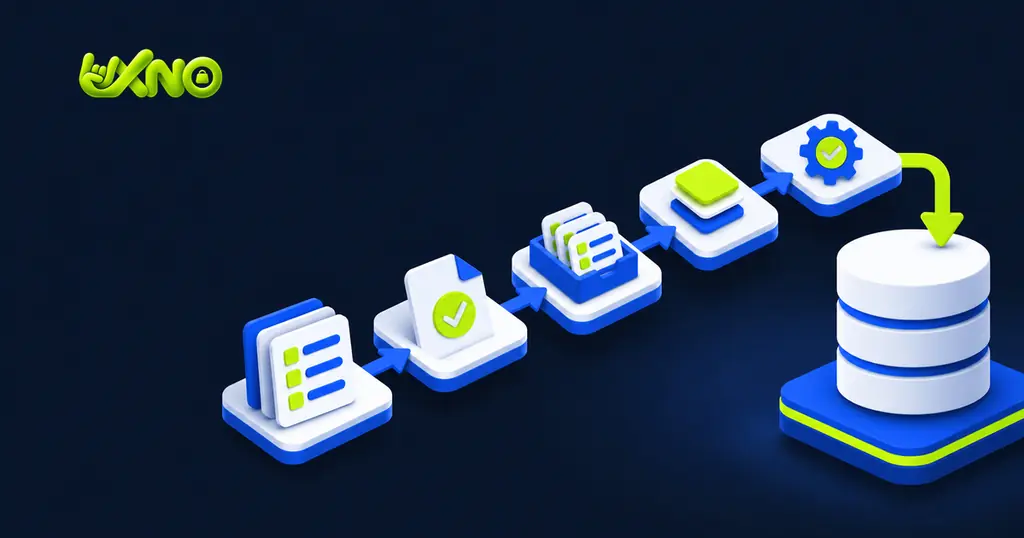
A workflow that takes a whole screen to configure can still have a simple visual signature: a square for the input, a bend for the review step, and a second square for the output. That outline can become a permanent rectangle with a title and optional link on the EXNO Pixel Wall.
To support the platform, choose a space on the pixel mosaic at $1 per pixel. EXNO checks each image or color submission before it appears and returns the full amount when a design is declined.

Questions buyers ask before connecting their tools
An automation buyer needs to know what they can try before granting access, what they must pay for outside your listing, and what happens if the workflow stops. The answers should describe the release you tested, not assume that credentials, app permissions, and platform plans are interchangeable.
Can I include my own model key so buyers can start faster?
No. A reusable key would expose your account to other people’s requests and costs. Supply a configuration checklist and have the buyer create and store their own key with the provider.
Is a Make blueprint a working scenario immediately after import?
The blueprint can contain modules, settings, and mapped values, but the recipient must create their own connections. They should also check the target records and run a small sample before enabling normal operation.2
Can I sell the same file for n8n, Make, and Zapier?
Not as three tested native editions. If you have only built the n8n version, sell that version and identify any diagrams for other platforms as explanatory material rather than runnable templates.
How can a buyer tell if the AI result is acceptable?
Give them a sample input and a short acceptance rule instead of promising identical prose on every run. For a draft description, the rule might require preserving the product name, adding no claims absent from the input, and leaving the result unpublished for review.
What if an app changes a field after the buyer installs the template?
Ask them to stop the affected workflow, identify the changed field, and try the repair on sample data. State your update policy ahead of time so buying a particular release does not silently become a promise of indefinite integration support.
General information, not tax or legal advice.
Sources
These platform documents explain the export and guided-sharing formats, the recipient’s connection steps, and the difference between an installable template and a hosted service. They establish what you should verify in a package; they do not authorize resale of third-party workflows or certify a buyer’s particular app permissions.
- n8n: JSON export and import, credential references, and information to remove before sharing· checked 20 November 2026
- Make: scenario blueprints, mapped values, and connections after import· checked 20 November 2026
- Zapier: guided templates, access permissions, settings, and sharing· checked 20 November 2026
- Zapier: configuring app connections and publishing the buyer’s copy· checked 20 November 2026
- Zapier: retirement notice for the older shared Zap template links· checked 20 November 2026
- n8n: licensing distinctions for self-hosting, hosted services, and white labeling· checked 20 November 2026


Publish a workflow that passes a clean handoff
Choose one repeatable task that uses authorized data, build it for one named platform, and let a second person follow the setup notes in a clean account. Once they can recognize both the correct output and a safe failure, package that tested edition with its limits and support terms.
Keep reading

Selling guide
How to sell 3D model packs that survive a buyer’s first import
To sell 3D models, define the buyer’s use, test the exported asset in that environment, and package the geometry, textures, documentation and license together. Sell the result as a digital download on EXNO. A studio buying modular game scenery needs different evidence from a designer buying a still-render prop or a maker buying a printable part.
Read the guide
Selling guide
How to sell finished AI-assisted art without overstating the rights
To sell AI art, start with a finished visual product you created or have permission to sell, check the model and asset terms, and give buyers accurate files and usage terms. A customer purchasing a background set should know its pixel dimensions, what you edited, what they can use it for, and whether they are buying images or a tool that makes them.
Read the guide
Selling guide
How to sell AI prompt packs that a buyer can actually test
To sell AI prompts, choose a task with a checkable result, package your reusable instructions with sample inputs and a review checklist, and sell the editable files as a digital download. Show buyers which model and interface you used, what they must provide themselves and how to tell when an answer is wrong. EXNO can deliver the kit after checkout; it does not supply the buyer’s AI account as part of that download.
Read the guide