 Gumroad



 Polar
 Kelviq
 Stan

Guide
How to sell digital products on TikTok with your EXNO store
To sell digital products on TikTok through an external EXNO store, use ordinary non-Shop content, show the product working and share a website destination only when the account and applicable rules permit it. A native TikTok Shop sale is a different transaction: do not move its shoppers or orders outside Shop, and do not assume digital goods are freely eligible for a native listing. 71011124
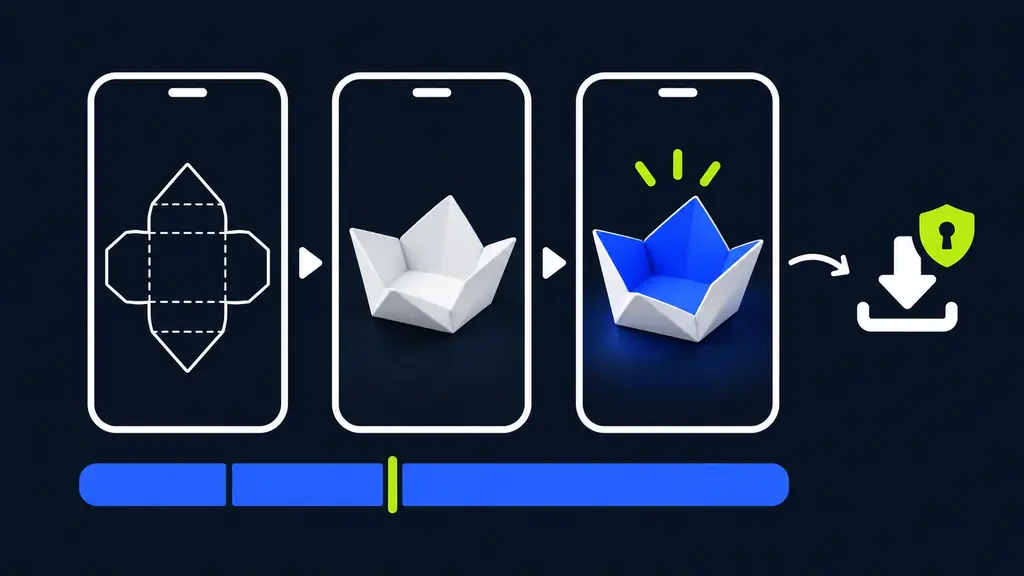
From TikTok to an EXNO sale
Use this route for ordinary non-Shop posts only. A native TikTok Shop transaction stays inside TikTok Shop.
- Open your EXNO store. Create your EXNO account and set up the store that will sell the product.
- Set up bank payouts. Complete the required identity check and enter an eligible bank account in your name or your registered company’s name. Verification is required before your first payout; it is not the same as publishing a product.
- Publish the product. Add the files or promised access, set the price, and publish. Copy the public product or payment link, not a private seller preview. See how EXNO payment links work.
- Connect your profile. If your account and region allow a website link, add the EXNO product URL to your profile and open it as a visitor. Check TikTok’s route restrictions.
- Start selling. Demonstrate the offer in an ordinary, properly disclosed post. Eligible visitors buy and receive access through EXNO. Do not redirect TikTok Shop shoppers to this checkout.
Which TikTok selling route does this guide cover?
This guide covers ordinary non-Shop TikTok content leading to an external offer only through a website link the account is permitted to use. It is not a TikTok Shop workaround: enrolled Shop sellers and creators must not redirect Shop buyers to EXNO or another outside checkout. 711
The U.S. Shop policy prohibits virtual or digital products unless approved under its Virtual Goods category. That is a scoped Shop rule, not a claim that every digital product is banned across all TikTok markets or contexts. Confirm which policies apply before preparing a purchase call to action. 10
“Avoid linking a TikTok Shop product while directing the purchase elsewhere.”
Website-link eligibility is a separate gate. TikTok’s personal-account guidance has listed at least 1,000 followers for a profile website link. Its business guidance separately lists link-in-bio among Verified Business Account features, subject to market and account factors. Check the current account before promising a clickable route. Business verification is not the blue checkmark, and changing account type alone is not a guaranteed shortcut. 712
Once your non-Shop route is permitted, the EXNO selling tools provide the external product and payment-link options. A missing or restricted website field is a reason to check eligibility, not to redirect through disguised links, QR codes, comments or messages. 1611
How do you demonstrate a digital product without hiding the work?
Build a short demonstration around three visible beats: the starting task, the product doing useful work and the result with its limitations. Keep the actual interface or deliverable recognizable, disclose edited time and use the account-permitted route only after the viewer can understand what the offer contains.
| Beat | Illustrative shot | Truthfulness check |
|---|---|---|
| 1. Starting task | Show three fictional client requests in a project tracker. | Label sample data; show the application required. |
| 2. Product in use | Assign an owner and deadline using the supplied template. | Mark cuts or sped-up entry; do not imply instant automation. |
| 3. Result and next step | Show the organized view and included-file list. | State what is excluded; use only an eligible non-Shop destination. |
Use TikTok’s commercial-content disclosure setting: own-brand promotion and third-party paid partnerships have different labels. Check soundtrack rights separately; TikTok’s Commercial Music Library supports commercial content on TikTok, not automatic redistribution of the music in your paid download. 89
Demonstrate the paid deliverable before asking for the next step
Build a short demonstration around evidence a buyer can inspect: an input becoming an output, a sound changing a scene, or a technique producing a visible result. End by naming the exact deliverable and its limits, not by promising reach, guaranteed results, or a checkout route your account cannot use.
| Offer and opening proof | Middle task | Purchase promise |
|---|---|---|
| Spreadsheet: change one sample input and show the calculated output. | Trace the relevant formula and explain the tested spreadsheet application. | Name the workbook edition, included instructions, and limits; do not suggest it connects to live data unless it does. |
| Original Foley WAVs: play a self-shot scene without sound, then with your matched footsteps. | Demonstrate timing and an isolated recording; distinguish supplied WAVs from the finished video. | State the file contents and permitted reuse, without implying rights to unrelated music. |
| Sculpting lesson: show the starting mesh beside the completed exercise. | Demonstrate one tool operation and disclose required software and assumed skills. | Explain whether buyers receive the lesson, practice asset, or both; avoid substituting a different edition. |
Use an EXNO payment destination that matches the demonstrated edition only through an independently eligible ordinary profile route. This is not a method for redirecting buyers away from shoppable content, nor a DM or QR workaround. Check account link eligibility, applicable promotional disclosure, and sound permissions separately.46789
For a pre-release audit, map four ordinary promotional clips to their intended editions: two advertise the lesson alone and two advertise the lesson-plus-asset package. Inspect each clip’s promise against the eligible profile-linked destination as configured for that release. Three correct mappings and one link to the wrong edition leave one blocker. Correct the mismatch and rerun that check; a 75% audit pass rate is not a conversion rate or a reason to publish the misleading clip.
What disclosure and music checks belong before posting?
Identify whether the video promotes your own business or another brand, enable the applicable commercial-content disclosure, and verify the soundtrack’s commercial permission before publishing. Keep this review separate from sales-channel eligibility: a properly disclosed video does not automatically make a digital product eligible for TikTok Shop or authorize an off-Shop purchase diversion.
TikTok’s disclosure instructions distinguish promoting Your brand from Branded content. They require the setting for content promoting a brand, product, or service, and specify Paid partnership for third-party branded content. Choose the relationship that actually exists rather than treating your own product demonstration as an undisclosed personal recommendation. Applicable legal requirements can vary by country. 8
TikTok directs businesses to its Commercial Music Library for commercial TikTok activities, including organic content, advertisements, and branded content. Verify the terms for the chosen track and placement. That permission concerns soundtracking content on TikTok; it is not permission to resell the recording in your download or reuse it indiscriminately elsewhere. Original audio from another user also needs appropriate rights. 9
“Businesses cannot use the general music library for commercial usage.”
For US TikTok Shop, virtual or digital products are prohibited unless approved under the Virtual Goods category. Shop promotion also has its own restriction against diverting purchases off-platform. An independent external store is not a workaround to attach to a Shop promotion that must keep purchases on Shop. 1011
How do you verify a permitted TikTok-to-EXNO purchase path?
Test an independent, non-Shop profile route only when the account is eligible and the placement is permitted, then have a different buyer follow the exact promise made in the clip. The destination, edition, final checkout, and delivered product should agree without requiring a hidden redirect or a private-message workaround.
- Start as a real visitor. Use an account without seller access and follow the available profile route. If the intended external link is unavailable or prohibited, stop rather than substituting a covert redirect, QR code, or DM instruction to evade the restriction. Do not divert TikTok Shop promotional traffic to EXNO. 11
- Match the clip to the offer. Check the EXNO product reached through the payment link. Confirm that the illustrated files, supported application, license, and selected edition match the video. A demonstration of a premium package must not silently land on a smaller edition. 16
- Compare browser behavior. Test the permitted destination in TikTok’s in-app browser and a normal browser. Record loading, navigation, or display differences. Inspect the buyer total before payment; EXNO handles the transaction as merchant of record, while you remain responsible for accurate product claims. 4
- Check the completed purchase. Compare the receipt with the correct edition and open the delivered files or relevant buyer access. Do not treat a successful confirmation as proof that the package matches the demonstration. Keep public previews separate from paid assets. 1
For unresolved receipt or delivery problems, use the EXNO Help Center and the appropriate purchase support route. Never ask buyers to send payment credentials through TikTok messages. 5
Your store link and EXNO Discover are different acquisition routes. Standard sales: 7%. Discover sales: 7%. Additional fees may apply to payment processing, payouts and other transactions. See the Seller Agreement for current fees and terms. Record the order’s source separately from video views; an order placed on publication day was not necessarily caused by that clip.
Give the demonstration a recognizable visual mark
A tiny timeline with three frames and a play symbol can represent a product demonstration without borrowing TikTok branding or implying endorsement. The EXNO Pixel Wall can host that original mark as a separate promotion, not as a way to bypass TikTok Shop’s restrictions on directing purchases elsewhere.
The grid offers one million cells at $1 each. Pay once for selected space using a card or EXNO earnings, submit artwork for review and optionally supply a title and destination URL. Keep the destination public and distinct from any buyer’s private access link.

Questions about eligibility, Shop boundaries and honest demonstrations
Before treating TikTok attention as a selling opportunity, establish which account features and commerce rules apply to the proposed route. These answers distinguish a permitted non-Shop website link from prohibited Shop redirection, then address disclosure, music, edited demonstrations and what the buyer should expect from an external purchase.
Does TikTok ban every digital product everywhere?
That is too broad a claim. The cited U.S. TikTok Shop policy prohibits virtual or digital products unless approved under the Virtual Goods category. It does not establish a universal rule for every market and every ordinary non-Shop post. 10
Can I tag a Shop product and send buyers to EXNO for payment?
No: the cited Shop guidance specifically rejects linking a Shop product while directing the purchase elsewhere. Do not use an outside profile link, QR code or messaging route to evade that restriction. This guide’s external route is not permission to divert Shop buyers. 11
Will switching to a business account automatically unlock my website link?
Do not assume that. TikTok documents verified-business features with market and account qualifications, and business verification is distinct from a blue checkmark. Check the actual eligibility and controls available to your account before announcing a link-based purchase route. 7
What should I do if my account has no eligible website field?
Use TikTok’s current help to understand the requirement and do not promise a link that viewers cannot use. Continue preparing accurate product content while resolving eligibility through legitimate means. A missing field is not an invitation to disguise checkout instructions in comments or private messages. 712
Do I need a disclosure when the product is my own?
TikTok’s commercial disclosure guidance covers promotion of your own business as well as third-party branded content. Own-brand content is labeled Promotional content, while promotion for another party uses the applicable Paid partnership label. Select the truthful relationship rather than assuming only paid influencers need disclosure. 8
Can I include a Commercial Music Library track in the product I sell?
Do not infer that right from permission to soundtrack TikTok content. The library’s commercial-use context and any separate distribution rights are different questions. Review applicable licenses and obtain appropriate permission for any music included in the actual download. 9
Can I speed up a screen recording to make the result easier to see?
You can edit a demonstration without pretending it happened instantly. Label sped-up sections or cuts when they affect what the viewer would understand about effort, preparation or performance. Show the actual product and avoid unsupported time-saving or outcome claims.
Where does a buyer receive the product after an external EXNO purchase?
EXNO Help says confirmed payment takes buyers to their purchase and an email links back to it. Checkout can use an email address without requiring an account beforehand. This is an EXNO transaction and delivery route, not TikTok Shop fulfillment or a reason to ask buyers for card details in messages. 45
General information, not tax or legal advice.
References for TikTok account features and separate commerce rules
TikTok’s business and support documentation describes account features, disclosure and commercial music, while the cited United States Shop policies govern that separate commerce context. EXNO documents the external selling and delivery route; none of these sources establishes universal link eligibility, global product approval, a reach formula or permission to evade restrictions.
- EXNO product and storefront features · Private digital file delivery, product editions, checkout links and storefront tools· checked 19 November 2026
- EXNO · The public marketplace where shoppers browse digital products by category· checked 19 November 2026
- EXNO seller pricing· checked 19 November 2026
- EXNO payments · The buyer transaction and EXNO’s merchant-of-record responsibilities· checked 19 November 2026
- EXNO Help Center · Seller and buyer workflows, including accessing purchased digital products· checked 19 November 2026
- EXNO: payment links for digital offers · Using a direct payment destination for a defined offer rather than taking payment in a social post· checked 19 November 2026
- TikTok Business Help: business verification · Link-in-bio feature availability depends on market and account factors; business verification differs from a public badge· checked 19 November 2026
- TikTok Business Help: commercial content disclosure · Identifying promotion of your own brand versus branded content for a third party· checked 19 November 2026
- TikTok Business Help: Commercial Music Library · Music rights for commercial TikTok use are not general rights to redistribute a recording· checked 19 November 2026
- TikTok Shop U.S.: prohibited products policy · Current U.S. restriction and approval exception for products in the Virtual Goods category· checked 19 November 2026
- TikTok Shop U.S.: Fall 2026 creator and content policy guide · Native Shop rules on redirecting shoppers to other platforms to purchase· checked 19 November 2026
- TikTok Help: account types and website links · Personal-account threshold in TikTok’s account-types documentation. Check the features available in your account· checked 19 November 2026


Confirm the permitted route before publishing the purchase instruction
Check your account’s website eligibility and whether Shop restrictions apply, then prepare a truthful demonstration with the appropriate disclosure and audio permissions. Only connect a permitted non-Shop route to your external offer after reviewing the product description, checkout and access instructions as a buyer would encounter them.
Keep reading
Guide
How to add a product to your EXNO store
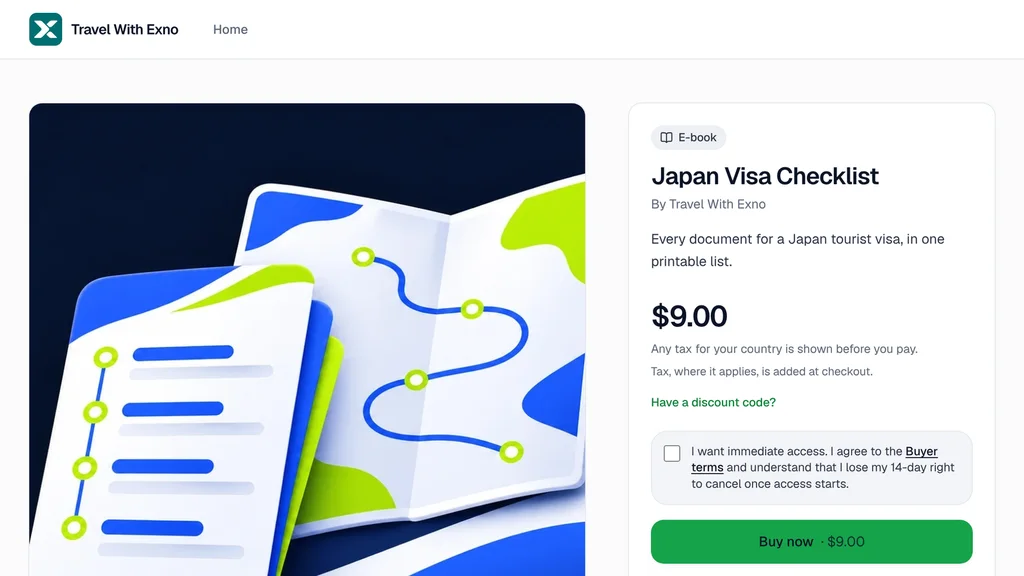
Adding a product takes a few minutes: you create it, write the page buyers see, set a price, add a cover and the files buyers get, and publish. The clips below show every step in a real EXNO store, Travel With Exno, as it adds a Japan visa checklist.
Read the guide
Guide
Where should you sell your digital products?
The best platform to sell digital products depends on what you deliver, how buyers find it, and who should handle the transaction. Shortlist Etsy for original digital designs, Shopify for a shop that also ships goods, Gumroad for direct creator sales, and EXNO for a mixed digital catalog with a storefront and marketplace.
Read the guide
Guide
What to do when a buyer disputes a digital product sale
Chargebacks on digital products happen when a buyer disputes a card payment through their card issuer rather than simply requesting a refund. On EXNO, submit the evidence for each case through the Disputes page; EXNO adds the order records and handles the response, while the disputed sale’s earnings wait for a decision.
Read the guide