 Gumroad



 Polar
 Kelviq
 Stan

Guide
Turn a YouTube product demonstration into an EXNO purchase path
To sell digital products on YouTube, demonstrate what the buyer can do with the file and send viewers through a supported link to the matching EXNO offer. Use an eligible description link in a long-form video; for a Short, direct viewers to a related video or a labeled channel profile link instead of a non-clickable URL.12

How do you go from one demonstration to a working offer?
Build the EXNO page first, film the product doing one useful job, and show viewers where the actual product link lives for their video format. Then test the published route on a phone and confirm that the listing, checkout, and buyer instructions describe the same files you used on camera.
- Prepare the destination. List the digital product on EXNO with its file types, software requirements, license, price, and a preview. Open the product page as a visitor. If the video shows a paid collection, do not link to a free item that silently sends the visitor hunting for it.
- Record a complete small task. In a tutorial about sound effects, play the original scene, add one effect, and replay it at the same level. Name the file you added. Explain whether other sounds in the scene are part of the pack.
- Choose the supported route. Check your channel’s feature eligibility, then use the long-form description, channel profile, or an eligible related video as appropriate.123 Name the destination in the video; a vague instruction to “check below” breaks when the format changes.
- Match the first screen. On EXNO, show the same pack art and example that appear in the demonstration. If the project needs an editor or plug-in that costs extra, say so before the viewer opens checkout. Use a storefront gallery for supporting images.
- Run the public test. Start at the published video in a viewer session, follow the exact route you described, and open the correct EXNO checkout without paying. Recheck the description and profile when you retire a file or replace the edition.
Which YouTube links can a viewer actually follow?
Long-form videos, Shorts, and channel profiles do not treat links in the same way: external links in eligible long-form descriptions can be clickable, while an ordinary URL pasted into a Short’s description or comments is not. Choose a route your channel supports before you record a spoken instruction you cannot easily change.13
| Viewer’s starting point | How they reach EXNO | What to say or show |
|---|---|---|
| A long-form tutorial | With advanced features enabled, an external link in the description can be clickable. Eligible long-form comments can also contain clickable URLs.13 | Name the file and the location once: “The exercise file is on the product page linked in the description.” |
| A Short with a longer demonstration available | Where your channel has the required access, a related-video link can point to your own public or unlisted video. Put the eligible external EXNO link on that longer video.12 | Point to the related tutorial, not a nonexistent external link under the Short. |
| A Short without a related video | Ordinary URLs in Shorts descriptions and comments are not clickable. Direct viewers to a labeled link on the channel profile instead.1 | Say the label they should look for, such as “Practice files,” and make sure the profile has it. |
| A viewer browsing your channel | A channel profile can display links; choose a clear label and a storefront or product page that matches the breadth of the channel.1 | If older tutorials sell different files, make the linked EXNO store easy to navigate by product name. |
The specific YouTube help page for related videos says the feature requires advanced access and the linked video must be public or unlisted, on your own channel, and policy-compliant.2 Check what your account permits in YouTube Studio rather than inferring access from subscriber count. Do not suggest that an EXNO store is automatically available as a native YouTube Shopping integration.
Test the destination itself. YouTube’s external-links policy also covers links to disallowed content.4 Keep the product name visible, avoid deceptive detours, and never put a private delivery address in public: the link you share should be to a sales destination, not a copy of the paid file.
What should you show before asking a viewer to buy?
Show the smallest before-and-after that would let a skeptical buyer judge the product’s usefulness, then disclose the ingredients that are not part of the purchase. If someone can see what you started with, which file you used, and what changed, the demonstration is evidence rather than a montage of finished results.
- Template: Begin with an empty shot list, enter one scene, and show the updated schedule. Include a close-up of the actual editable field rather than a long pan across a polished mockup.
- Creative asset: Use the same shot before and after a color preset. Disclose other grading steps. On the EXNO page, identify the expected input so a buyer with different footage can assess the fit.
- Software utility: Show a small input and its output. State the tested environment and distinguish the tool from sample code, paid dependencies, or client data. Use an invented demonstration dataset.
- Lesson or service: Teach one genuine skill or show a representative deliverable. Tell the viewer whether they are purchasing files, a recorded lesson, or individual work, rather than letting all three sound interchangeable.
For a listing that needs an image to match the video, see how to build a representative product mockup. Give the product its real name in both places; the first line at checkout is a poor place to reveal that the tutorial used a different edition.
An EXNO payment link can suit a viewer who has watched a complete demonstration of one fixed-price file. If there are two editions or significant requirements, use the product page instead so buyers can compare before they pay.
How can you separate video interest from sales?
Use video retention to learn whether viewers saw the demonstration, and use EXNO traffic and order data to learn what happened after people reached the offer. A dip or replay in a tutorial is not a purchase signal by itself; inspect the moment and the destination before deciding what to revise.5
Name the campaign for the demonstration and distinguish links from the profile and the long-form description where practical. EXNO statistics report traffic sources and UTM campaigns as well as product views, opened checkouts, sales, and earnings. Use consistent dates and product versions; links shared by viewers can carry a campaign label beyond the original video.
Suppose your product report shows 60 views, 12 checkout opens, and three sales over the period. The corresponding ratios are 20% opens per product view and 25% sales per checkout open. These figures describe the counts, not 60 distinct viewers or proof that one spoken pitch caused three orders.
- Viewers stay for the example, but the store gets little traffic: Watch the video as a newcomer. Can you find the named link from the device and format you are using?
- Visitors arrive but seldom open checkout: Check that the listing explains the specific project from the video, not just your brand. Mention what is excluded and show a sample in the required format.
- Buyers ask where the tutorial file is: Distinguish the store listing, receipt, and purchased download. Give the release file a recognizable name and explain how to find it in the EXNO library.
EXNO handles applicable buyer transaction taxes, refunds and disputes as merchant of record. Standard sales: 7%. Discover sales: 7%. Additional fees may apply to payment processing, payouts and other transactions. See the Seller Agreement for current fees and terms.
Keep one frame from the making of your product
A video can show a project unfolding from start to finish; a small rectangle on the EXNO Pixel Wall can preserve one frame in miniature. Pick a detail you made yourself, perhaps the corner of the first storyboard or the waveform from the sound you used to open the demonstration.
Approved spaces remain on the wall, and a pixel costs $1. If you want to help fund EXNO’s work, add your miniature production still with a title of your choice.

Frequently asked questions
The same viewer can arrive from a tutorial, a Short, or the channel page, so the practical answer depends on which route your video actually names. Keep the buyer’s destination stable, test the link where it is published, and distinguish interest in the lesson from the decision to buy the file.
Can I paste a clickable EXNO link into a Short description?
Ordinary URLs in Shorts descriptions and comments are not clickable.1 Use an eligible related video from your channel or direct the viewer to a labeled profile link.
Does a related video link point directly to an external store?
No. It leads to another eligible video on your own channel.2 You can use a tutorial there to explain the product, then provide the external link in a supported location.
What if my long-form description link is not clickable?
Check your advanced-feature access in YouTube Studio and make sure the destination meets the external-links policy.134 Do not tell viewers to click until you have tested the public video as a viewer.
Should I send everyone straight to checkout?
Only when the offer is unambiguous and the buyer has enough information to decide. If tooling, license scope, or edition matters, link to the EXNO product page first.
Are revenue from my video and revenue from my digital file the same?
No. A digital file sold through EXNO is a store transaction, not advertising income paid by YouTube. Reconcile the order in EXNO, even when the buyer first saw your video.
General information, not tax or legal advice.
Sources
YouTube’s own help pages specify where external links are clickable, how a Short can point to another video, and how to inspect your channel’s feature access. Its retention guidance helps diagnose the video itself; the example store counts above illustrate a separate calculation and are not sales benchmarks.
- YouTube Help: clickable links in long-form videos, Shorts, and channel profiles· checked 20 November 2026
- YouTube Help: eligible related videos in Shorts and how viewers reach them· checked 20 November 2026
- YouTube Help: feature access and how to check your channel’s eligibility· checked 20 November 2026
- YouTube Help: rules for destinations linked from videos and channel surfaces· checked 20 November 2026
- YouTube Help: diagnosing moments of viewer retention without treating them as purchases· checked 20 November 2026


Give one demonstration a checkout that matches
Take a video in which you can show one real change on screen and build its EXNO product page around that exact example. When the file, edition, price, and working link all match, a viewer can move from understanding your work to deciding whether it is right for them.
Keep reading
Guide
How to add a product to your EXNO store
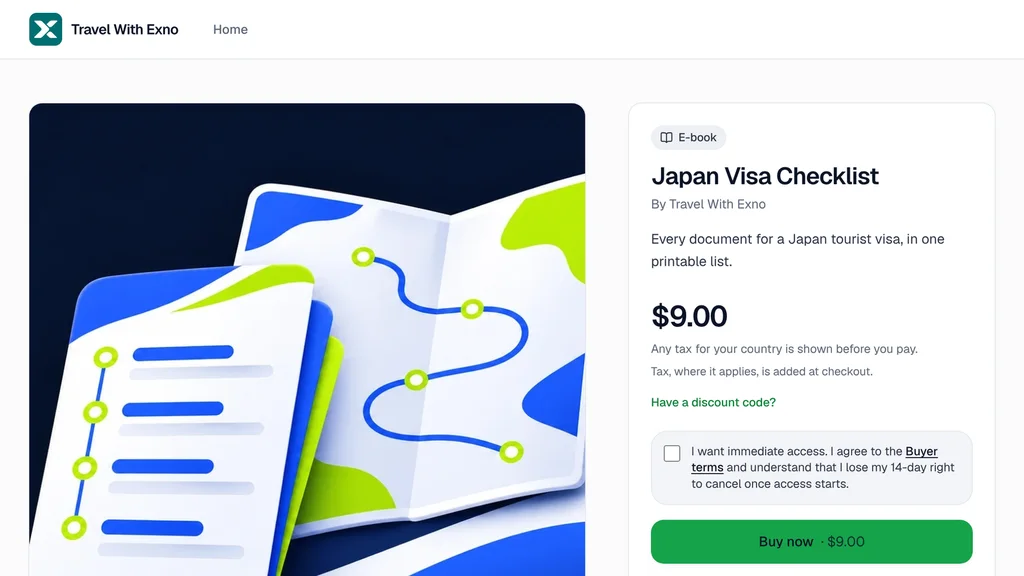
Adding a product takes a few minutes: you create it, write the page buyers see, set a price, add a cover and the files buyers get, and publish. The clips below show every step in a real EXNO store, Travel With Exno, as it adds a Japan visa checklist.
Read the guide
Guide
Where should you sell your digital products?
The best platform to sell digital products depends on what you deliver, how buyers find it, and who should handle the transaction. Shortlist Etsy for original digital designs, Shopify for a shop that also ships goods, Gumroad for direct creator sales, and EXNO for a mixed digital catalog with a storefront and marketplace.
Read the guide
Guide
What to do when a buyer disputes a digital product sale
Chargebacks on digital products happen when a buyer disputes a card payment through their card issuer rather than simply requesting a refund. On EXNO, submit the evidence for each case through the Disputes page; EXNO adds the order records and handles the response, while the disputed sale’s earnings wait for a decision.
Read the guide