 Gumroad



 Polar
 Kelviq
 Stan

Selling guide
How to sell a font family people can license and put to work
To sell fonts online, start with a typeface you have the right to distribute, proof the exported font files, and sell a license that states exactly where the buyer can use them. Show the character set, available styles and a realistic sample before checkout. Deliver the purchased desktop, web or embedding edition with its matching license and installation notes. 1678

Which font package does your buyer actually need?
Define the buyer’s use before choosing the files: installing a font for design work, serving it on a website and embedding it in an app are different requirements. Sell a clearly described package with explicit permissions; a file extension identifies a technical format, not the license rights that accompany it.
| Buyer | Deliverable to verify | Permission to explain |
|---|---|---|
| Desktop designer | Tested installable files, styles and specimen. | Who may install the font and which finished work they may create. |
| Website owner | Webfont files and implementation instructions. | Which websites or uses the web license covers. |
| App or publication producer | Files tested in the intended embedding workflow. | Whether and under what conditions embedding or redistribution is permitted. |
OpenType files can use .OTF or .TTF extensions; WOFF2 is a webfont format with compression. Those facts do not establish permission for any particular project. State the included weights, character coverage, formats and tested environments instead of offering an undefined universal license. 78
How do you proof and package a font for release?
Proof the actual exported files in the applications and uses you advertise, then package them with a specimen, installation notes and license. Check character coverage, spacing and variable behavior as well as appearance; a convincing headline image does not prove the font works in paragraphs, forms, printed pages or a buyer’s software.
- Inventory static and variable editions. Label each file and style consistently. For a variable font, document the axes, supported ranges and named instances you actually supply. Test minimum, default, maximum and intermediate settings rather than assuming the endpoints reveal every interpolation problem. 9
- Build a coverage proof. Include punctuation, numbers, currency signs and the accented characters required by your advertised languages. Test combinations in real words and sentences, not just an alphabet grid. Check missing glyphs, collisions and awkward spacing in headings and body text.
- Inspect screen and print output. Install a clean release copy, confirm family names and style selection, then export and print a sample. For web use, test the delivered webfont in the stated browsers. Record limitations rather than promising identical rendering everywhere.
- Audit ownership and inherited conditions. Verify rights to outlines and components. An OFL font is not stock you can relabel as proprietary: the OFL restricts standalone font sales and requires derivatives to retain its license, with reserved-name conditions where applicable. 10
“a smooth continuum of styles”
Price font licenses by the permitted use
For a wholly original font whose rights you control, distinguish desktop use, self-hosted web use, and embedding in an app rather than selling an undefined download. Explain the users, domains, or app titles each license covers before showing the price, so buyers can select permission that matches their project.
These fictional packages are examples, not industry-standard prices. They do not apply to fonts distributed under the SIL Open Font License or override anyone else’s license.
Standard sales: 7%. Discover sales: 7%. Additional fees may apply to payment processing, payouts and other transactions. See the Seller Agreement for current fees and terms.
Specify permitted installations, staging domains, app versions, and client handoff in the actual license. Do not silently turn a seat allowance into unlimited installations. State whether updates are included and how buyers obtain additional permissions; purchasing one package does not automatically grant the others.
How to launch your font on EXNO
Publish a font offer that connects each purchase to the correct files and a versioned license, then verify the complete buyer journey. Use public specimen images to demonstrate the typeface while keeping desktop or webfont packages private, with explicit limits on the uses included in each edition.
- Match editions to actual permissions. Describe whether the offer covers desktop use, web use, or both. Name the supplied formats, relevant license limits, and excluded uses. Where the rights differ, use distinct editions rather than assuming that receiving WOFF2 files automatically grants unrestricted web use. 1
- Attach the corresponding private package. Keep public specimens as images, not publicly downloadable font files. Include the purchased desktop or WOFF2 option with its matching, versioned license and support instructions. EXNO’s private delivery releases files after payment; it does not prevent buyers from copying downloaded fonts. 1
- Verify the route into checkout. Review EXNO’s payment links and embedded checkout when choosing where customers buy. Follow your chosen route and confirm that the selected edition and its stated rights remain clear before purchase. 4
- Audit an independent purchase. Retrieve the files without seller access and compare the delivered license with the edition ordered. Check that the package contains the promised font formats and that support can identify this release. A font file is not a license key: access and permission are separate questions.
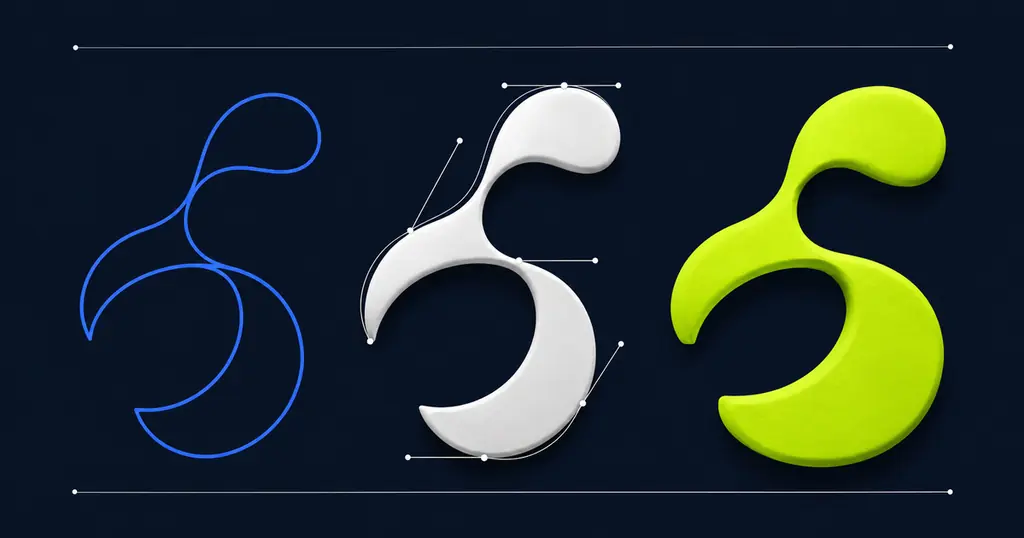
What makes a font specimen useful before and after the sale?
Show the type in a setting that exposes its limitations as well as its strengths: a short name in a headline, a paragraph in normal reading size and a line of prices or dates. Give buyers a character-coverage list and a readable license summary to consult alongside the pictures.
Demonstrate coverage instead of counting glyphs
Try a menu specimen with “Crème brûlée · €8.50” beside “Jalapeño · $6.25.” If you claim the relevant language support, inspect the accents at body size, the raised dot, the decimal point and both currency signs. A visible symbol is not proof that your font supplied it: inspect the rendered font in your test application or browser to catch fallback.
Test both a single é character and an e followed by a combining acute accent. Those sequences are canonically equivalent in Unicode; poor mark placement or gaps in a subset can still spoil the result. Do not claim support for an entire script because one word appears correctly. If you list through Discover, lead with the supported use, languages and real styles, not just the glyph count. 122
Resolve “wrong font” reports without expanding the license
- The buyer cannot retrieve the ZIP: use the order and receipt to identify the correct edition. Direct them to EXNO’s help for purchased downloads for purchase access; keep file-installation help in your readme. 5
- Bold looks unchanged: have the buyer check which file and style are selected and whether an older installation has the same family name. In a variable build, compare two known points on a shipped axis in a supported application. 9
- A client asks for the font file: check whether the license allows the file handoff, not just delivery of the finished artwork. If it does not, offer the appropriate client permission rather than emailing a second font copy.
“Neither the Font Software nor any of its individual components, in Original or Modified Versions, may be sold by itself.”
For a font licensed to you under the OFL, that prohibition applies to original and modified versions. Selling artwork made with an OFL font is a different matter; the resulting document does not have to adopt the font license. Follow the actual notices and other terms if you redistribute the font software. 1011
Use one shape to point readers toward the full specimen
A small glyph silhouette can make a better signpost than an entire alphabet reduced to a few squares. If you place original work on the EXNO Pixel Wall, choose an outline you own and send visitors to the public specimen, where they can inspect spacing and read the license.
The million-square wall charges $1 per pixel. Select the block, name the design and optionally add its destination; card or seller earnings cover the one-time purchase. Moderation comes before display, and the wall does not replace a readable character chart.

Font-selling FAQ: file selection, client use and resale
A designer buying a desktop font, a developer integrating a webfont and a client receiving finished artwork may all need different things. Use the questions below to check the file delivery, the intended use and the terms you have the right to offer before deciding whether a separate license is necessary.
Should I provide OTF and TTF versions of every font?
Not automatically. Ship the tested OpenType files that suit the environments you advertise, and specify their extensions on the product page. If two builds offer the same styles, explain which one to install instead of inviting the buyer to install both and create duplicate family entries. 7
Does including a WOFF2 file automatically permit self-hosting?
No. WOFF2 is a technical format for delivering fonts on the web, not a legal permission. The buyer needs the applicable web-use rights; clarify domain coverage and whether staging sites or client handoff are included. 8
What is the difference between a static family and a variable font?
A static family offers fixed styles as separate faces. A variable font can offer intermediate designs along the axes its designer included, such as weight or width; that does not imply every font has italics or every registered axis. Name the tested range and software rather than assuming universal controls. 9
Can I repackage an OFL font and sell it as my own download?
Not as a standalone font sold under rights obtained through the OFL. That restriction includes modified versions; permitted bundles must still comply with the license, including notices and applicable reserved-name rules. A font downloaded free of charge is not necessarily OFL-licensed, so read its own license first. 1011
Does a client need my font file to use a finished logo?
A flattened or outlined logo can usually be displayed without installing the font. Whether making that logo, embedding font data or sharing an editable file is permitted depends on the applicable license. If the client must edit live text, explain what additional permissions or files they need.
Can I advertise language support from a large glyph count?
No. Check real words against the characters, accents, combinations and shaping needed for the scripts and languages you name. A well-stocked alphabet in one writing system says nothing about another; an operating system can also substitute a different font for a missing character. 712
What should the archive include besides the fonts?
Include a dated license, an inventory of the fonts and styles, tested installation notes, a coverage specimen and support contact instructions. Separate web and desktop builds by folder or edition so a site owner does not have to infer which file to deploy.
What if replacing an older font changes an existing layout?
A revised font can alter spacing, outlines or metrics. Publish a version and a change note, keep the old build identifiable and have buyers test a copy of the project before replacing a production font. Do not promise that earlier layouts will reflow identically.
General information, not tax or legal advice.
Standards, license text and EXNO selling references
Microsoft, the W3C and the Unicode Consortium document technical behavior; the Open Font License and its accompanying FAQ address a specific license, not the terms of every commercial font. The EXNO links cover checkout, delivery and seller fees, while the example licenses and prices in this guide illustrate choices for an original release.
- EXNO product and storefront features · Private digital file delivery, product editions, checkout links and storefront tools· checked 19 November 2026
- EXNO · The public marketplace where shoppers browse digital products by category· checked 19 November 2026
- EXNO seller pricing· checked 19 November 2026
- EXNO payments · The buyer transaction and EXNO’s merchant-of-record responsibilities· checked 19 November 2026
- EXNO Help Center · Seller and buyer workflows, including accessing purchased digital products· checked 19 November 2026
- EXNO guide to selling digital design assets · Store presentation, digital delivery and licensing for creator-owned asset packs· checked 19 November 2026
- Microsoft: OpenType font files · Internal font formats, tables and recommended file extensions for distributing fonts· checked 19 November 2026
- W3C: WOFF File Format 2.0 · The webfont packaging specification and use with CSS font-face rules· checked 19 November 2026
- Microsoft: OpenType font variations · How supported axes and named instances vary within a font file· checked 19 November 2026
- SIL Open Font License 1.1 · Downstream resale, notice, reserved-name and license-preservation conditions· checked 19 November 2026
- Open Font License FAQ · Distinctions between distributing font software and selling documents or artwork made with it· checked 19 November 2026
- Unicode Consortium: normalization FAQ · Different character sequences can represent canonically equivalent text· checked 19 November 2026


Release one font edition with the evidence a buyer needs
Choose the first use you can support, assemble the matching font files and license, then read a real specimen in the target environment. Once that release passes your checks, put its styles, permissions and limitations on an EXNO product page where a designer or developer can choose the right edition.
Keep reading

Selling guide
How to sell 3D model packs that survive a buyer’s first import
To sell 3D models, define the buyer’s use, test the exported asset in that environment, and package the geometry, textures, documentation and license together. Sell the result as a digital download on EXNO. A studio buying modular game scenery needs different evidence from a designer buying a still-render prop or a maker buying a printable part.
Read the guide
Selling guide
How to sell finished AI-assisted art without overstating the rights
To sell AI art, start with a finished visual product you created or have permission to sell, check the model and asset terms, and give buyers accurate files and usage terms. A customer purchasing a background set should know its pixel dimensions, what you edited, what they can use it for, and whether they are buying images or a tool that makes them.
Read the guide
Selling guide
How to package AI automation templates buyers can run themselves
To sell n8n templates, package an original workflow with its input format, setup instructions, a safe sample, and a result the buyer can check before enabling it. Make and Zapier use different ways to share automation, so sell the edition you actually tested. The buyer supplies their own authorized accounts and keys; the download is not a running service.
Read the guide