 Gumroad



 Polar
 Kelviq
 Stan

Selling guide
How to sell video LUTs an editor can reproduce
To sell LUTs for video, define the footage and color space each file expects, then demonstrate the result on more than one shot. Package the tested color lookup tables with a reference frame, installation notes, and clear permissions so an editor can reproduce the preview.
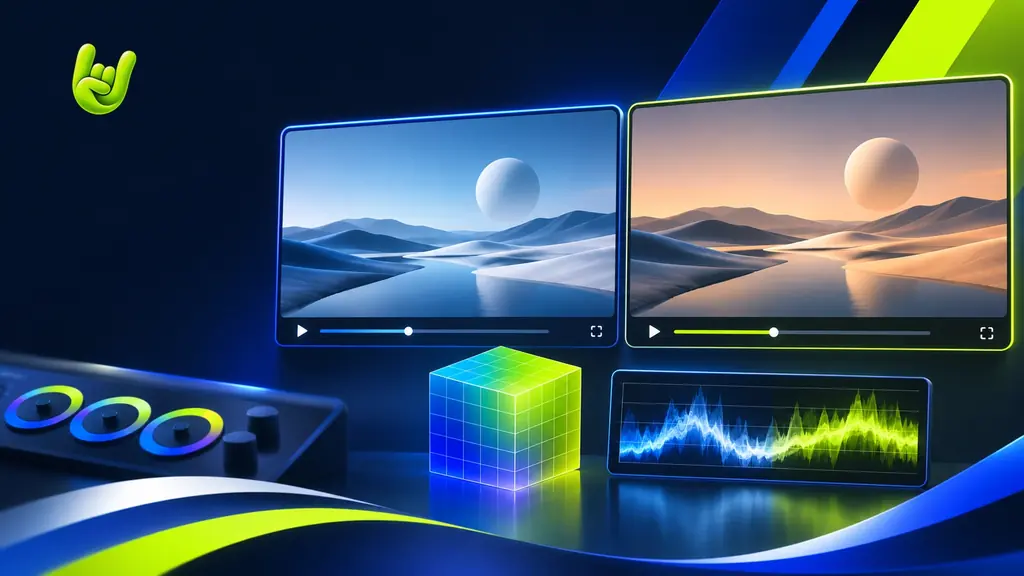
What kind of LUT will your buyer actually use?
Sell a conversion, a creative treatment, or a clearly labeled combination of the two. An editor needs to know what the picture should look like before the file is applied as well as what comes out afterward; a mood name alone supplies neither piece of information. 123
| Type of LUT | Make the promise explicit | Keep it out of the wrong workflow |
|---|---|---|
| Technical conversion | State the source camera gamut and transfer curve, the intended output space, and where the conversion belongs. A file limited to a specific input should say so in its name. 12 | An image that the editor already converted to the target space should not be sent through the same conversion again. |
| Creative look | Say what the look expects. A display-referred Rec. 709 look, for example, is intended for images prepared in that space, not every log or HDR timeline. 13 | Disclose any exposure or white-balance correction performed before the look. Do not sell two corrections as the effect of one file. |
| Combined transform and look | If one file includes both conversion and styling, list both jobs, the expected input, and the output. Test and label that combined file separately. 13 | Do not call it a generic finishing look. A buyer must know which separate technical step it replaces. |
Choose a specific editing problem. For an interview series, you might make one restrained daylight look and one warmer interior look for normalized footage. The buyer is choosing how a sequence feels, not buying a promise to match two cameras automatically. Distinguish your video LUT from a photo-editing preset: the deliverable here is a color lookup table, not a collection of application-specific sliders, masks, and local edits. 34 If those settings are your actual product, see the guide to selling presets and design assets.
How do you make a reliable before-and-after?
Use the same frame, crop, source exposure, and output settings for both halves, and change only the treatment you are demonstrating. If a log conversion is required before your creative look, show that conversion as the baseline so the buyer can see what the look itself contributes. 13
Test the exported file, not the timeline you designed it in
- Write down the pipeline. Record the source footage profile, timeline working space, intended output, and the point where the LUT is applied. Check whether the editor already converts the source automatically. The right file at the wrong stage can produce the wrong contrast or saturation. 12
- Round-trip the actual export. Adobe Premiere can export a color treatment as a .cube file. Import that file into a clean project that uses the stated settings, then compare the rendered result with the original. If the timeline used masks or blur, do not promise those effects are inside the table. 45
- Use shots that can fail in different ways. Try a gray ramp, a daylight portrait you have permission to show, deep fabric shadows, bright clouds, and a saturated red object. Look for abrupt bands, shifts in neutrals, lost texture, or skin tones changing more than the preview suggests. Note where the look becomes too strong.
- Give the buyer a reference. Supply a still you own and a correctly graded reference for the same frame. Show the same pair in the setup sheet, with the file name and settings. A buyer can now distinguish a bad install from a shot that needs its own correction.
What files, permissions, and prices belong in the pack?
Ship the LUT files, a short installation card for each tested editor, reference images, and a license that distinguishes finished videos from sharing the LUT itself. Price a pack by the number of useful looks and documented workflows, not by the number of slight strength variations you exported. 6
Make the file identify itself. A name such as Harbor-Warm_Rec709-to-Rec709_v1.cube gives a buyer more to work with than Warm_Final_07.cube. In the readme, spell out the exact transfer and display assumptions, working color space, and software versions you actually tested. If you promise Final Cut Pro compatibility, verify the relevant workflow there; its camera LUT importer accepts 3D .cube files, but recognizing the extension does not verify your result. 7
Set two offers only if the second does something different. As an illustration, $15 might buy two interview looks and their setup notes. A $30 edition might add four night looks and cleared reference frames demonstrating them. Do not bundle a manufacturer’s conversion LUT, a purchased preset, or a client’s clip unless the license specifically permits that distribution. Permission to grade a film is not proof that you may redistribute the underlying frames. 6
Name the limits. If the pack is tested only for SDR delivery, say so. Do not market the look as a cure for clipped highlights, a different camera response, or noise in a shadow. If you used separate grain or glow in the promotional trailer, identify it separately and show the unembellished LUT comparison first. 34
How do you list a LUT pack and help an editor test it?
Put the expected input and output next to the preview on your EXNO product page, and make the first download instructions match the buyer’s editing workflow. Your full-strength example should be easy to reproduce with the supplied assets before the editor starts adapting the look to different footage.
- Organize the download. Give technical transforms and creative looks different folders. Put the reference still, its expected result, and the installation card next to the LUT they demonstrate. Complete a fresh unzip on another device or account.
- Build an honest product gallery. Use Store Builder to show one technical comparison, one normal production shot, and one difficult shot. Caption each with the input profile and applied file. A collection of attractive final frames tells an editor very little about the starting conditions.
- Make technical questions answerable. With EXNO live chat on the store, ask the visitor for their editor, source profile, and timeline settings when they report an unexpected image. A useful response identifies the transform they applied, not just a lower intensity to try.
- Promote a workflow, not a filter count. Share a small comparison from footage cleared for promotion. Compare store visits, opened checkouts, and paid orders on that pack; if viewers ask the same input-space question, move that answer above the preview.
What should you fix before releasing a new version?
Fix unclear inputs, unreproducible previews, and mislabeled variations before adding more looks. Reopen one project made with the previous release and one clean project, then confirm which file produces which result; keep a version note so existing buyers know whether an update changes the grade or just the instructions.
- The image suddenly looks baked twice. Check whether the clip was normalized automatically and then given another conversion. Compare a baseline without your LUT before changing exposure or saturation. 12
- The creative look seems different on export. Make the timeline and output spaces part of your bug report. Compare an exported reference through the same viewing path rather than comparing a thumbnail in one application with the render in another. 23
- The demo looks better than the package. Rebuild the promotional frame from the exact customer ZIP. If it needs another look or a shot-specific mask, remove the extra treatment or disclose it in the preview. 4
EXNO handles applicable buyer transaction taxes, refunds and disputes as merchant of record. Standard sales: 7%. Discover sales: 7%. Additional fees may apply to payment processing, payouts and other transactions. See the Seller Agreement for current fees and terms.

Build a tiny color reference on the Pixel Wall
A row of color chips can recall the palette of a finished sequence without reproducing a single frame from the film. On EXNO’s Pixel Wall you can give your own color study a title, add an optional link, and pay for the selected rectangle in one transaction.
Each pixel costs $1 and a rejected submission is fully refunded. For a permanent, approved contribution supporting EXNO’s growth, add your color study to the wall.

Frequently asked questions
A LUT buyer is usually trying to rule out a bad match before importing anything. Answer which footage the look expects, how they should apply it, and which parts of the demonstration came from other adjustments; a supported file extension answers only one of those questions.
Is a .cube LUT the same as a photo preset?
No. A .cube LUT describes a color mapping; an editing preset can also apply settings that are not contained in that mapping. Describe the file and workflow you are delivering instead of promising that a buyer can import a photo preset into a video editor. 345
Can I list every editor that accepts .cube files?
Name the applications and versions where you tested the downloaded file and its intended color pipeline. Opening a file is not the same as reproducing the result in the preview. 17
Can I show log footage as the “before” image?
Yes, if the product actually performs the conversion you are demonstrating. When you sell only a finishing look, show the normalized image as the comparison baseline and label any separate conversion. 13
How many LUTs should I put in the first pack?
Choose a small number with visibly different purposes, and show the same reference frame for each. Count alternative encodings or intensity variants separately from genuinely different looks.
Can I reuse film stills or manufacturer LUTs in a paid pack?
Do not assume a file is redistributable just because it was available to download. Use original assets, obtain the permission your intended use requires, or substitute material that is expressly cleared for resale or promotion as applicable. 6
General information, not tax or legal advice.
Sources
These first-party editing guides explain color management, LUT placement, and file handling; they do not certify a particular look across applications. The rights reference concerns permission to use and distribute creative work, while the shot list, packaging choices, and sample prices are practical suggestions for testing your own pack.
- Adobe Premiere: clip color management and technical input LUTs· checked 20 November 2026
- Adobe Premiere: input, working, and output color spaces· checked 20 November 2026
- Adobe Lumetri: creative looks and the space a LUT expects· checked 20 November 2026
- Adobe: limitations of LUTs, including masks, blur, and glow· checked 20 November 2026
- Adobe Premiere: exporting .cube lookup tables· checked 20 November 2026
- WIPO: permissions and licenses for reuse of creative works· checked 20 November 2026
- Apple Final Cut Pro: applying LUTs and importing custom camera LUTs· checked 20 November 2026


Publish the look that survives the round-trip test
Choose one look, put the exported file in a new project, and compare the render with the advertised frame. Once the results agree, use the reference pair and the tested settings to build a listing that an editor can evaluate before risking a client deadline.
Keep reading

Selling guide
How to sell 3D model packs that survive a buyer’s first import
To sell 3D models, define the buyer’s use, test the exported asset in that environment, and package the geometry, textures, documentation and license together. Sell the result as a digital download on EXNO. A studio buying modular game scenery needs different evidence from a designer buying a still-render prop or a maker buying a printable part.
Read the guide
Selling guide
How to sell finished AI-assisted art without overstating the rights
To sell AI art, start with a finished visual product you created or have permission to sell, check the model and asset terms, and give buyers accurate files and usage terms. A customer purchasing a background set should know its pixel dimensions, what you edited, what they can use it for, and whether they are buying images or a tool that makes them.
Read the guide
Selling guide
How to package AI automation templates buyers can run themselves
To sell n8n templates, package an original workflow with its input format, setup instructions, a safe sample, and a result the buyer can check before enabling it. Make and Zapier use different ways to share automation, so sell the edition you actually tested. The buyer supplies their own authorized accounts and keys; the download is not a running service.
Read the guide