 Gumroad



 Polar
 Kelviq
 Stan

Selling guide
How to sell editable mockups, from one scene to a complete collection
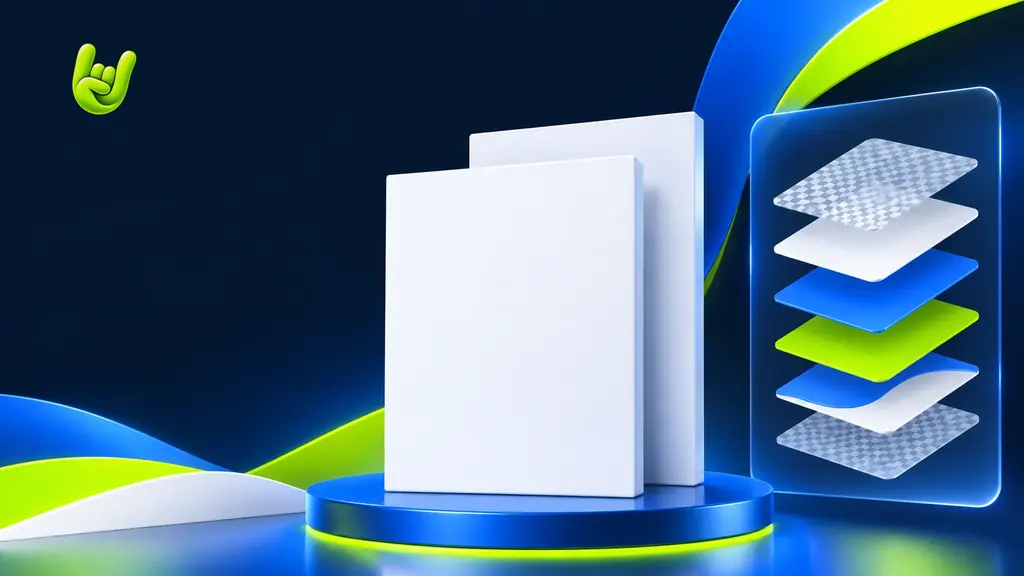
To sell mockups, sell the reusable scene: a file that lets designers insert their own artwork while keeping the perspective, lighting, and framing they saw in your preview. On EXNO you can offer an individual scene or a downloadable collection. Show what can move or change and distinguish the source file from the finished preview.
What makes a mockup worth buying rather than recreating?
Buyers pay for a repeatable presentation they would otherwise have to build for themselves. Choose a scene around a real use: presenting a cover to a publisher, comparing several poster designs for a client, or showing an app interface at an angle without redrawing the screen and reflections each time.
| Deliverable | Useful when | What to disclose |
|---|---|---|
| Flat image or overlay | A buyer needs a background or transparent frame for a quick composition. | Which area is transparent, the canvas size, and whether placement is manual. Do not describe a flat JPEG as layered. |
| Editable scene | A designer wants artwork to follow a surface while keeping shadows and highlights. | File format, tested editing app, number and shape of replacement areas, and whether the background or lighting can change. |
| Coordinated set | An agency needs a consistent campaign in different views or crops. | Count distinct perspectives separately from recolors and export sizes. Show the same artwork in each view so buyers can compare. |
Write down the reason the buyer needs each angle. A top-down spread can show a whole cover; a close crop can show the detail that disappears in a thumbnail. An extra blue background is useful if promised as a variation, but it is not a second camera position. Use a contact sheet to make that distinction obvious.
How do you package a scene that survives an artwork swap?
Deliver the editable scene with clearly named placement layers, a sample export, and instructions for the exact editing app you tested. Open a fresh copy from the buyer’s download in a different folder, replace the sample art with something visibly different, and inspect the export before calling the file ready.
- Write an inventory buyers can check. A sample listing might specify one layered PSD at 3,000 × 2,000 pixels and one portrait artwork slot at a 2:3 ratio. Those are two different dimensions: describe both. List additional masks, color changes, and independently replaceable artwork slots only if the file actually includes them.
- Use a source layer that travels. In Photoshop an embedded Smart Object stores its content in the document. A linked one refers to an external file; when distributing external links, use the packaging workflow and verify that all necessary files travel with the folder. Include only source assets you may redistribute.14
- Write the replacement recipe. Tell buyers which thumbnail to open, where to put the art, and which document to save. Saving changes to a Smart Object updates the parent scene; replacing its contents can retain the transforms. Test the exact method you recommend, especially where perspective or a tight edge crop matters.23
- Check delivery size and format. PSD preserves editing features such as layers and masks but has a 2 GB size limit. If the editable document needs PSB, say so and verify the intended software opens it; EXNO’s upload allowance of up to 5 GB per file does not change a format’s own limits.5
How should you license and price single scenes and bundles?
Price a mockup around the number of genuinely useful views, the edits a buyer can make, and how the resulting images may be used. Write separate terms for publishing a rendered image and for passing on the layered source; a client’s need for the first does not necessarily include the second.
As an illustration, a designer could offer one editable cover scene for $18 and three coordinated views for $42. The individual scenes would cost $54 separately, so the set saves $12, or about 22%. That is an example of bundle arithmetic, not a market rate. A buyer who needs only the close-up may still reasonably choose the single file.
Keep a rights inventory for the underlying photograph, textures, illustrated sample art, and live type. Record whether each item may appear in previews, be included as an editable source, or be omitted from the download. An Adobe Fonts subscription, for example, does not give you permission to package the font files for customers. Name the font separately or use a placeholder if buyers must supply their own license.6

How do you sell the file without overselling the preview?
Make the listing demonstrate the difference between what the customer sees and what they can edit. Put an untouched preview beside a second one made from the same paid file, show the layer or placement controls, and identify any artwork or software that is not included in the purchase.
- Show the deliverable first. Build a storefront gallery with a complete scene, a close-up edge, and an annotated layer view. Caption them “finished example,” “detail,” and “editable contents.” “Digital download, no physical item” is useful when a photograph looks like a retail product.
- Make each edition identifiable. On the product’s checkout, use distinct names for the single scene and the larger set. If you add an upsell for coordinating views, show exactly which new angles it adds. Do not ask a returning buyer to pay again for a view already included.
- Prove portability, then promote it. Have someone try a replacement from the purchased package using only the first page of the instructions. Once it works, reuse the before-and-after image in your direct promotion. You can list individual products on EXNO Discover as a separate sales channel.
EXNO handles applicable buyer transaction taxes, refunds and disputes as merchant of record. Standard sales: 7%. Discover sales: 7%. Additional fees may apply to payment processing, payouts and other transactions. See the Seller Agreement for current fees and terms.
Test the explanation, not just the cover. EXNO supports checkout A/B tests. Keep the price and download the same, but compare the wording “one scene” with “one editable view, two backgrounds.” Read checkout results alongside any questions buyers send; fewer misunderstandings can matter more than a small difference in completed orders.
A mistake worth catching: if the preview shows two independent covers but both change when the buyer edits one, the listing promises more control than the file provides. Correct the underlying scene or clearly describe the linked behavior. The same goes for backgrounds that appear recolorable but are flattened into the photograph.
Frame a miniature scene on the Pixel Wall
A mockup can be recognizable even after you take away texture and detail: a bright rectangle within a darker frame can suggest a cover, a poster, or a screen. That simple arrangement is a useful starting point for a permanent rectangle on the EXNO Pixel Wall.
You can give the area a title and an optional link to your scene collection. To support EXNO, choose a space on the Pixel Wall at $1 per pixel; an area appears after approval.

Common questions about buying and selling mockup files
The most useful answers describe exactly what happens when someone opens the paid download, not what the thumbnail seems to promise. Explain where buyers place their artwork, which software can make that change, and whether their client needs the original layered document or just images exported from it.
Can I sell a mockup that is only a PNG?
Yes, if you describe what the PNG actually does. State whether it is a transparent overlay or a finished flat image, and do not promise a replaceable perspective layer if buyers must place and distort their artwork themselves.
Will every program that opens PSD files support my scene?
Opening the file is not the same as reproducing its editable behavior. Name only apps and versions in which you have successfully replaced the artwork, retained the relevant effects, and exported the result.
Should sample artwork and typefaces be in the ZIP?
Include them only when you have the rights needed for distribution as source files. Mark preview-only graphics clearly and tell buyers how to obtain any font needed for live type; Adobe Fonts does not permit transferring its font files in the package.6
What should I do if a buyer reports a missing linked file?
Reopen a clean copy of the delivered archive, not your working PSD, and identify the missing dependency. If it is distributable, supply a corrected package and test it from a new folder; otherwise, replace it with an asset you can supply or explain how to obtain it.4
General information, not tax or legal advice.
Sources
Adobe documents the Photoshop features behind the editable-scene examples, including how linked content travels, what a Smart Object replacement keeps, and when a document needs a different file format. Its font licensing guidance explains one concrete redistribution limit; your own price, package contents, and rights for other assets still require separate decisions.
- Adobe: embedding source content versus linking to an external file· checked 20 November 2026
- Adobe: editing the contents of a Smart Object and updating its parent document· checked 20 November 2026
- Adobe: replacing source artwork while retaining transformations· checked 20 November 2026
- Adobe: packaging and relinking external Smart Object files· checked 20 November 2026
- Adobe: Photoshop file formats, layer support, and large-document limits· checked 20 November 2026
- Adobe Fonts: rights for finished outputs versus editable type and font files· checked 20 November 2026


Put one repeatable scene on sale
Choose one scene whose value you can show in a pair of images made with different artwork. Once a new buyer can open the download, replace the artwork, and export the promised result without an undocumented file, you have a useful starting product whether or not you later build a collection.
Keep reading

Selling guide
How to sell 3D model packs that survive a buyer’s first import
To sell 3D models, define the buyer’s use, test the exported asset in that environment, and package the geometry, textures, documentation and license together. Sell the result as a digital download on EXNO. A studio buying modular game scenery needs different evidence from a designer buying a still-render prop or a maker buying a printable part.
Read the guide
Selling guide
How to sell finished AI-assisted art without overstating the rights
To sell AI art, start with a finished visual product you created or have permission to sell, check the model and asset terms, and give buyers accurate files and usage terms. A customer purchasing a background set should know its pixel dimensions, what you edited, what they can use it for, and whether they are buying images or a tool that makes them.
Read the guide
Selling guide
How to package AI automation templates buyers can run themselves
To sell n8n templates, package an original workflow with its input format, setup instructions, a safe sample, and a result the buyer can check before enabling it. Make and Zapier use different ways to share automation, so sell the edition you actually tested. The buyer supplies their own authorized accounts and keys; the download is not a running service.
Read the guide