 Gumroad



 Polar
 Kelviq
 Stan

Selling guide
How to sell printable PDFs that work on a buyer’s paper
To sell printables online, design a PDF for a stated paper or frame size, print a proof at that size, then list the tested file on EXNO with a useful preview, clear printing instructions and a license. Start with the buyer’s use: a weekly planner needs handwriting space, a classroom activity needs readable prompts and a separate answer key, and wall art needs the right proportions at its advertised print size. The customer receives a digital file, not a physical print or frame. 781016
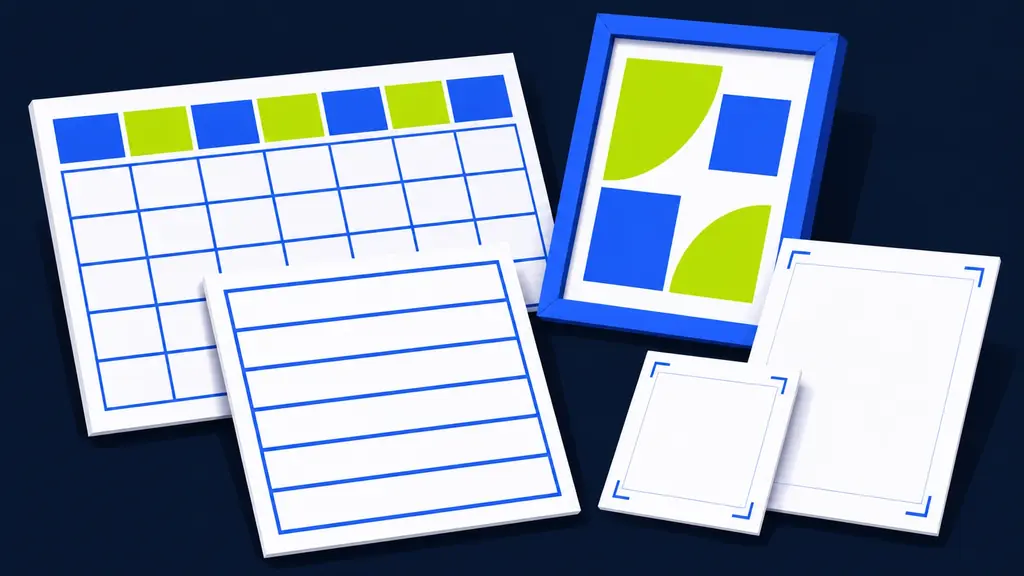
What printable should you make for a specific buyer?
Choose a printable by the job it must do on paper: organize a week, support independent practice or fit a frame. Sell a clearly described finished file, not a promise that buyers can redesign it; the page size, printing method and permitted use should match the audience you choose.
| Illustrative offer | Buyer need | Acceptance test |
|---|---|---|
| Weekly planner | Readable appointments and enough handwriting space. | Fill a busy day with a normal pen; check cramped boxes. |
| Independent-learning worksheet | Clear instructions, usable answer space and a separate answer key. | Complete the task without a verbal explanation. |
| Wall art | The advertised composition at the intended frame size. | Print, trim and place it behind the intended mat opening. |
State whether the purchase covers personal use, one classroom or a wider group. Specify whether finished prints may be sold and whether file redistribution is prohibited. These are proposed license choices, not technical copy protection; use only artwork, fonts and other material you are entitled to include.
How do you prepare files that print as advertised?
Prepare a separate, checked export for each promised size, with instructions that identify the paper, scaling and trimming requirements. Inspect the actual PDF and print a physical proof before release; a crisp screen preview cannot reveal whether writing spaces are comfortable, pale lines disappear or the printer clips an important border.
- Lay out each size deliberately. Make native US Letter and A4 versions rather than relying on the customer to scale one into the other. For wall art, label exact dimensions: 8 × 10 inches has a 4:5 ratio, not 2:3, so resizing between those proportions requires cropping, margins or distortion.
- Separate safe space from bleed. Keep essential content inside the finished edge. Bleed extends artwork beyond the trim boundary; it is not extra safe space for text. Follow the print provider’s specifications for bleed and crop marks, and do not assume a home printer can print edge-to-edge. 911
- Check the exported result. Verify fonts, image links, page order and print settings. Adobe identifies 300 ppi as a standard for high-quality close-viewed prints, not a guarantee for every output. Proof the smallest text, largest artwork and any ink-saving version on paper. 910
“Prints without scaling.”
Actual size preserves dimensions, but Adobe warns that content outside the paper can be cropped. Fit changes scale to the printable area. State which setting your tested edition requires instead of giving every buyer the same instruction. 8
Make the price explain what buyers can print
A printable’s price should make sense alongside its contents and permitted use, not just its page count. Separate a household organizer from a companion bundle and a classroom resource, so buyers can see whether they are paying for extra tools, a different audience, or broader permission to distribute printed copies.
The following are illustrative launch offers, not market medians. Promise only the formats, versions, and permissions you actually supply.
| Offer | Price | Contents and permitted printing |
|---|---|---|
| Family weekly organizer | $6 | Weekly schedule, ink-saving version; repeated printing within one household. |
| Household planning set | $14 | Organizer, meal planner, and chore chart; one household, no file redistribution. |
| Classroom activity pack | $18 | Student activity sheets and separate teacher answers; one teacher may print for their own classes, not share the digital files with colleagues. |
If the organizer, meal planner, and chore chart are also genuinely sold separately for $6 each, their combined price is $18. The $14 planning set saves $4. Keep those standalone offers available while advertising that saving.
The classroom pack is a different product, not an automatic upgrade to household rights. State whether photocopying is allowed, who may receive copies, and whether school-wide use needs a separate license. Permission to print does not grant resale rights or make the artwork exclusive.
How to sell and test your printables on EXNO
Sell a clearly labeled, ready-to-print download, then test both the purchase and the paper result before sending buyers to it. Your EXNO offer should explain the included sizes, permitted uses, and printing requirements without making customers guess whether they are buying a PDF, an editable template, or a shipped item.
- Finish the printable at its promised size. Prepare separate US Letter and A4 PDFs when including both; the sheets have different proportions. For sized wall art or labels, identify the exact finished dimensions instead. Check page count, readable text, margins, and any trimming instructions before export. 78
- Organize a recognizable edition. Name files clearly, such as weekly-planner-v1-A4.pdf and weekly-planner-v1-Letter.pdf. Add a short readme covering paper choice, printing settings, permitted use, version, and support. If both sizes are included, say so; reserve separate variants for genuinely different offers, such as personal-use versus classroom licensing you can grant. 1
- Separate the sales preview from the deliverable. Show reduced-resolution sample images or cropped details that demonstrate layout without distributing the final high-resolution pages. Use the EXNO product presentation and private-delivery tools to attach the finished files as protected purchase content, not public previews. State explicitly that nothing physical ships. 1
- Complete the checkout and buyer-access test. Check the selected edition and description, then test a new purchase without relying on seller access. Confirm that the delivered files open, match their filenames, and contain every promised size. Follow the buyer’s access route again and make sure the readme provides a usable support contact.
- Print the delivered version on actual paper. Use the buyer’s downloaded file, not your design original. Match the paper size and inspect edges, contrast, writing space, and cut lines. Acrobat’s Actual size prints without scaling; Fit changes size to fit the printable area, which can alter dimension-sensitive designs. 8
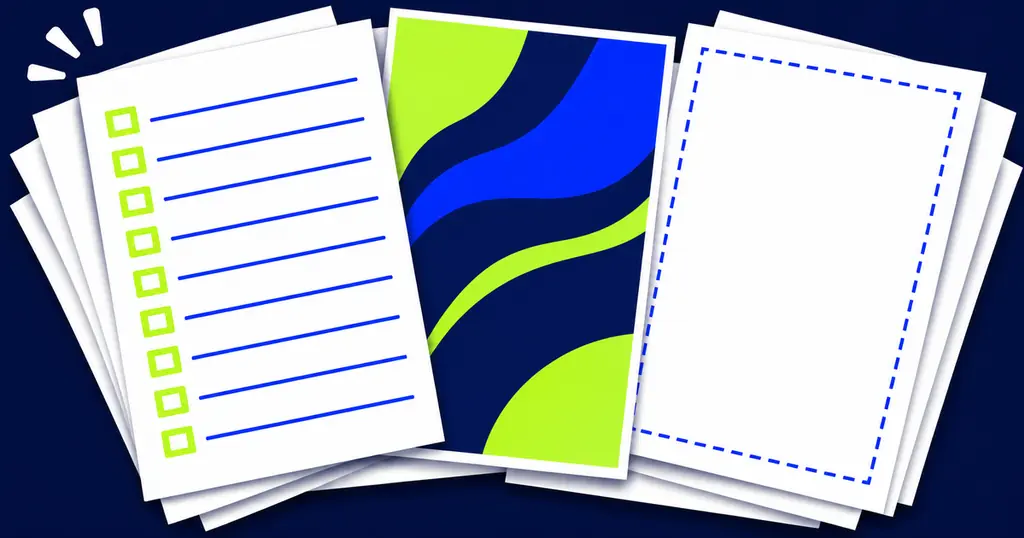
What should a printable listing show before anyone pays?
Let a shopper see how the page works at its real size. Photograph a filled example or show a clearly labeled detail beside the full page, and state the file type, number of unique designs, included sizes, print settings and allowed use before they reach checkout.
Show evidence for the claim on the cover
For an activity pack, show one worked example without exposing the answer sheet. For a weekly planner, write a realistic appointment into a box and photograph it. For wall art, label the proportions and show a close crop at the largest size you claim. Call a frame or hanging scene a preview; do not imply it ships.
If you list the product on EXNO Discover, use the buyer’s task and the format in the description. “Printable weekly meal planner, US Letter and A4” is more informative than “Ultimate bundle.” Distinguish unique designs from duplicate size and ink-saving versions when you describe how many pages are included. 12
Understand the seller amount on one sale
Standard sales: 7%. Discover sales: 7%. Additional fees may apply to payment processing, payouts and other transactions. See the Seller Agreement for current fees and terms.
Separate a download problem from a printing problem
- No file after purchase: check the receipt, order and purchased edition first. The EXNO Help Center’s buyer file-access guidance concerns retrieving the download, not changing printer settings. 5
- Edges missing or writing boxes too small: check the filename’s paper size, print-dialog scale and printer limits. A larger margin or separately laid-out size may be a better fix than asking every buyer to shrink the design. 78
- The print shop rejects a poster: get its required trim size, bleed, marks and color settings before supplying a new export. Do not add an arbitrary white border and describe it as bleed. 911
“if needed by your print provider”
Use the shape of a page as the public preview
A folded corner and a couple of colored crop marks can suggest a printable without publishing a usable copy of the paid sheet. Put that small original illustration on the EXNO Pixel Wall and, if you add a link, send the visitor to a preview that explains the paper sizes and license.
Choose an area on the million-pixel wall at $1 per pixel. Add a title, pay once by card or from your earnings, and submit it for review. Avoid shrinking the actual worksheet to a thumbnail if its lettering becomes unreadable.
Printable product questions a buyer may ask
Answer the questions that can change a purchase decision before the customer needs to contact you. Paper compatibility, editable fields, number of permitted copies and the difference between a file and a framed print belong in the listing, not only in a readme the customer cannot see until after checkout.
Is US Letter the same size as A4?
No. US Letter is 8.5 × 11 inches; A4 is 210 × 297 mm. Their proportions differ as well as their dimensions, so fitting one to the other can create extra whitespace or change the intended scale. Provide separately proofed layouts when size matters. 78
Should a customer choose Fit or Actual size?
Choose Actual size for a product with measurements that must stay true, provided the design fits the printer’s printable area. Choose Fit when preserving the whole page matters more than its exact physical scale. Give the buyer the setting you tested for that edition, rather than promising a universal result. 8
How many pixels does an 8 × 10-inch art print need?
At a target of 300 pixels per inch, an 8 × 10-inch raster image needs 2,400 × 3,000 pixels. An image that size printed at 16 × 20 inches yields 150 ppi. Changing the resolution label alone does not add detail; vector text and graphics are a different case. 10
Do I need crop marks on a household planner?
Usually not when the page is designed for an ordinary full sheet and nothing needs trimming. For a commercial job, follow the printer’s requirements and distinguish the final trim line from artwork extended beyond it. Include the marked production edition separately from the home-print PDF. 911
Does a printable PDF automatically work as a fillable form?
No. A layout intended for handwriting is not the same as a file with functioning digital form fields. Only advertise on-screen completion if you created and tested the fields, saving and reopening the completed file in the viewer you identify. Otherwise call it print-and-write.
Can a teacher share one paid worksheet file with the whole school?
That depends on the license you offer. A one-teacher classroom edition can allow printed copies for that teacher’s own students without granting file sharing with colleagues. Put the actual permissions in view before checkout and include them in the package. 12
What is a low-ink version, and why not just print in grayscale?
A useful low-ink edition removes heavy fills and replaces color-only cues with labels, outlines or patterns. Grayscale printing alone can turn two different colors into nearly identical grays. Print an actual sample and check the answers, writing areas or legend before promising a distinct low-ink edition.
Should I sell the framed poster shown in my preview as well?
This EXNO offer is a digital download. State the finished print sizes and that no frame, paper or delivery service is included. If you show the artwork on a wall, label it as a mockup and show the actual file preview too. 1
General information, not tax or legal advice.
References for file preparation and printable sales
The paper dimensions and printing behavior come from printer and software documentation; EXNO’s public pages establish the storefront and payment workflow. The prices, licensing examples and suggested proofs are illustrative decisions, not market averages or a substitute for the instructions supplied by the buyer’s printer or print shop.
- EXNO product and storefront features · Private digital file delivery, product editions, checkout links and storefront tools· checked 19 November 2026
- EXNO · The public marketplace where shoppers browse digital products by category· checked 19 November 2026
- EXNO seller pricing· checked 19 November 2026
- EXNO payments · The buyer transaction and EXNO’s merchant-of-record responsibilities· checked 19 November 2026
- EXNO Help Center · Seller and buyer workflows, including accessing purchased digital products· checked 19 November 2026
- EXNO’s template-selling guide · Preparing a digital template package, previewing an edition and testing the purchase· checked 19 November 2026
- Epson paper specifications · Physical sizes for A4 and US Letter sheets; not a universal printer margin guarantee· checked 19 November 2026
- Adobe Acrobat page scaling · Actual Size, Fit, shrink and other settings have different effects on printed output· checked 19 November 2026
- Adobe print-ready PDF export · Press-oriented export settings and why a commercial printer’s requirements determine the preset· checked 19 November 2026
- Adobe print-resolution guidance · Raster image resolution depends on pixels and intended physical output size· checked 19 November 2026
- Adobe PDF export options · Marks, bleeds, compression, color, font and PDF export settings· checked 19 November 2026
- U.S. Copyright Office: visual art · Rights in visual artwork and the distinction between creating work and using someone else’s material· checked 19 November 2026


Put the proofed version behind your checkout
After the design passes a paper test, open the exact file a buyer will receive and confirm its name, pages and print instructions match the listing. Package that version on EXNO and keep your master files elsewhere, so a later edit does not quietly change the product you have already described.
Keep reading

Selling guide
How to sell 3D model packs that survive a buyer’s first import
To sell 3D models, define the buyer’s use, test the exported asset in that environment, and package the geometry, textures, documentation and license together. Sell the result as a digital download on EXNO. A studio buying modular game scenery needs different evidence from a designer buying a still-render prop or a maker buying a printable part.
Read the guide
Selling guide
How to sell finished AI-assisted art without overstating the rights
To sell AI art, start with a finished visual product you created or have permission to sell, check the model and asset terms, and give buyers accurate files and usage terms. A customer purchasing a background set should know its pixel dimensions, what you edited, what they can use it for, and whether they are buying images or a tool that makes them.
Read the guide
Selling guide
How to package AI automation templates buyers can run themselves
To sell n8n templates, package an original workflow with its input format, setup instructions, a safe sample, and a result the buyer can check before enabling it. Make and Zapier use different ways to share automation, so sell the edition you actually tested. The buyer supplies their own authorized accounts and keys; the download is not a running service.
Read the guide