 Gumroad



 Polar
 Kelviq
 Stan

Selling guide
Sell the right video edition: a film to watch, a lesson to study or footage to edit
To sell videos online, decide what the buyer may do with the footage, export a version their player or editor can use, and package the video with the promised captions, notes and license. On EXNO, the trailer belongs on the public listing and the purchased files belong in the private delivery. Tell viewers whether they are buying a personal viewing copy, instruction or production footage they may incorporate into another work. 1678
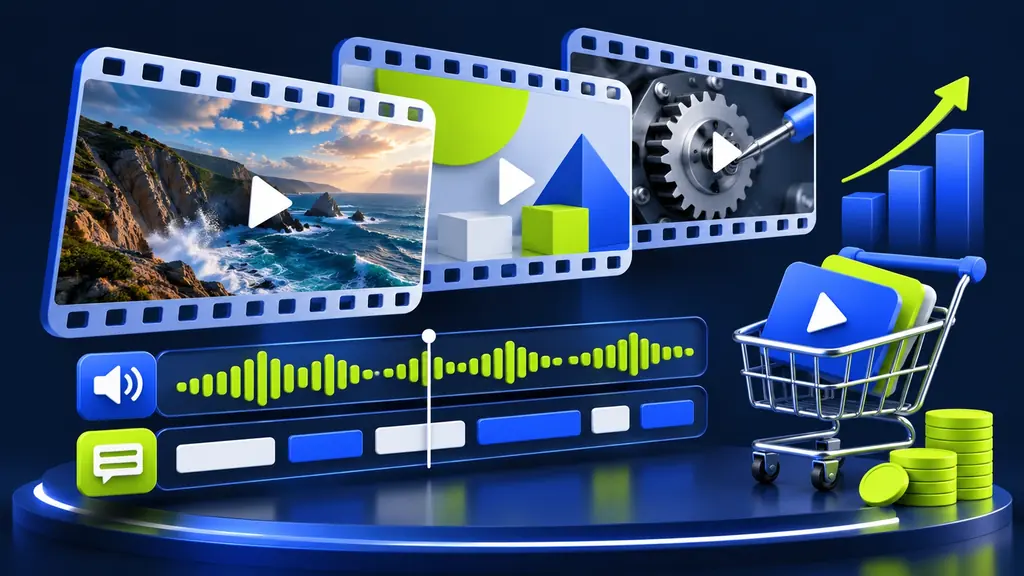
Is the buyer watching your video or using it in another project?
Start with the permission the buyer needs: watching a finished film, following a recorded demonstration or incorporating footage into a new production. Those are different products even when each arrives as a video file, so specify the intended use before deciding how many clips belong in the package.
| Offer | Useful package | Boundary to state |
|---|---|---|
| Finished film | Complete video and captions. | Personal viewing versus public screening permission. |
| Tutorial recording | Demonstration, transcript and supporting notes. | What instruction is included; whether feedback is offered. |
| Stock B-roll or loop | Numbered clips with technical specifications. | Permitted incorporation, client projects and standalone redistribution. |
These are illustrative packages. A tutorial download is not automatically a hosted course, and file delivery is not a promise of copy protection. Write the viewing or reuse license separately from the file list, including any restrictions on editing or sharing.
What should you test in the final export?
Test the exact video and companion files a customer receives, rather than relying on the editing timeline. Describe the container, codecs and output specifications separately, then check playback, readable text, sound and accessibility materials on the devices you name; one successful test does not establish compatibility everywhere.
- Document the export. MP4 is a container; H.264 video and AAC audio are codecs it can contain. State dimensions, aspect ratio, frame rate, duration and file size, plus tested players and devices. 7
- Review accessible text. Synchronize captions with speech and meaningful sounds. Label translated subtitles separately. Provide a readable transcript, adding essential visual information where needed; proof automatic text rather than accepting it unchanged. 89
- Check permissions. Document rights for footage, music and contributors, and address identifiable people’s permissions for the intended use. Music composition and recording rights can be separate; owning the video export does not resolve those permissions. 12
“Automatic Captions are Not Sufficient”
Price the viewing or reuse permission alongside the video
A finished film, an instructional bundle, and reusable footage solve different buyer needs, even when all arrive as video files. Make the price explain what is included, who may watch or use it, and whether the buyer can incorporate footage into another work rather than simply receive viewing access.
These fictional offers illustrate packaging for completed, rights-cleared videos, not industry averages or promises to produce custom footage.
| Offer | Price | Contents, audience, and permission |
|---|---|---|
| Narrative short film | $16 | Finished film and subtitle file for private household viewing; no public screening or redistribution. |
| Individual learning bundle | $49 | Completed lessons, captions, and practice notes for one learner; no classroom screening or uploading to another course. |
| Stock B-roll bundle | $95 | Documented clips for incorporation into one client project; no standalone clip resale or reusable source-library handoff. |
Name the resolution, codec, frame rate, audio contents, and available captions before checkout. For stock clips, specify whether advertising is permitted and identify any release-related restrictions. A client-project license does not automatically authorize unlimited projects or every depicted person’s commercial endorsement.
Standard sales: 7%. Discover sales: 7%. Additional fees may apply to payment processing, payouts and other transactions. See the Seller Agreement for current fees and terms.
How to launch your downloadable video on EXNO
Sell a clearly identified video edition with its language, captions, included files, and usage rights stated before checkout. Keep the public trailer apart from the downloadable feature, then test the purchased files from beginning to end rather than assuming that a working preview proves the delivery is complete.
- Define the edition. Distinguish the finished viewing copy from any separately licensed clips or production master. State whether chapters are navigation aids; chapter markers alone do not make the download a hosted course.
- Package the private release. Use EXNO’s product editions and private delivery to separate the trailer from paid files. Include a manifest naming the video version, audio language, caption files, and permitted uses. 1
- Check the selected offer. Follow the video’s purchase link and confirm the price corresponds to the intended variant. Retrieve the files without seller privileges and reconcile their names with the manifest. 1
- Verify playback after download. Open the delivered video, seek across several points, and play through its ending. Check audio synchronization and caption timing, including later scenes. Confirm the promised caption language rather than merely checking that a subtitle file exists.
What should a buyer be able to verify from your trailer and file notes?
A trailer should answer a specific buying question, not just show your strongest shot. A learner needs to see whether the demonstration is legible; a stock-footage editor needs clean frames and useful shot lengths; a film viewer needs the language, running time, playback format and viewing rights before downloading anything.
Give buyers a realistic size estimate
A 12-minute tutorial at an average total bitrate of 8 megabits per second contains about 720 megabytes of media data: 12 × 60 × 8 ÷ 8. That is an estimate in decimal units, not a file-size promise. Audio adds to the total if you start from a video-only bitrate, and container overhead or variable bitrate changes the final size. List the measured export, not the arithmetic estimate. 7
For a public demo on your portfolio, EXNO’s payment links or embedded checkout can lead to the relevant edition without making the full film public. In Discover, spell out whether the buyer receives a finished video, a lesson recording or reusable footage; do not use a licensed music track in a trailer unless its permission covers that promotion. 2412
Run a beginning, middle and end check
- Opening: start playback from the delivered file on a second device or player. Confirm the audio language, framing and first caption, and check that the public preview was not uploaded as the full product.
- Middle: seek across an edit with dialogue or a meaningful sound. Verify the timed track against that moment and include a readable transcript when promised. Visual instructions that are not spoken may also need description. 8910
- End: play to the final frame, including credits and audio tails. If a buyer cannot reach the file at all, use the order and purchase-access information; if it downloads but fails only in a specific player, investigate the encode. 57
“time-aligned with audio or video content”
Give every caption file the cut’s identifier and language, such as Lesson-02-v2-en.vtt. A file for the right language but the wrong edit is still the wrong deliverable.
Use a tiny filmstrip to point toward the public trailer
A pair of frames and a playhead can suggest a video collection without shrinking a detailed poster into an unreadable square. Put an original mark on the EXNO Pixel Wall only if you want a visual pointer to a public reel; the target should never be an unprotected master file.
Square by square, the million-pixel canvas is priced at $1 per pixel. Give your chosen block a title and optional link, use a card or available seller earnings for the one-time payment, and allow for review before the mark appears.
Video seller FAQ: playback, captions and buyer permissions
Two people can ask for the same film and mean very different things: one wants to watch it on a laptop, while the other wants to cut a clip into an advertisement. These answers separate the playback file, the accessibility material and the rights that should be confirmed for each sale.
Is an MP4 enough information for the product listing?
No. Include the video and audio codecs, resolution, frame rate, duration, measured download size and any tested player requirements. The same container extension can carry different media encodings; do not claim every phone, television or editor can open the file. 7
Does a caption file replace a transcript?
Not in every use. Captions are timed with playback and include speech and meaningful non-speech sounds. A transcript is read separately and may need descriptions of visual information to make sense without the picture. If both are advertised, check and deliver both. 8910
Can I use automatic captions without reviewing them?
Review and correct the final text and timing before advertising polished captions. Names, terminology, speaker changes and significant sounds are easy to miss. Check the delivered cut, not a draft export with a different start or end. 8
Is a downloadable video the same as a hosted online course?
No. A buyer can receive one instructional recording and accompanying notes without getting a lesson platform, saved progress or instructor feedback. EXNO also supports course products, but list those features only when the buyer is purchasing that kind of course rather than a simple file. 1
Can someone screen my film at an event after buying a home-viewing copy?
Do not imply that a private-viewing license includes public screenings. Set out the permitted setting, audience and term, and quote any additional screening rights only if you can grant them. Check separately whether any music, performances or archive clips are cleared for that use. 1112
How is a stock clip different from the right to stream a film?
A stock license may let an editor incorporate identified clips into a defined project; a film-viewing license is about watching the finished work. State whether the client can receive source clips, where the resulting project can run and whether standalone redistribution is prohibited. Do not promise exclusivity unless you have verified and agreed to it.
What if one of my video files is larger than EXNO’s limit?
EXNO’s digital-product limit is up to 5 GB per file. Re-export at a sensible bitrate for the promised use or divide the work into clearly labeled chapters, then recheck the actual files. If you split the cut, each caption track must start at the right time for its corresponding chapter. 68
Does buying a clip grant rights to its soundtrack?
Only as far as the authorizations actually extend. Music composition and sound recording rights can be distinct, and a track cleared for your own film is not necessarily cleared for a buyer’s commercial reuse. Offer a silent or otherwise cleared edition where the soundtrack cannot travel with the clip. 1112
General information, not tax or legal advice.
References for media formats, accessibility, rights and sales
Mozilla documents the media-container distinction, W3C explains captions and transcripts, and the Copyright Office distinguishes audiovisual works from rights in preexisting music. EXNO’s references describe digital products and checkout; the bitrate calculation and license tiers illustrate release decisions, not mandatory encoding settings or standard prices.
- EXNO product and storefront features · Private digital file delivery, product editions, checkout links and storefront tools· checked 19 November 2026
- EXNO · The public marketplace where shoppers browse digital products by category· checked 19 November 2026
- EXNO seller pricing· checked 19 November 2026
- EXNO payments · The buyer transaction and EXNO’s merchant-of-record responsibilities· checked 19 November 2026
- EXNO Help Center · Seller and buyer workflows, including accessing purchased digital products· checked 19 November 2026
- EXNO: international digital product sales · Digital product delivery, private download packaging and the limit per file· checked 19 November 2026
- Mozilla MDN: media container formats · Relationship between a container, media tracks, codecs and player compatibility· checked 19 November 2026
- W3C WAI: captions and subtitles · Timed text for speech and meaningful sounds; checking the quality of generated captions· checked 19 November 2026
- W3C WAI: transcripts · Text alternatives, including when a descriptive transcript should convey visual information· checked 19 November 2026
- W3C: WebVTT · Web Video Text Tracks for captions, subtitles and other timed text· checked 19 November 2026
- U.S. Copyright Office: motion pictures · Audiovisual works, including accompanying sound, and common categories of motion pictures· checked 19 November 2026
- U.S. Copyright Office: rights in music · Composition, sound recording and permissions for preexisting material· checked 19 November 2026


Make the trailer match the edition people can actually buy
Choose one cut, finish its captions and rights notes, and measure the file you will deliver rather than your source project. When the private download plays correctly and the public sample accurately represents the offer, use EXNO to list the film, lesson recording or footage pack.
Keep reading

Selling guide
How to sell 3D model packs that survive a buyer’s first import
To sell 3D models, define the buyer’s use, test the exported asset in that environment, and package the geometry, textures, documentation and license together. Sell the result as a digital download on EXNO. A studio buying modular game scenery needs different evidence from a designer buying a still-render prop or a maker buying a printable part.
Read the guide
Selling guide
How to sell finished AI-assisted art without overstating the rights
To sell AI art, start with a finished visual product you created or have permission to sell, check the model and asset terms, and give buyers accurate files and usage terms. A customer purchasing a background set should know its pixel dimensions, what you edited, what they can use it for, and whether they are buying images or a tool that makes them.
Read the guide
Selling guide
How to package AI automation templates buyers can run themselves
To sell n8n templates, package an original workflow with its input format, setup instructions, a safe sample, and a result the buyer can check before enabling it. Make and Zapier use different ways to share automation, so sell the edition you actually tested. The buyer supplies their own authorized accounts and keys; the download is not a running service.
Read the guide