 Gumroad



 Polar
 Kelviq
 Stan

Guide
Build an online course around something learners can do
To learn how to create an online course, work backward from what learners should be able to do: choose a final task, design a way to check it, then plan the instruction and practice that lead there. Record a representative lesson before the rest and pilot the course with someone who has the starting skills you expect.

What should students be able to do without the instructor?
Start with a task that someone at a stated starting level can perform independently when the course ends, and define what an acceptable result looks like. Build backward from that result: identify the evidence a learner must produce, the decisions they must practice, and the knowledge they need before making those decisions.12
Consider a course on cleaning a spreadsheet of event registrations. “Understand spreadsheets” offers no clear stopping point. “Produce a check-in list from a messy registration file, preserve every distinct attendee, and explain which rows you set aside” gives the course a job. A beginner who can open a file and select a row can attempt it; someone learning spreadsheet formulas in depth needs a different course.
Write the assignment before the lecture
Make a practice file using invented registrations, not records from an actual event. Include one repeat submission, two different guests who share a name, and a canceled ticket. Prepare the correct output and a short note explaining each decision. If you cannot agree with your own answer key, fix the case before asking learners to solve it.
| Decision | What to teach | Evidence of learning |
|---|---|---|
| Which row is the later version? | Interpret the submission time and the stable registration ID. | The learner retains the latest version for the same ID and explains the choice. |
| Are these two people actually duplicates? | Compare identifiers rather than matching a name alone. | Two separate guests with the same name remain in the final list. |
| What happens to a cancellation? | Separate attendance status from the record of what happened. | The final check-in list excludes the cancellation; an audit note explains why. |
The task is small enough that a learner can finish it and you can inspect the result. Use the same discipline for other subjects: an audio student might deliver an edited clip and explain a cut; a design student might choose between two layouts and defend the choice. A quiz about vocabulary would not, on its own, demonstrate either skill.1
How do you organize lessons around practice?
Order the lessons by what the learner must already know for the next task, not by the order of buttons in your software or chapters in your notes. Give each lesson a useful finish: the learner makes one decision, checks it against an example, and carries the result into the next activity.2
- Show the destination. Present the messy file beside the finished check-in list. Point out two guests who share a name so learners know why sorting alone will not solve the problem.
- Model one case. Think aloud as you compare the IDs and timestamps. Say why one row stays, not just which cell you click. Include a still image or text equivalent showing the before and after.
- Give guided practice. Supply a different pair of rows. Ask learners to pause and write a decision before opening your worked explanation. Give a hint about what to inspect, rather than a hint that reveals the answer.
- Remove the prompts. Provide a fresh file with the same types of problems in a different order. Withhold the worked solution until after the attempt; ask learners to explain one ambiguous case in their own words.
- Offer a recovery route. Include an untouched starter file, an intermediate checkpoint, and a short note for someone who deleted too many rows. Learners should not have to replay a whole module to recover one missing step.
Time the work as well as the video. For example, a 6-minute demonstration, a 12-minute exercise, and 4 minutes to compare the result add up to a 22-minute lesson. Those are planning assumptions, not a recommended duration. During the pilot, measure which part actually takes longest and revise the estimate or the exercise.
Choose the medium after choosing the action
Use a screen recording for a sequence where the order of actions matters. Use text or an annotated image for a rule students need to look up repeatedly. Use a separate practice file for a task that changes when someone edits it. Do not ask learners to transcribe a table from a paused video when the intended skill is interpreting the rows.
What should you script, record, and edit?
Script the decision points and the visual evidence the student needs, then record a short representative segment before filming the series. Test whether someone can follow it with the sound off and whether the narration still makes sense when they cannot see the cursor; repair gaps in the script before editing the full lesson.345
- Make a shot list. Use three columns: what the learner sees, what they hear, and what they do next. Replace “click here” with “sort the Submission time column from newest to oldest.” Include the exact file version and the state the screen should show at the start.
- Set up a clean recording. Close personal tabs and notifications. Use sample data, enlarge the relevant part of the interface, and record a brief sound test in the room you will actually use. Listen on ordinary headphones and check a phone-sized view before proceeding.
- Record in replaceable pieces. Capture one explanation or action at a time and leave a pause around edits. If a menu changes later, you can replace the demonstration without recording the conceptual lesson again. For a hands-on subject, check that your hands do not hide the very movement being taught.
- Edit for decisions, not speed. Cut setup delays, but keep the moment when a learner needs to compare two values. Stop the frame long enough to read the result. Avoid relying on color, an unlabeled arrow, or the phrase “as you can see” to communicate a choice.
- Prepare media alternatives. Review synchronized captions for terminology, speakers, and meaningful sounds. Provide a descriptive transcript that also explains essential visual actions; where needed, narrate those actions or provide audio description. An uncorrected automatic transcript is not a substitute for checking the finished lesson.345
Keep a record of scenes most likely to change. A lesson about spotting duplicate IDs may stay useful while the screen showing a menu goes out of date. Separate the principle from the changing interface in your script, and name source clips by lesson and scene rather than “final take.”
How do you pilot and package the course?
Give a pilot learner the introduction, practice materials, and final task without the private notes you used to teach it. Observe where they stop, what they believe they should do, and whether they can produce the intended result on a different example; revise those points before preparing the delivery copy.
Use a simple observation sheet: lesson, task, expected action, actual action, and possible fix. If a learner deletes both same-name guests, check the earlier demonstration and the practice prompt. If they correctly identify both guests but cannot find the starter file, repair the packaging rather than filming a longer explanation. One pilot is useful for finding friction, not proving that everyone will succeed.
On EXNO, you can organize video, text, and files into hosted lessons; student progress is saved. Put the untouched spreadsheet in the lesson where it is first needed, and place the worked answer after the attempt. Read through the course in lesson order and return as a learner to check where you left off. Recorded progress tells you where a learner reached, not whether they mastered the task.
For an offline edition, provide a clearly named download instead of promising the same hosted experience. Include a start-here file, ordered lessons, usable captions or transcripts, exercises, answer keys, version information, and the required software. Unpack the delivery copy into a new folder: a link back to your editing drive is not a usable exercise for a buyer.
Use the EXNO email template editor to preview the first message from the student’s perspective. Explain the starting skill, the first lesson to open, and which practice file stays untouched. For the separate decisions about prices and listings, use the guide to selling an online course; for a file-based edition, check the download delivery guide.
Freeze a copy of the exact release and note the device, software version, file names, and date of the pilot. If someone later reports that lesson three no longer matches their screen, those notes help you distinguish a changed interface from a missing resource or an instruction that never worked.

Leave a small mark for the people behind the lessons
A finished course often carries the work of more than its instructor: someone edited the sound, checked the examples, or tried a practice file that failed the first time. A team can acknowledge that work on the EXNO Pixel Wall with a small image, a shared title, and an optional link.
To support EXNO’s growth, dedicate a rectangle on the EXNO Pixel Wall to the course team; the space appears after approval.

Frequently asked questions
The questions that affect production most are not usually about camera models or the number of modules; they are about what a learner has to do when the video stops. Use these answers to choose materials, practice, and delivery that serve the outcome you wrote down.
How many lessons should my first course have?
Map the minimum set of decisions and practice attempts required for the final task. Split a lesson when its activities have different goals or students need a checkpoint, not to meet an arbitrary lesson count.
Do I need to appear on camera?
No. Pick the view that reveals the skill: your hands for a physical technique, a screen for a software decision, or a diagram and narration for a relationship. A face-to-camera introduction cannot substitute for a demonstration the student needs to see.
Can I use recordings of a live workshop?
Use clips only when you have the necessary permissions and have removed participant information you are not entitled to share. Re-edit material that relies on an unseen question, room activity, or file the online learner would not receive.
How do I know whether a student has learned the skill?
Ask for a new piece of work that requires the same decision in a different example. Compare it to clear criteria, including an explanation when the reasoning is part of the outcome. A watch or completion indicator is not the same evidence.1
What changes if the course is a download instead of hosted lessons?
The package has to explain its own order and include all local practice files, instructions, and alternatives for the media. Do not assume the learner will have a progress indicator or an internet connection to look up a missing step.
General information, not tax or legal advice.
Sources
Carnegie Mellon’s teaching resources explain how to connect objectives, practice, and evidence of learning, while W3C’s media guidance distinguishes captions from descriptions of visual information. The registration exercise, lesson timing, and pilot record are original examples you can adapt rather than standards for how long a course must be.
- Carnegie Mellon Eberly Center: align outcomes, assessment, and instruction· checked 20 November 2026
- Carnegie Mellon Eberly Center: sequence course activities and practice· checked 20 November 2026
- W3C WAI: plan accessibility before recording audio and video· checked 20 November 2026
- W3C WAI: captions, meaningful sounds, and accuracy checks· checked 20 November 2026
- W3C WAI: describing important visual information in video· checked 20 November 2026


Test the lesson you would be least willing to skip
Choose the point in the course where a wrong decision would spoil the final result, and build that lesson all the way through before recording the rest. Once a learner can use it, finish the remaining modules and keep the same clear link between demonstration, practice, and independent work.
Keep reading
Guide
How to add a product to your EXNO store
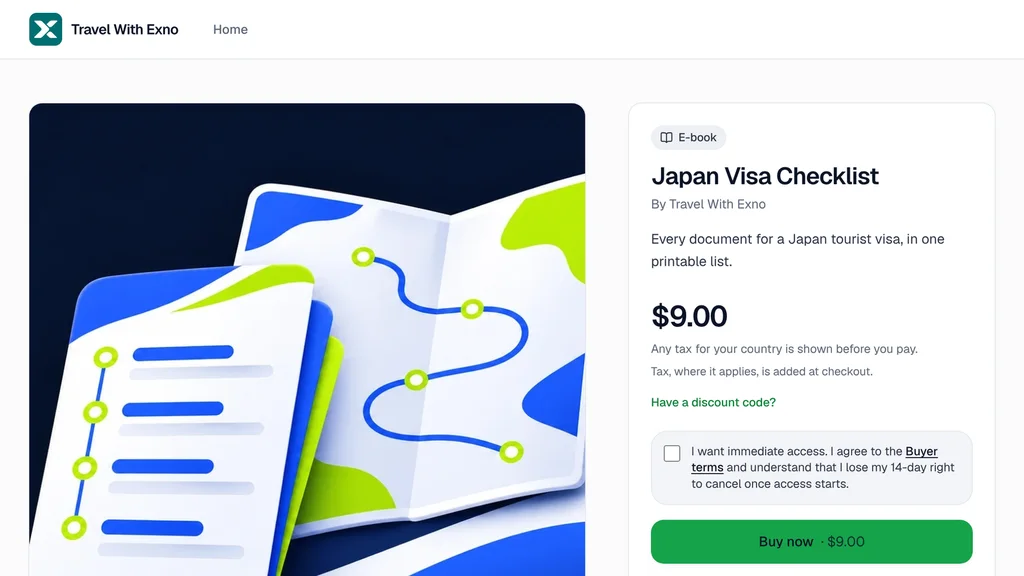
Adding a product takes a few minutes: you create it, write the page buyers see, set a price, add a cover and the files buyers get, and publish. The clips below show every step in a real EXNO store, Travel With Exno, as it adds a Japan visa checklist.
Read the guide
Guide
Where should you sell your digital products?
The best platform to sell digital products depends on what you deliver, how buyers find it, and who should handle the transaction. Shortlist Etsy for original digital designs, Shopify for a shop that also ships goods, Gumroad for direct creator sales, and EXNO for a mixed digital catalog with a storefront and marketplace.
Read the guide
Guide
What to do when a buyer disputes a digital product sale
Chargebacks on digital products happen when a buyer disputes a card payment through their card issuer rather than simply requesting a refund. On EXNO, submit the evidence for each case through the Disputes page; EXNO adds the order records and handles the response, while the disputed sale’s earnings wait for a decision.
Read the guide