 Gumroad



 Polar
 Kelviq
 Stan

Selling guide
How to sell printable coloring pages that work off the screen
To sell coloring pages, start with original or cleared artwork, print the actual download, and show buyers how much room each design gives them to color. Package the sheets by paper size or tablet format, then sell the download on EXNO with a license that says who may use it.
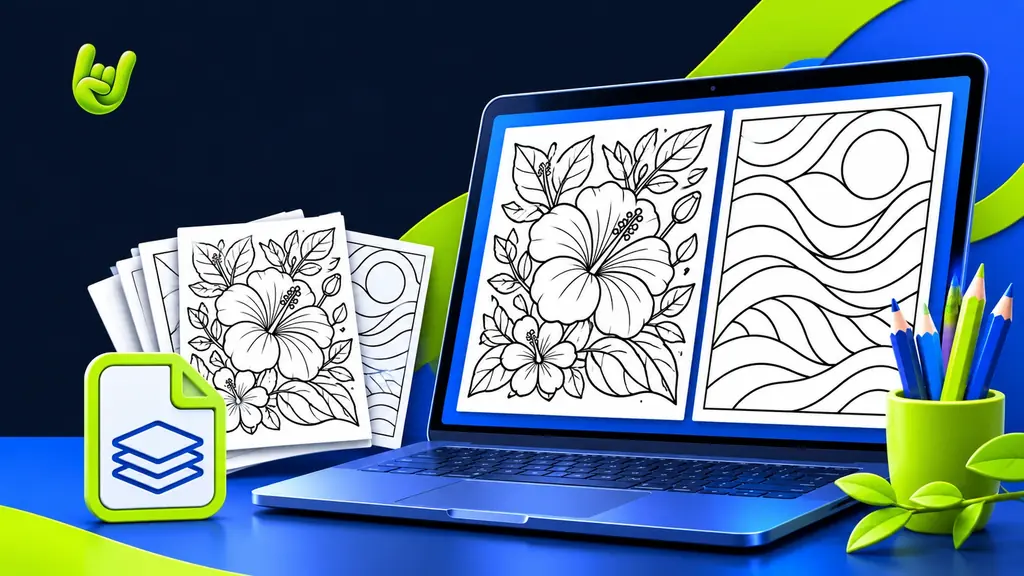
What kind of coloring pack should you make?
Pick the tool and the occasion before picking the theme: a broad crayon needs different spaces than a sharpened pencil, and one household needs different printing rights than a workshop. A drawer of interesting sketches becomes a useful pack when each page fits the same promise.
| Buyer’s project | Build for this use | Show before purchase |
|---|---|---|
| A quick coloring break | A short set with broad shapes and enough room to turn a pencil inside each one. | One uncolored design at full-page scale and a detail with the tip of a pencil for reference. |
| A detailed illustration to finish over time | A scene with a clear focal point, repeated details, and uncluttered places to rest the eye. | Your most intricate corner next to a typical corner, not just the simplest page. |
| An activity leader printing copies | Distinct sheets that work without a color printer; a license defining the group and copy allowance. | The license scope and a contact sheet that counts designs, not paper sizes. |
| A tablet coloring session | Separate line-art images, with a stated background type and dimensions. | A filled region from a file you actually imported, with the tested app named in the description. |
Imagine a tide-pool set. In the broad-line edition, a crab shell and two claws form three generous spaces; in the detailed edition, barnacles and seaweed add much finer shapes. Describe that difference instead of labeling the same drawing “easy” on one cover and “advanced” on the other.
How do you turn line art into files you can license?
Keep an editable master, prepare a separate export for each use you name, and clear every element before you distribute the pack. A PDF laid out for a printer and a transparent image meant for coloring on another layer solve different problems; buyers should know which one they receive.
- Start with a rights record. For each illustration, keep the original sketch or the source, rights holder, license, and date. Permission to use an image in an advertisement does not establish permission to sell the lines themselves. A picture being available online does not put it in the public domain.3
- Build two print layouts. If you offer both A4 and Letter, place the art independently on each page shape. Leave clear space on every side instead of relying on a borderless printer. Put each drawing on its own page; include a small index so buyers can print only the sheets they want.
- Check the actual pixels. A raster drawing meant to occupy 6 × 8 inches at 300 pixels per inch needs 1,800 × 2,400 pixels of source detail. Changing the resolution label on a small sketch does not supply the missing detail.2 For a vector drawing, inspect the exported outlines rather than judging a screenshot.
- Test the printable file. Choose the matching paper size and print your most crowded page. In Acrobat, Actual size preserves scale but may crop marks outside the printable area; Fit changes the scale to fit that area.1 State which setting you tested. Try the intended pencil or marker on the printed sheet.
- Prove any tablet edition separately. Import one exported PNG, color beneath its lines if it has a transparent background, and try filling an enclosed region. If color spills into the neighboring shape, look for a gap. If the file is deliberately white-backed, say so rather than promising transparent line work.
For borrowed artwork, read the actual license. Creative Commons licenses do not all allow commercial use or sharing adaptations; attribution may also be required.4 Leave out an unlicensed character or traced photograph, or obtain permission covering the adaptation and the way buyers may reproduce it.3
What should each price include?
Price the rights and the collection separately in your thinking: eight drawings for one home and eight drawings for a room full of participants are not the same offer. In your listing, say how many different designs the buyer gets, which formats are duplicates, and exactly where extra copies are allowed.
For example, offer eight tide-pool designs at $6 for one household, or the same eight at $18 for one named workshop of up to 20 participants. Those are illustrative prices, not market averages. A full workshop would pay $0.90 per participant; the organizer gets a defined copying allowance, not ownership of your drawings.
State whether a repeat session needs another license, whether participants may take home their colored sheets, and whether anyone may email the source PDF onward. Ask a friend to read the scope and answer this question: “Could my colleague reuse this pack with a second group?” If the answer is unclear, rewrite it.
EXNO handles applicable buyer transaction taxes, refunds and disputes as merchant of record. Standard sales: 7%. Discover sales: 7%. Additional fees may apply to payment processing, payouts and other transactions. See the Seller Agreement for current fees and terms.
How do you list, deliver, and improve the pack on EXNO?
Build the listing around a sample someone could judge without reading your biography: one complete sheet, a close view of the lines, and the exact files they will receive. On EXNO, connect that preview to the matching download, then use real questions and product statistics to decide what needs changing.
- Upload the buyer files. Use names such as tide-pool-A4.pdf and tide-pool-Letter.pdf. Keep sketches, reference photos, the thumbnail, and the editable master outside the delivery folder unless the sale explicitly includes them.
- Build a gallery for scale. In the Store Builder, pair an uncolored sheet with a photograph of your own print test. A colored sample alone can suggest that the pack includes full-color prints. Label the preview and say which sheets, paper editions, and digital extras are included.
- Match checkout to the license. Give a personal pack and a workshop offer distinct names. On the post-purchase page, tell buyers which PDF to open and where the license is. Buyers receive a receipt and can access the download in their EXNO library.
- Show the coloring experience. Share a crop at actual print scale alongside the same region partly colored. If you also list on Discover, choose a category that fits the download, not the pencils or markers shown in the demonstration.
- Use the evidence after launch. In EXNO statistics, compare product views, checkout opens, and sales over the same period. If people reach the page but ask about fineness, add the measured detail photo before rebuilding every sheet. If paid buyers report a clipped tail, print that exact file and revise the margin.
Which problems should stop a release?
Stop the release if a buyer cannot count the designs, print the outermost lines, or use the art as licensed. The most useful final check is for someone else to open the delivered files with only your instructions, choose a page, and start coloring without borrowing your working files.
- Twenty files, ten drawings. Make ten the headline number when A4 and Letter contain the same designs. A contact sheet helps a buyer spot repeats before paying.
- A white box in the tablet edition. Set a colored layer behind the imported file. If white obscures it, do not describe it as transparent; export the intended version or change the listing.
- Inconsistent difficulty. If nearly every sheet suits chunky markers but one relies on tiny hatching, replace that sheet or label it as a detailed bonus.
- Misleading extras. Keep framed examples, colored samples, and instruction covers out of the design count. For a broader print-file workflow, see preparing digital printables for sale.
Give a single outline a square on the Pixel Wall
An outline can stand for a whole coloring collection: think of a single leaf and its branching veins drawn with square tiles. The EXNO Pixel Wall lets you choose a permanent rectangle for that small signature, add your own image or color, and give the piece a title.
Each pixel costs $1; EXNO reviews the design before it appears and refunds the full payment if it is declined. You can leave your illustrator’s mark on the wall to support EXNO’s work for sellers.
Frequently asked questions
Coloring-page buyers often mean different things by “printable” and “personal use,” so answer their questions with a real file or a specific permission. These distinctions help when you are deciding whether to include a tablet edition, accommodate different printers, or give a group leader a separate license.
Do I have to include a PNG with a printable PDF?
No. A buyer who only wants to print can use a properly prepared PDF. Add individual images when you intend to support digital coloring, and describe the image size and background.
Can I turn artwork I found online into a paid coloring sheet?
Finding it online is not permission to adapt it for sale.3 Use work you created, material you have verified is in the public domain for the intended use, or a license permitting that adaptation and distribution.
How can I explain why the printed page looks smaller than the preview?
Ask which PDF, paper size, and scaling option the buyer selected. Explain the tested settings and whether choosing Fit will reduce the drawing to keep all edges visible.1
Should a classroom receive all my editable drawing files?
Not unless you expressly sell that access. A defined license to print finished sheets for participants can be fulfilled with PDFs; specify whether sharing the digital originals is excluded.
Is a coloring book sold on EXNO a printed book?
No. EXNO delivers digital products, so describe the offer as a downloadable collection the buyer prints or colors on a compatible device. Do not show mockups that imply a physical book ships.
General information, not tax or legal advice.
Sources
Adobe’s printing and resolution guides explain why the same drawing can look different on paper than on a screen. The copyright and licensing references below distinguish permission to adapt an illustration from permission to redistribute it; the pack sizes, license examples, and prices in this guide are illustrative.
- Adobe Acrobat: actual-size printing, cropping, and fitting a PDF to the printable area· checked 20 November 2026
- Adobe Photoshop: how source pixels and final print dimensions determine resolution· checked 20 November 2026
- World Intellectual Property Organization: copyright, adaptation, permission, and using work found online· checked 20 November 2026
- Creative Commons: distinguishing commercial reuse, attribution, and adaptation conditions· checked 20 November 2026


Put one print-tested pack on your shelf
Start with the pack whose line work you can show at its intended size and whose rights you can explain in a sentence. Once the files, photographs, and license agree, your storefront can give the next buyer a clear choice between a household download and a group edition.
Keep reading

Selling guide
How to sell 3D model packs that survive a buyer’s first import
To sell 3D models, define the buyer’s use, test the exported asset in that environment, and package the geometry, textures, documentation and license together. Sell the result as a digital download on EXNO. A studio buying modular game scenery needs different evidence from a designer buying a still-render prop or a maker buying a printable part.
Read the guide
Selling guide
How to sell finished AI-assisted art without overstating the rights
To sell AI art, start with a finished visual product you created or have permission to sell, check the model and asset terms, and give buyers accurate files and usage terms. A customer purchasing a background set should know its pixel dimensions, what you edited, what they can use it for, and whether they are buying images or a tool that makes them.
Read the guide
Selling guide
How to package AI automation templates buyers can run themselves
To sell n8n templates, package an original workflow with its input format, setup instructions, a safe sample, and a result the buyer can check before enabling it. Make and Zapier use different ways to share automation, so sell the edition you actually tested. The buyer supplies their own authorized accounts and keys; the download is not a running service.
Read the guide