 Gumroad



 Polar
 Kelviq
 Stan

Selling guide
How to sell SVG cut files that survive the first cut
To sell SVG files for cutting machines, offer clean vector paths, a real test cut at the size you advertise, and a license that tells buyers what they may make and sell. A sharp preview is not enough: the layers must separate correctly and the smallest pieces must stay intact when the buyer lifts the material.

What exactly is a cut-file buyer paying for?
A cut-file buyer is purchasing geometry they can send to compatible cutting software, not just a picture of the result. Since a vinyl decal, a paper stencil and a layered card need different design choices, specify the intended material, the smallest size you tested and what stays connected after cutting.
| Design | Buyer’s job | Proof to show |
|---|---|---|
| Single-color decal | Remove unwanted vinyl without lifting a letter or tiny accent. | A weeded sample at the stated width, not just an enlarged PNG. |
| Reusable stencil shape | Keep small interior shapes attached to the surrounding sheet. | A backlit paper test that clearly shows the bridges holding islands in place. |
| Layered paper design | Cut colors separately and line them up in the correct order. | The loose pieces beside the assembled design, with a layer key. |
For example, the hole in a letter can work as a separate vinyl piece but fall out of a one-piece stencil. Sell two clearly named variants if you designed both. Do not describe the same geometry as suitable for every project just because the software can resize it.
How do you prepare and test the actual download?
Keep an editable design master, then export a separate buyer copy made of the shapes the cutter should follow. For each format you include, import the retail copy into the program you name, inspect its cut preview and make a physical sample from the smallest advertised size.
- Separate by operation and color. Label the visible layers, such as 01-backing and 02-petals. Give each cut color a flat fill; remove hidden sketches and duplicate contours. A duplicate on top of an existing path can look invisible in a preview but still send the cutter over the line twice.
- Resolve design-tool effects. For the Cricut-ready file, convert lettering to shapes, remove clipping masks and replace textured fills with defined vector shapes. Cricut lists editable text, clipping paths, pattern fills and embedded non-vector art as unsupported for this upload workflow.2 Preserve the unconverted master privately for future edits.
- Check the software edition. Design Space accepts SVG vectors; DXF is not supported on its iOS or Android apps.1 Silhouette Studio opens SVG in Designer Edition or higher. Its free Basic Edition can open DXF cut paths, so include an independently tested DXF if you want to serve that edition.34
- Inspect the preview, then weed or assemble. Set the width to the stated test size; check the number of color layers and look for open outlines or extra cuts. For a folded card, distinguish score lines from cuts in the instructions rather than assuming the imported lines choose their own operation.1
- Reopen the archive on a clean device. Put the SVG, any tested DXF and a clearly named PNG preview in separate folders. Include a one-page guide showing finished dimensions, layer order, tested software edition and license. Use names that distinguish an SVG from a browser icon or a PNG thumbnail.
What should a commercial-use license actually say?
Say whether the buyer may sell finished items, whether digital redistribution is allowed, and who can use the files. A craft-market seller and a design-file reseller can interpret “commercial use included” quite differently, so spell out any quantity cap or print-on-demand provision before checkout.
For original work, an example offer might permit one named shop to sell up to 100 finished paper cards while prohibiting sharing, sublicensing or reselling the SVG and DXF. Say whether the cap applies to the whole pack or each design and where to ask about a larger run. This is an example of a product choice, not a default legal rule.
If you use someone else’s illustration, clip art or font, inspect the terms you received before offering the finished design. Permission to print a design on merchandise does not establish that you may distribute its underlying vector paths. Converting letters to curves fixes an import issue, not a licensing issue. WIPO explains the distinction between owning rights and having permission for a particular use.5
Place the same terms in the listing and archive, and date the license copy. For a longer treatment of seats, redistribution and permitted end products, use the digital product licensing guide.
How do you price, list and sell your designs on EXNO?
Price the design set separately from the permission it carries: a single personal-use motif, a coordinated collection and a finished-goods license solve different problems and deserve distinct labels before checkout. The number of file extensions in a folder is not a reason to charge for three designs when there is only one.
Example offer: three related floral cut designs at $4 each cost $12 individually. Describe the upgraded rights instead of implying that the archive contains extra artwork.
- Create the digital product. Use the finished-project name, not a string of software brands. Name only the tested programs and editions. State the design count, file formats, minimum tested size, material and permission level.
- Build a useful gallery. In EXNO’s Store Builder, put the real cut next to a layer diagram and a legible example of the smallest detail. Place the color mockup after those images. Specify that the order contains files, not vinyl, card stock or a finished project.
- Give the checkout one job. Use a product-specific checkout design for the collection. If you offer an order bump, choose a genuinely different matching design, not another file format already in the archive. Use the post-purchase message to identify the SVG and the DXF rather than retelling the license.
- Turn software questions into better copy. When a visitor asks in EXNO store chat whether a file opens in Basic Edition, answer for the tested file, then add that distinction near the purchase button. A compatibility clarification on the page helps future buyers without requiring another conversation.
EXNO handles applicable buyer transaction taxes, refunds and disputes as merchant of record. Standard sales: 7%. Discover sales: 7%. Additional fees may apply to payment processing, payouts and other transactions. See the Seller Agreement for current fees and terms. Eligible earnings follow the published payout schedule and account requirements.
Which errors are easiest to catch before the buyer does?
Check the file a customer receives against the project in your photos, looking for missing cutouts, score lines that cut through the card or a two-color design that imports as one layer. Make one finished piece from the exact archive after every material revision.
- Wrong size after import: include a reference width and height so the buyer can verify the design before cutting. Recheck the fallback format separately.
- Silhouette Studio cannot open the SVG: distinguish a software-edition limit from a damaged file. An honest listing identifies the Basic-compatible DXF only if you supplied and checked one.34
- Unclear bundle count: show the number of distinct designs first. Three motifs in two formats plus three thumbnails are still three designs, not nine.
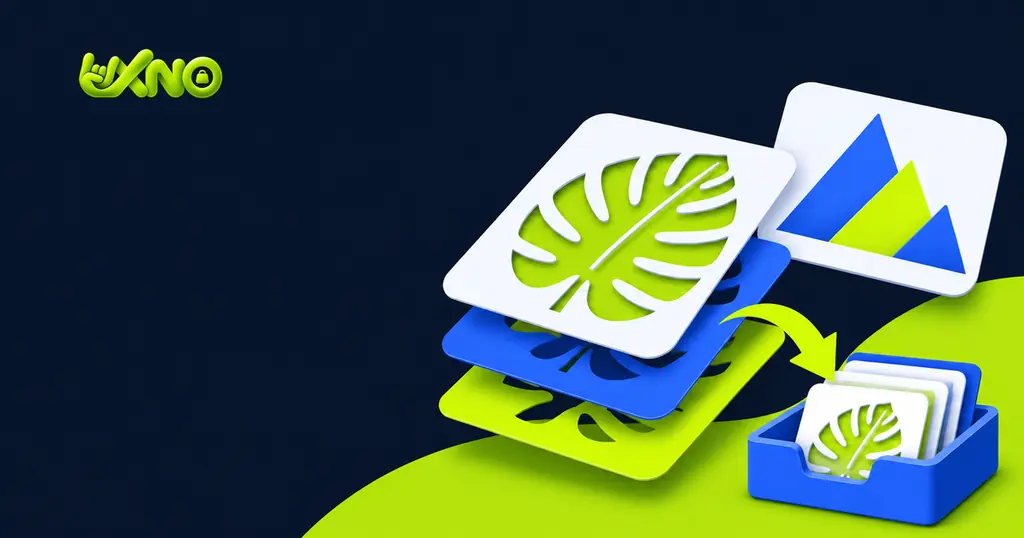
Turn the simplest cut contour into a tile motif
The outline that survives a small cut often makes the most readable mosaic: a leaf, a flower or a single scalloped edge. EXNO’s Pixel Wall gives each contributor a rectangle on a shared canvas, with room for an image or solid color, a title and an optional link.
A rectangle twelve pixels wide and five high costs $60 at $1 per pixel. Choose an original motif for the EXNO Pixel Wall if you want to support its growth.
Frequently asked questions
Most cut-file questions concern the difference between seeing a design and cutting it successfully. Give buyers a direct answer about the actual SVG or DXF, the edition of their software, the size of the real sample and the rights that come with their purchase.
Is a transparent PNG the same as an SVG cut file?
No. A PNG is a raster image, while a cut-ready SVG can carry vector paths and separate color layers. Label the preview as a preview; do not count it as a cut-ready vector.1
Should every buyer get a DXF as well?
Not necessarily. Offer DXF if it serves a named workflow you tested, such as Silhouette Studio Basic Edition. Someone using a mobile Cricut Design Space app should not rely on DXF import.13
How small can a buyer cut my design?
Give the smallest width you actually cut, the material and a close-up. A buyer can scale a vector smaller on screen without the smallest bridges or loose pieces remaining practical to cut.
Does a commercial license let the buyer sell the SVG itself?
Only if the applicable license grants that permission. A seller can offer rights to sell completed craft goods without granting the right to distribute the source file; make that difference clear on the listing.
General information, not tax or legal advice.
Sources
The cutter manufacturers document which file types their software editions accept and what happens to layers or unsupported artwork on import. The copyright reference addresses permission to use third-party work; the material tests, sample prices and example license boundaries above are editorial examples, not manufacturer requirements.
- Cricut: vector imports, cut layers and mobile DXF limitations· checked 20 November 2026
- Cricut: unsupported editable text, pattern fills, masks and images· checked 20 November 2026
- Silhouette America: file support by Studio edition, including DXF in Basic· checked 20 November 2026
- Silhouette America: SVG import in Designer Edition and higher· checked 20 November 2026
- WIPO: permissions, licensing and uses of protected works· checked 20 November 2026


Build your listing around one real cut
Pick the version that is hardest to weed or assemble and photograph it next to the source layers. Once the sample, software notes and license agree, a buyer can judge whether your file suits their machine and their project without asking you to interpret the bundle.
Keep reading

Selling guide
How to sell 3D model packs that survive a buyer’s first import
To sell 3D models, define the buyer’s use, test the exported asset in that environment, and package the geometry, textures, documentation and license together. Sell the result as a digital download on EXNO. A studio buying modular game scenery needs different evidence from a designer buying a still-render prop or a maker buying a printable part.
Read the guide
Selling guide
How to sell finished AI-assisted art without overstating the rights
To sell AI art, start with a finished visual product you created or have permission to sell, check the model and asset terms, and give buyers accurate files and usage terms. A customer purchasing a background set should know its pixel dimensions, what you edited, what they can use it for, and whether they are buying images or a tool that makes them.
Read the guide
Selling guide
How to package AI automation templates buyers can run themselves
To sell n8n templates, package an original workflow with its input format, setup instructions, a safe sample, and a result the buyer can check before enabling it. Make and Zapier use different ways to share automation, so sell the edition you actually tested. The buyer supplies their own authorized accounts and keys; the download is not a running service.
Read the guide