 Gumroad



 Polar
 Kelviq
 Stan

Guide
How to make digital products easier to find in search
SEO for digital products starts with giving a buyer’s question a useful public page: name what the file does, show it working, and explain who can use it. Organize product pages and supporting guides around different needs, then measure search visibility separately from purchases.

Which buyer questions deserve their own pages?
Create a separate page when the person searching needs a different answer or next step, not simply because you found another spelling of a keyword. A shopper ready to download an invoice tracker needs product evidence; someone still deciding how to track unpaid lessons needs an explanation that works without a purchase.12
| Illustrative search | Useful destination | What the visitor needs there |
|---|---|---|
| “Invoice tracker for independent tutors” | Product page for the actual editable workbook | Supported editor, editable fields, an example invoice, and the file license. |
| “How to track missed lessons and late payments” | A practical guide using a worked example | A method the reader can use without purchasing, plus a relevant link to the workbook. |
| “Tutor invoice tracker vs general bookkeeping spreadsheet” | A comparison or a detailed section on the existing product page | Evidence about what each covers and the situations in which a general workbook is sufficient. |
| “Templates for a tutoring studio” | A storefront collection | A short explanation of how the scheduling, invoicing, and attendance templates differ. |
Write down the words buyers use when they ask for help. Group near-identical phrases, such as “lesson invoice tracker” and “invoice tracker for lessons,” around the same offer. If two planned pages would show the same example and lead to the same decision, improve one page rather than publishing both.
What should a search visitor find on the product page?
Lead with what the buyer gets, the problem it solves, and the requirement that could rule it out; then back up those statements with a representative preview. Information locked inside a paid file cannot help a first-time visitor decide whether the file fits, so put the essential evidence on the public page.
- Name the artifact and its use. “Editable attendance and invoice tracker for tutors” tells a buyer more than “Studio Pro Edition.” Use a descriptive page title and a visible heading that agree about the product. Google draws title links from several sources and may choose different wording.3
- Make the first paragraph answer a real question. Name the supported editor, included sheets, and an example task. A meta description can summarize the offer, but Google also generates snippets from page content for the particular search.4
- Show evidence at the right scale. Put a crop of a completed entry beside a sentence explaining which fields the buyer can change. A musician might instead describe the tempo and licensing of a representative clip. Never let essential specifications exist only in an image.1
- Link pages by the next useful question. From the guide on late lessons, link to the workbook using the name of the tool. From a product collection, link to each distinct product rather than sending every visitor to the same general introduction.1
- Check the public version. Open the page as a visitor on a phone, follow the internal link, and check that the downloadable edition matches the description. For writing the actual listing, see how to explain a digital product before checkout.
For a versioned product, record the app release or file edition you tested. When a template changes, update the public example as well as the paid file. A specific limitation, such as “the example uses one currency per workbook,” can spare the wrong buyer a purchase.
What does the $20 EXNO SEO consultation cover?
EXNO’s optional $20 SEO service prepares product-specific SEO pages, optimizes your product and store pages for search engines, and works toward getting them indexed by Google. Request the service in your seller dashboard under Settings and pay by card or from your EXNO earnings; it does not buy a ranking, an index date, or sales.
Prepare a short brief before requesting help: your store and product names, who uses the files, the concrete job each one does, examples you have permission to show, and any software restrictions. For two similar editions, explain the difference in terms of what a buyer can do. This gives the team facts it cannot infer from two similar covers.
Decide what you can reasonably inspect afterward. Does the page accurately distinguish the editions? Is the important example visible to a visitor? Does the next link lead to the right product? Those are verifiable changes. A particular search position on a particular date is not a deliverable.
This consultation is an editorial service, not a paid placement in Discover. Your store can also use the drag-and-drop Store Builder to organize the catalog and show examples; the SEO team’s work does not replace the seller’s responsibility to keep file requirements, screenshots, and usage terms accurate.
How do you separate being indexed from making a sale?
Check three different events: whether a search engine has indexed the public page, whether it appears for searches that fit the product, and whether visitors who arrive continue toward purchase. Google distinguishes discovering and crawling a page from indexing it and serving it in results; completing one stage does not assure the next.5
For a site you can legitimately access in Search Console, compare impressions, clicks, and queries for the same page and date range.6 Do not assume an EXNO seller account confers access to the platform’s Search Console property. EXNO store statistics separately show traffic sources, product views, checkout opens, and sales.
For example, 30 search clicks from 1,500 impressions is a 2% click-through rate. A separate store report with six checkout opens from 30 product views gives 20% opens per view. Do not multiply those percentages to estimate purchases: clicks and views are not necessarily the same cohort, and opening checkout is not buying.
- The page is absent: Verify that you are looking for the public product page rather than a buyer’s private file. Check that a working link reaches it from your store.
- It appears for the wrong use: Read the heading and preview literally. A workbook sold as a printable could attract people who expect a ready-to-print PDF.
- People visit without opening checkout: Compare the search question with the examples, supported tools, price, and license. Record one change and its date before deciding whether to make another.

Leave a visual index card for your catalog
A useful product page gives a file a public name; your studio can give its work a visual signature on the EXNO Pixel Wall, too. It might be the small grid from a spreadsheet template, reduced to a few colored squares and paired with a title you choose.
Every pixel costs $1 and an approved design remains on the wall. To support EXNO, make a visual index card for your studio; it is not a search placement.

Frequently asked questions
Common search questions blend what you can edit on a product page with what a search engine decides to display. Keep the two separate when you evaluate an SEO change or a paid consultation, especially if you sell several versions of a file that look nearly identical at first glance.
Does each color variation need its own SEO page?
Not by default. If the core file and buying decision are the same, show the variations on a single useful page. Separate pages make more sense when requirements, content, or intended use genuinely differ.
Will Google use my exact product title and meta description?
Not necessarily. Google can use headings and other signals for a result title, and may generate a different snippet for a particular query.34 Make both the title and visible text accurate.
Does requesting indexing mean my product will appear in search?
No. Google decides whether to crawl, index, and show a page, and a request cannot set a timetable.5 Continue to check that the page is public, useful, and reachable.
Can I pay EXNO for a particular search position?
No. The optional consultation covers product-specific pages, search optimization, and indexing work. It does not sell placement in Google results.
Can a helpful guide link to a paid download?
Yes, if the link is relevant and clear about the destination. Let readers finish the task the guide promises without buying, and explain what the paid file adds.
General information, not tax or legal advice.
Sources
Google’s own documentation explains which parts of a result you can influence and which decisions remain with the search engine. Use these references when interpreting titles, snippets, indexing, and search reports; the sample workbook, search phrases, and percentages above illustrate a method rather than predicting a result for your products.
- Google Search Central: page organization, internal links, images, and descriptive language· checked 20 November 2026
- Google Search Central: original information and content written for people· checked 20 November 2026
- Google Search Central: how titles and headings influence search result titles· checked 20 November 2026
- Google Search Central: how snippets and meta descriptions are selected· checked 20 November 2026
- Google Search Central: crawling, indexing, and serving results· checked 20 November 2026
- Google Search Console: impressions, clicks, queries, and the performance report· checked 20 November 2026


Choose one product page to improve first
Start with a product whose exact use you can demonstrate and whose current page leaves an important question unanswered. Once you can show what changed, you can decide whether to repeat that work for the rest of the catalog or use EXNO’s optional editorial help.
Keep reading
Guide
How to add a product to your EXNO store
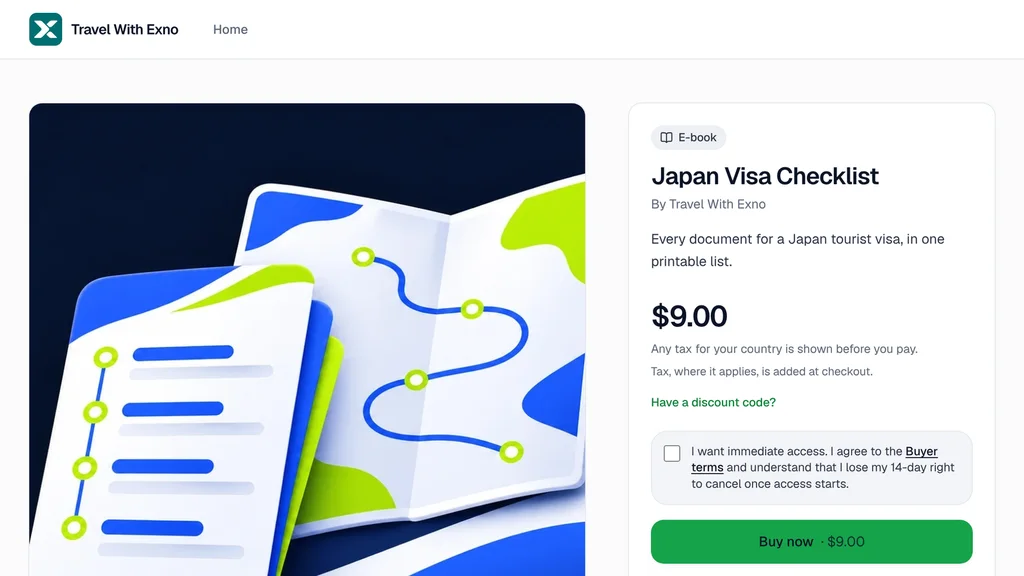
Adding a product takes a few minutes: you create it, write the page buyers see, set a price, add a cover and the files buyers get, and publish. The clips below show every step in a real EXNO store, Travel With Exno, as it adds a Japan visa checklist.
Read the guide
Guide
Where should you sell your digital products?
The best platform to sell digital products depends on what you deliver, how buyers find it, and who should handle the transaction. Shortlist Etsy for original digital designs, Shopify for a shop that also ships goods, Gumroad for direct creator sales, and EXNO for a mixed digital catalog with a storefront and marketplace.
Read the guide
Guide
What to do when a buyer disputes a digital product sale
Chargebacks on digital products happen when a buyer disputes a card payment through their card issuer rather than simply requesting a refund. On EXNO, submit the evidence for each case through the Disputes page; EXNO adds the order records and handles the response, while the disputed sale’s earnings wait for a decision.
Read the guide