 Gumroad



 Polar
 Kelviq
 Stan

Guide
Reduce unauthorized sharing without punishing your buyers
To protect digital products from piracy, start with a clear license, separate public samples from the paid release, and keep records that show what you created and when. No sales page or file format can make every copy impossible; choose safeguards that address the risk without breaking legitimate use.
What are you trying to prevent, and what can you prove?
Distinguish a copied public preview, a redistributed paid file, an unauthorized software installation and access to your seller account. Each calls for a different response: a preview can identify a release, a license can clarify permission, an activation check can control a software function, and account security protects the account rather than downloaded files.
A picture of your cover in a review is not the same evidence as a link offering the entire paid workbook. A similar idea is not, by itself, proof that your work was copied. WIPO distinguishes protected expression from ideas, procedures and methods; it also notes that permissions and local exceptions can affect whether a use infringes.12
Make a short private list of the problem you are actually seeing. “A public sample contains every worksheet” is a packaging mistake you can fix. “Someone bought pack A yesterday and pack A is being shared” establishes a sequence, not the identity of the uploader. Avoid treating customers as suspects on that basis.
Which safeguards make sense for the product you sell?
Choose the least intrusive measure that addresses the problem and test it against the buyer’s normal workflow. A legible preview mark may help identify an image, while locking an editable template can destroy its purpose; the right question is what you can deter without withholding the capability you sold.
| Situation | Proportionate measure | Important limit |
|---|---|---|
| Illustration set publicly previewed | Export a contact sheet or marked sample; use a few close-ups to show line quality. | A mark can indicate a source. It is not proof of authorship on its own. |
| Editable workbook for client use | Separate permission to use finished outputs from permission to redistribute the blank master. | Do not flatten cells or remove formulas that the description says buyers can edit. |
| Paid audio collection | Make a separate demonstration mix and identify which sounds or tracks the paid files include. | A preview assembled from several sounds is not a promise that the mix itself is delivered. |
| Software with a paid function | Use EXNO license keys and the activation API where the application checks its license. | This concerns the software integration. It does not turn a PDF, image or audio pack into activation-controlled content. |
WIPO describes a notice or watermark as a way to identify rights information.1 If you apply a mark in your own creative tools, use it on a separate copy of the preview and test whether the buyer can still inspect what matters. Do not place customer names, emails, order details or other personal information in public samples or reports.
Price and complexity are not the only costs of a control. Think about the time a buyer needs to start, whether they can work with assistive tools, and what happens if they change devices. If an ordinary purchaser cannot use a paid asset for the job your listing promises, choose a narrower measure.
What should go into your private release record?
Keep the editable originals, a dated copy of the exact release, the terms that applied to that version and permission records for third-party material. Those files help you distinguish your work from a contributor’s property and compare a suspected copy with the item buyers actually received.
- Identify what is yours. Make a simple inventory of original illustrations, text, scripts or audio alongside anything supplied under license. Record the permission and scope for each third-party component. Owning the finished collection does not necessarily entitle you to claim every individual element.2
- Keep release and working files separate. Archive the final customer package and its public preview next to a date and version name. A preview, working draft and paid master can look almost identical when you revisit them months later.
- Keep the actual terms. Save a copy of the license shown when that release was offered. Summarize in everyday words whether the buyer can use the work personally, in client output or within a team, then check the summary against the full license. See the digital product licensing guide for how to draw those boundaries.
- Test the package. Open the public sample and the paid download independently. Check that the sample is useful without containing the entire paid release, and that the paid package does not accidentally include client work, private notes or unrestricted source files you never offered.
Example record: “Brush set, version 2; 14 brush presets, swatch sheet and license; preview contains six sample strokes only.” This is a practical reference, not an official registration or independent proof of title. Copyright generally arises without registration, while voluntary registers and enforcement requirements differ between countries.12
Where does EXNO fit, and what remains your responsibility?
EXNO provides the buyer library for purchased downloads and supports software licensing, while you choose the content, sample, permissions and controls appropriate to the item. Treat delivery to the buyer, validation inside an application and protection of your seller login as three different tasks instead of describing them all as copy protection.
The buyer can find purchased downloads in the EXNO library. That fact is not a promise that a downloaded file cannot be copied, that EXNO stamps a customer’s details on it or that EXNO automatically finds redistributed copies. Use the digital delivery guide when explaining how your customer receives a purchase.
For software, distinguish a contractual license from a license key: the agreement describes permitted use, while a key can be checked by the application through the activation API. Spell out your product’s actual activation behavior and support arrangements rather than implying that a key prevents copying of every included asset. The software and license key guide covers that product type.
Secure your seller account separately. EXNO supports two-step verification through an authenticator app and one-time backup codes; keep the codes somewhere private and accessible to you. This protects a different boundary from copying by a person who already has a file. The seller account security guide explains the distinction.
What should you do if you find a suspected copy?
Preserve the public location and your matching release records before contacting anyone, then check what the other page actually offers and whether the use could be authorized. If the evidence points to unauthorized distribution, use the relevant service’s official rights-reporting process rather than making a public accusation.2
- Record what is visible. Save the page address, observation date, displayed title and a screenshot that shows the relevant portion. You do not need to buy a suspicious listing, run unknown files or expose a buyer’s private information to start a record.
- Compare specific elements. Identify matching text, distinctive edits or a particular arrangement, not just a common theme. If the match is to a stock asset licensed to many people, look for original material you actually control.
- Check permissions and exceptions. Review any partner, distributor or collaborator approvals. Copyright exceptions vary; permission to quote a passage or use a licensed component can change the analysis. Ask a qualified adviser if ownership or the validity of a claim is contested.2
- Use the appropriate channel. Read the host’s procedure and submit accurate information only for rights you own or are authorized to represent. Keep a copy of what you submit, the reference number if one is provided and the outcome. A notice is a request for review, not a finding against the other party.2
Do not post a suspected customer’s name or order record to identify a source. If the matter involves substantial losses, disputed contracts or an official declaration you do not understand, obtain advice in the relevant jurisdiction before proceeding.
Put a public signature on the wall, not your master file
A small mark can represent a collection without exposing the high-resolution art, editable layers or full audio that a buyer pays for. An original geometric signature works well on the EXNO Pixel Wall, where an approved rectangle can carry an image, a title and an optional link.
The space remains on the wall, but it is not a copyright registry or ownership certificate. Add a signature to the EXNO Pixel Wall if you would like to support EXNO’s growth.

Frequently asked questions
A practical protection plan should let a legitimate buyer recognize the official release, understand the terms and use the product as described. These answers separate the legal right from the technical measure and explain why a visible copy is a reason to investigate, not an automatic basis for an accusation.
Must I register my work before I can claim copyright?
Under the Berne framework, protection generally does not depend on registration.1 Local registration systems, evidence rules and conditions for pursuing particular remedies vary, so check the jurisdiction that matters to your situation.2
Does a watermark stop someone from copying my preview?
A watermark can identify the source or signal intended ownership, but it does not make copying impossible.1 Pair it with a useful sample and keep the original working file rather than relying on the mark alone.
Will a software activation key protect an accompanying PDF manual?
The key is meaningful where your software checks it. A separate PDF is a different asset; state the applicable use terms and choose a public sample appropriate to the manual.
General information, not tax or legal advice.
Sources
WIPO explains the difference between rights information, technical measures and legal enforcement, including why registration, exceptions and remedies need local context. The release records and sample choices in this guide are practical suggestions; the references do not establish who owns a particular work or whether a specific use is unlawful.


Prepare a release your buyers can use with confidence
Begin with the public preview, customer package and private archive for one product, and check that each contains only what belongs there. Make the rules understandable before the purchase and leave the customer with a usable file, rather than relying on a warning to do the work of good packaging.
Keep reading
Guide
How to add a product to your EXNO store
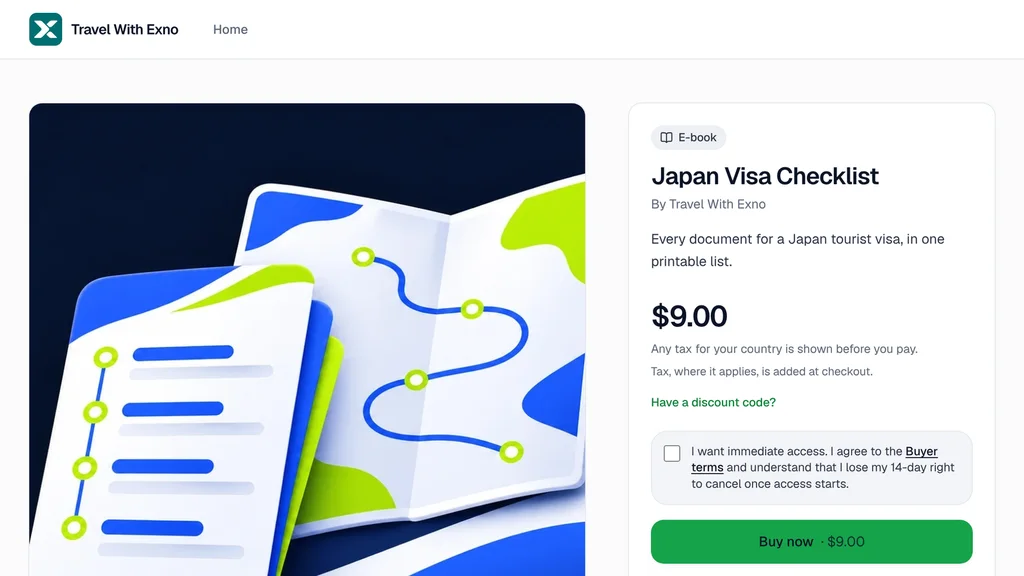
Adding a product takes a few minutes: you create it, write the page buyers see, set a price, add a cover and the files buyers get, and publish. The clips below show every step in a real EXNO store, Travel With Exno, as it adds a Japan visa checklist.
Read the guide
Guide
Where should you sell your digital products?
The best platform to sell digital products depends on what you deliver, how buyers find it, and who should handle the transaction. Shortlist Etsy for original digital designs, Shopify for a shop that also ships goods, Gumroad for direct creator sales, and EXNO for a mixed digital catalog with a storefront and marketplace.
Read the guide
Guide
What to do when a buyer disputes a digital product sale
Chargebacks on digital products happen when a buyer disputes a card payment through their card issuer rather than simply requesting a refund. On EXNO, submit the evidence for each case through the Disputes page; EXNO adds the order records and handles the response, while the disputed sale’s earnings wait for a decision.
Read the guide