 Gumroad



 Polar
 Kelviq
 Stan

Selling guide
How to sell wall art as print-ready downloads
To sell printable wall art, deliver your own original or properly licensed artwork in clearly labeled crops and show which print sizes each file supports. Give buyers the pixel dimensions, color preparation, and a frame guide before checkout, and make clear that they receive digital files, not a print or frame.
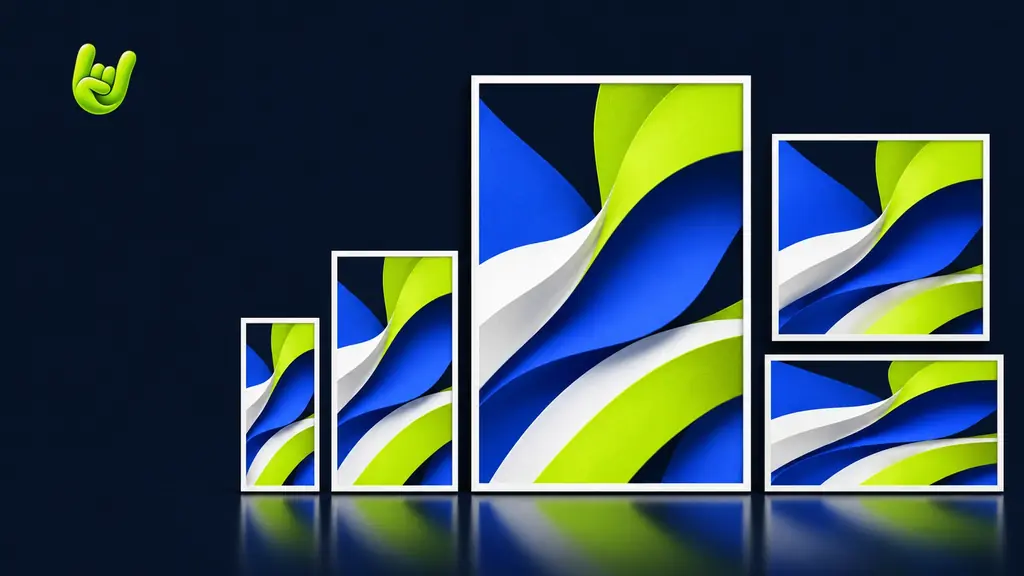
Which print sizes belong in a wall art download?
Offer sizes that suit the composition and the frames your buyers use, not every rectangle your export menu can generate. A print size describes the paper or image, an aspect ratio describes its shape, and a frame with a mat may display less of the image than the nominal dimensions suggest.
| Image ratio | Examples with matching proportions | Composition check |
|---|---|---|
| 2:3 | 8 × 12 or 12 × 18 | A tall composition has room above and below the focal point; inspect these areas before offering a wider crop. |
| 3:4 | 9 × 12 or 12 × 16 | Rebalance the subject for this width instead of stretching the 2:3 version sideways. |
| 4:5 | 8 × 10 or 16 × 20 | These sizes share a crop, not a pixel-density requirement. Prove the larger output separately. |
| 11:14 | 11 × 14 | This is not precisely 4:5. Provide a dedicated crop or explicitly show the margin or trimming that makes it fit. |
For an original illustration of a hillside, try the four crops side by side. If the widest crop cuts a house in half, move the crop window or rebuild the foreground for that ratio. Never stretch the drawing to fit. A photo lab may center-crop a file whose shape differs from the chosen print, so show buyers your intentional crop instead.3
Tell customers to measure the print they need, then check the mat’s visible opening. For example, one 11 × 14 frame option is designed for an 8 × 10 print behind a mat; the visible area is slightly smaller than the sheet because the mat overlaps it.5 A white border painted into your image is separate from a physical mat. Specify its width at the intended print size if the design relies on it.
How do you prove a file is large enough and its colors will print well?
Divide the file’s pixel width by the intended print width in inches, and repeat for the height after cropping. Then inspect or proof the largest size you advertise and check the lab’s color instructions; changing a resolution label or guessing at a printer profile will not recover missing detail or predict a paper’s appearance.
A 2,400 × 3,000 pixel file printed at 8 × 10 inches supplies 300 pixels per inch in both directions. At 16 × 20 inches it supplies only 150. That does not automatically rule out a larger print, but it is not the same evidence as a 300 PPI source at that size. PPI measures the image, not the printer’s ink dots.1
- Start with the largest useful master. Keep your layered original. Export a copy for each intended ratio, then record the pixel dimensions after cropping. Inspect thin lines, highlights, deep tones, gradients, and any lettering at the sizes you plan to list.
- Choose a delivery format for the printing route. A high-quality JPEG can suit photo-lab printing; a correctly sized PDF can help someone print a sheet at home. Check that the PDF page itself has the stated dimensions. Do not offer an editable layered source if the product is a finished print file.
- Match the lab, not a universal preset. Mpix requests 8-bit sRGB JPEGs without an embedded profile, while Bay Photo asks for an embedded sRGB or Adobe RGB profile.34 Those requirements are not interchangeable. Describe the color space and profile treatment of your file; buyers using another lab should follow that lab’s instructions.
- Proof the output condition. Where the printer or lab supplies the relevant ICC profile, use it to preview the intended printer and paper combination; confirm with a test print for an advertised finish.2 Do not promise that screen colors will be identical on every printer or paper.
- Inspect the edges. Try the lab’s preview at the final size and put a mock mat opening over the image. Move a signature inboard if it disappears behind the mat. If a lab requires bleed, prepare a separate file to that lab’s specification and identify the trim size rather than calling every file “borderless.”
What does the wall art license cover, and what should a set cost?
Price an individual illustration, a coordinated series, and a new custom crop as different offers when they provide meaningfully different work. Give the buyer explicit printing rights, distinguish download files from distinct artworks, and clarify whether printing for personal display, gifts, or commercial interiors is included in the license.
A hypothetical $18 listing might include one original hillside drawing in four tested ratios and a print guide. Call it one artwork in four crops, not a four-piece collection. If a second offer contains three different illustrations designed to hang together, show their relative scale and explain which crops preserve the same apparent horizon line. Use the guide to digital product pricing for broader pricing decisions.
Offer only work you created or have permission to sell as a downloadable print. Possessing a digital image or a physical original does not by itself establish the right to reproduce and sell it.6 A licensed texture or typeface may have different conditions for finished artwork, standalone downloads, and editable source files; check the actual terms and keep your records.
If the customer is expected to color or modify the line work rather than display your finished composition, that is a different product. The coloring page guide addresses printable line work from that buyer’s perspective.
EXNO handles applicable buyer transaction taxes, refunds and disputes as merchant of record. Standard sales: 7%. Discover sales: 7%. Additional fees may apply to payment processing, payouts and other transactions. See the Seller Agreement for current fees and terms.
How do you sell the right crop to the right buyer on EXNO?
Lead the listing with the artwork itself, then show a size chart that buyers can read without knowing what a ratio is. Explain exactly what downloads after checkout and use the filename and print guide to steer someone with an eight-by-ten frame to the correct crop on their first attempt.
- Show the real composition. Put the complete artwork first in the EXNO storefront gallery. Follow it with a close detail and the crop comparison. If a room mockup is included, use one you own or have rights to publish, label it illustrative, and never imply the furniture or frame is shipped.
- Make a size-choice graphic. In the listing, add a static chart with the columns “Your print size,” “Open this file,” and “Notes.” If a buyer needs a nonlisted proportion, tell them whether a border or separate custom crop is required.
- Package the download. Name the files by subject, ratio, and pixels, such as Hillside-4x5-2400x3000.jpg. Include a start-here PDF, the size chart, color-space notes, and printing rights. Keep mockups out of the print-ready folder.
- Inspect the purchase path. Make “digital artwork, no physical shipment” visible before checkout. Reopen the files in a new folder and check that the size chart, listed pixel dimensions, and contents of the buyer’s download match.
- Market the sizing decision. Share two crops of the same image with their actual print sizes rather than a grid of nearly identical room mockups. If shoppers reach checkout but still ask which file fits, update the size graphic and filename before adding another ratio.

Compose a miniature companion for the Pixel Wall
A hillside drawing might still read as a ridge and a moon when reduced to a handful of squares, even though the print depends on fine texture. The EXNO Pixel Wall is a place to try that tiny companion composition using your own shapes, rather than uploading the full resolution artwork you sell.
Pixels are $1 each; an approved spot stays on the wall. You can support EXNO with a miniature landscape and add an optional link to your art studio.
Frequently asked questions
Most questions about printable art come down to what the buyer has measured: image pixels, paper size, the frame, or the opening in a mat. Identify that measurement first, then choose the file, preview the crop, and check the printer or lab’s own instructions before committing to a print.
Can the same file fit an 8 × 10 and an 11 × 14 frame?
Not at both proportions edge to edge without adjustment. Supply a separate 11:14 crop or explain how a border or trim will affect the composition, and check the opening if either frame has a mat.
Does typing 300 PPI in the file make a large print sharp?
No. Without resampling, changing the resolution label does not create new pixel detail.1 Give the actual pixel dimensions and the tested print size instead.
Should I supply CMYK because this is for printing?
Not as a blanket rule. Some labs explicitly ask for RGB files, and even labs using sRGB differ on embedding profiles.34 Match a specific printer’s requirements when preparing a dedicated edition.
Is the frame in the preview part of my purchase?
An EXNO printable art listing delivers digital files. Say plainly whether pictured frames, mats, and room scenes are illustrative, and tell buyers where to find the print-size guide.
What if the corners of my art disappear after framing?
Ask the buyer to compare the image crop with the visible mat or frame opening. Some overlap secures a print, so move important marks inward or offer a deliberately bordered edition instead of promising a universal safe margin.5
General information, not tax or legal advice.
Sources
The imaging and print references explain how pixel density, profiles, cropping, and mat openings affect a finished print, while the copyright source covers permission to reproduce creative work. The named labs illustrate different file requirements rather than a universal print standard; the hillside artwork and its price are examples.
- Adobe Photoshop: pixel dimensions, print size, and image resolution· checked 20 November 2026
- Adobe Photoshop: print profiles for different output devices and paper· checked 20 November 2026
- Mpix: file preparation, color space, print cropping, and oversizing· checked 20 November 2026
- Bay Photo Lab: accepted image formats and embedded color profiles· checked 20 November 2026
- Nations Photo Lab: nominal frame dimensions, mat openings, and visible artwork· checked 20 November 2026
- World Intellectual Property Organization: copyright in visual work and permission to reproduce it· checked 20 November 2026


List the artwork and the sizes you can stand behind
Choose one original composition and make two intentional crops before building an entire set. Print or proof the largest advertised size, check the visible area behind a mat, and turn the outcome into a short size chart that a buyer can use without opening an image editor.
Keep reading

Selling guide
How to sell 3D model packs that survive a buyer’s first import
To sell 3D models, define the buyer’s use, test the exported asset in that environment, and package the geometry, textures, documentation and license together. Sell the result as a digital download on EXNO. A studio buying modular game scenery needs different evidence from a designer buying a still-render prop or a maker buying a printable part.
Read the guide
Selling guide
How to sell finished AI-assisted art without overstating the rights
To sell AI art, start with a finished visual product you created or have permission to sell, check the model and asset terms, and give buyers accurate files and usage terms. A customer purchasing a background set should know its pixel dimensions, what you edited, what they can use it for, and whether they are buying images or a tool that makes them.
Read the guide
Selling guide
How to package AI automation templates buyers can run themselves
To sell n8n templates, package an original workflow with its input format, setup instructions, a safe sample, and a result the buyer can check before enabling it. Make and Zapier use different ways to share automation, so sell the edition you actually tested. The buyer supplies their own authorized accounts and keys; the download is not a running service.
Read the guide