 Gumroad



 Polar
 Kelviq
 Stan

Selling guide
Turn a tested woodworking project into a plan people can follow
To sell woodworking plans, turn an original prototype into measured drawings, a materials list, a cut list, and instructions someone else can follow safely. Sell the plan as a digital product, and make clear which edition, units, tools, print sizes, and usage rights a buyer receives.
What should a buyer be able to build from the plan?
Choose a project you have built and can explain without standing next to the buyer. A useful first plan for an original desktop letter tray shows the finished object, the tools and experience assumed, the stock used, and the point at which the builder can tell that each part fits.
Write down the questions an independent builder is likely to ask. Is the tray sized for a particular paper format? Does the stated height include its feet? Can a left-handed person see the same reference face in the drawing? Describe the actual design instead of labeling it easy for everyone.
Photograph your own prototype from the front and at the most confusing joint. Include one view with an ordinary sheet of paper in place to communicate its capacity. If a storage tray cannot take larger stationery without a redesign, that limit belongs in the listing, not in an email after the purchase.
How do drawings, materials, and cut lists fit together?
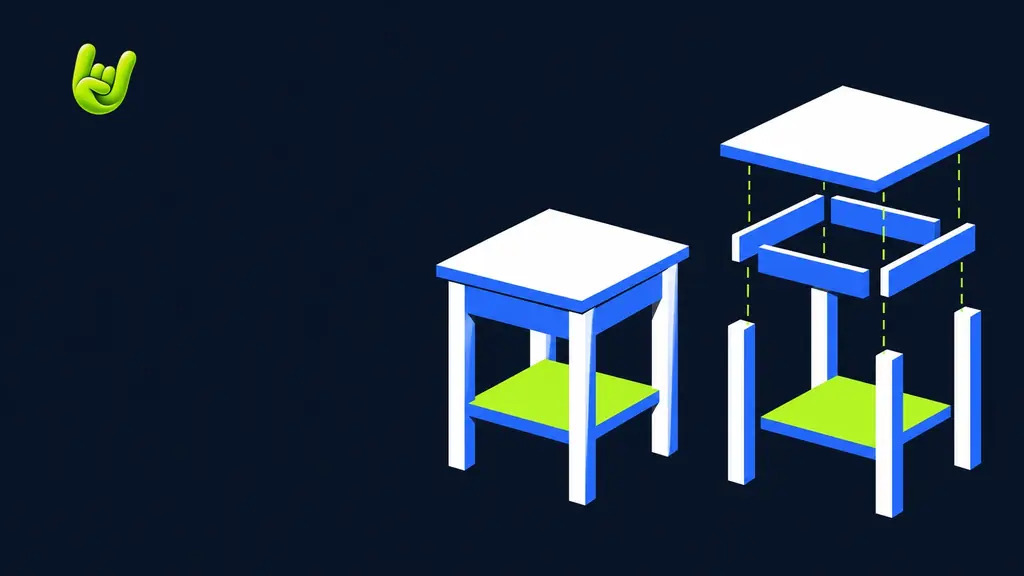
Use one part identifier throughout the drawing, cut list, and assembly instructions, but keep each document’s job distinct. The buyer purchases stock, cuts finished components from it, and joins those components into a project; treating those as the same list is how a complete-looking PDF sends someone shopping twice.
| Record | Question it answers | What to include |
|---|---|---|
| Dimensioned drawing | How large is the finished piece, and how are components positioned? | Views tied to matching part IDs; clearly labeled units, finished dimensions, and the feature each dimension measures. |
| Materials and hardware list | What stock and supplies should I obtain? | Stock description and actual thickness assumed, hardware type and quantity, and a separate note about any purchasing allowance. |
| Cut list | Which finished parts does this project need? | Part ID, quantity, thickness, width, length, and grain direction where it matters. An item purchased as one board can yield several different parts. |
| Assembly sequence | When do the parts come together, and what can I check? | Step drawings with the same part IDs, intermediate checks, and photos of any view that becomes hidden later. |
| Optional printable pattern | Which pieces must be transferred at full size? | Paper size, scale reference, and instructions for checking it. A dimensioned overview should not silently double as a full-size pattern. 1 |
For example, your letter tray may have two side pieces with ID A and two shorter end pieces with ID B. The parts list should count four pieces for those two rows, not two because there are only two IDs. Show a grain arrow or a unique label if two otherwise similar parts are handed or oriented differently.
Separate rough stock from finished parts. A purchasing diagram can help the buyer visualize material use, but do not promise a particular yield from boards you have not inspected. Distinguish nominal descriptions from the actual finished dimensions assumed in your prototype, and name the dimension order at the head of every list.
A page can be useful without being printed full size. Mark overview drawings as dimensioned references and full-size patterns as such. Adobe distinguishes Actual size, which does not scale the page, from Fit, which can resize it. Supply a measuring bar and make sure a real printout matches it. 1
What should you test before offering the download?
Ask a second builder to follow the exact document you intend to deliver, and have them mark the first place they would have to guess. Reconcile every listed component with a drawing, every assembly callout with a part ID, and every quantity with what was actually used in the prototype.
- Run the inventory backwards. Start at the last assembly illustration and trace each part back to the cut list. If a brace appears in the picture but not the materials estimate, fix both the drawing and the purchasing list before exporting again.
- Check the unit edition independently. A metric plan with imperial numbers added in the margins can accumulate rounding discrepancies. Name the controlling unit system and recheck mating dimensions together; if you sell separate editions, label them as separate builds rather than assuming every dimension is interchangeable.
- Print what buyers will print. Test the paper format you advertise. A 50 mm reference that comes out at 48 mm was printed at 96% scale, not full size. Fix the print setting or the file and verify the bar again before using a pattern. 1
- Put safety above completing the project. State the experience and equipment assumed; tell readers to follow tool manufacturers’ instructions for guards, dust control, and protective equipment. Do not depict removing a guard to achieve a cut or describe a plan as a substitute for competent instruction. 2
Revise the PDF as well as the source drawing. Put a revision date and a short change note in the download so someone who printed an earlier copy can identify the affected part. If the dimensions conflict, tell the buyer to pause and ask rather than choose whichever measurement seems more convenient.
How should you price a plan and define its license?
Price the documents and rights the buyer receives rather than the retail value of a completed wooden object. A single tested PDF, an edition with full-size patterns, and a package permitting someone to sell finished projects can be distinct offers, provided every edition states what files and permissions it contains.
An illustrative $12 tray plan could include the PDF, parts table, and photos for personal builds. A $28 workshop edition could add editable part schedules and expressly permit selling the finished trays. Specify whether a class may receive individual copies, whether a client may see the drawing, and whether passing the source file to another shop is allowed.
Sell your own measured drawings, photos, and written instructions, or material licensed for redistribution in a paid download. A published plan does not become yours because you rebuilt the piece or redrew the page. WIPO distinguishes original expression from ideas and methods. For a general framework, see how digital product licenses work. 3
How do you present and deliver woodworking plans on EXNO?
Give the buyer both a clear product preview and a reliable first page after purchase. In the EXNO store gallery, show the finished build and a legible drawing detail; in the download, start with the plan version, materials list, assumptions, and the file that corresponds to the buyer’s measuring system.
- Set up the digital product. Upload the PDF or clearly organized ZIP, choose the edition price, and identify the plan as a download rather than lumber or a finished item. Show a cropped sheet that proves your drawings are readable without exposing the entire paid plan.
- Check the handoff. Open the buyer copy, print the reference, and follow a part number across several pages on a small screen. If you also deliver a spreadsheet, offer a readable static cut list and explain which file governs when a number is disputed. Customize the EXNO delivery email to point readers to the scale-check page before they print a pattern, then preview the message. See the digital delivery guide.
- Market a real decision. Show how to interpret your part labels or check a printed template rather than posting only a beauty shot. If selling a machine-readable cut file rather than measured build instructions, compare the needs of a cut-file buyer before expanding the package.
Standard sales: 7%. Discover sales: 7%. Additional fees may apply to payment processing, payouts and other transactions. See the Seller Agreement for current fees and terms. Eligible earnings follow the published payout schedule and account requirements.
Give your workshop a small makers’ mark
A stamp on a paper plan can be as simple as the outline of a tray or a pair of offset rectangles. On the EXNO Pixel Wall you can use your own mark as a small colored image, add a short title, and include a link to your plan collection.
The price is $1 per pixel. To help support EXNO’s growth, choose a place for your workshop stamp.
Frequently asked questions
Plan buyers can often adapt a finish or a color on their own, but conflicting dimensions, a missing print scale, or ambiguous rights are much harder to undo. These answers focus on what you can clarify before a buyer orders material or spends time transferring a pattern.
Is a cut list the same as a shopping list?
No. The cut list describes the finished parts; the shopping list identifies the stock and hardware you expect the builder to obtain. Use distinct headings even if the two lists fit on one page.
Should every sheet print at full scale?
Only sheets intended as full-size patterns need that treatment. Label the intended paper format and include a reference the buyer can measure after printing. 1
Can I sell a plan made by tracing someone else’s published drawings?
Do not assume that redrawing a protected illustration gives you commercial rights. Create your own documented plan or secure permission covering the reproduction and sale you intend. 3
How can I preview a plan without giving away the whole job?
Show your finished prototype and one representative drawing detail with readable labels. A sample of the table headings or one assembly photo helps the buyer judge clarity without reproducing every sheet.
Can I promise the project is safe for every skill level?
No. Identify the tools and judgment the plan requires, point buyers to manufacturer instructions, and do not promise that written plans eliminate equipment hazards. 2
General information, not tax or legal advice.
Sources
The references distinguish what a PDF reader does to page size, what a safety authority identifies as common woodworking hazards, and what copyright protects in a drawing. They do not certify your design, approve a particular tool operation, or grant rights to another maker’s plans.
- Adobe Acrobat: Actual size, Fit, and other print scaling options· checked 20 November 2026
- OSHA woodworking guidance: machinery safeguards, dust, and workplace hazards· checked 20 November 2026
- WIPO: copyright and original expressive drawings or instructions· checked 20 November 2026


Hand the plan to someone who did not draw it
Choose one original prototype and give a tester only the files a paying customer would receive. When they can identify every piece, confirm the print scale, and explain the next assembly step without help, the listing can show a tested plan rather than an attractive idea.
Keep reading

Selling guide
How to sell 3D model packs that survive a buyer’s first import
To sell 3D models, define the buyer’s use, test the exported asset in that environment, and package the geometry, textures, documentation and license together. Sell the result as a digital download on EXNO. A studio buying modular game scenery needs different evidence from a designer buying a still-render prop or a maker buying a printable part.
Read the guide
Selling guide
How to sell finished AI-assisted art without overstating the rights
To sell AI art, start with a finished visual product you created or have permission to sell, check the model and asset terms, and give buyers accurate files and usage terms. A customer purchasing a background set should know its pixel dimensions, what you edited, what they can use it for, and whether they are buying images or a tool that makes them.
Read the guide
Selling guide
How to package AI automation templates buyers can run themselves
To sell n8n templates, package an original workflow with its input format, setup instructions, a safe sample, and a result the buyer can check before enabling it. Make and Zapier use different ways to share automation, so sell the edition you actually tested. The buyer supplies their own authorized accounts and keys; the download is not a running service.
Read the guide